
 4.9
4.9 4.5
4.5If you think your resume is the only thing recruiters look at, think again. In 2026, your LinkedIn profile is often the first impression you make—and sometimes the deciding factor in whether you get contacted for an interview.
Recruiters actively use LinkedIn to search for candidates, verify experience, and evaluate professional presence. The difference between getting ignored and getting interview requests often comes down to a few strategic tweaks.
The good news? You don’t need a complete overhaul. Small, data-backed improvements can dramatically increase your visibility and response rate.
Here are 11 LinkedIn profile tweaks that can help you land more interview opportunities.
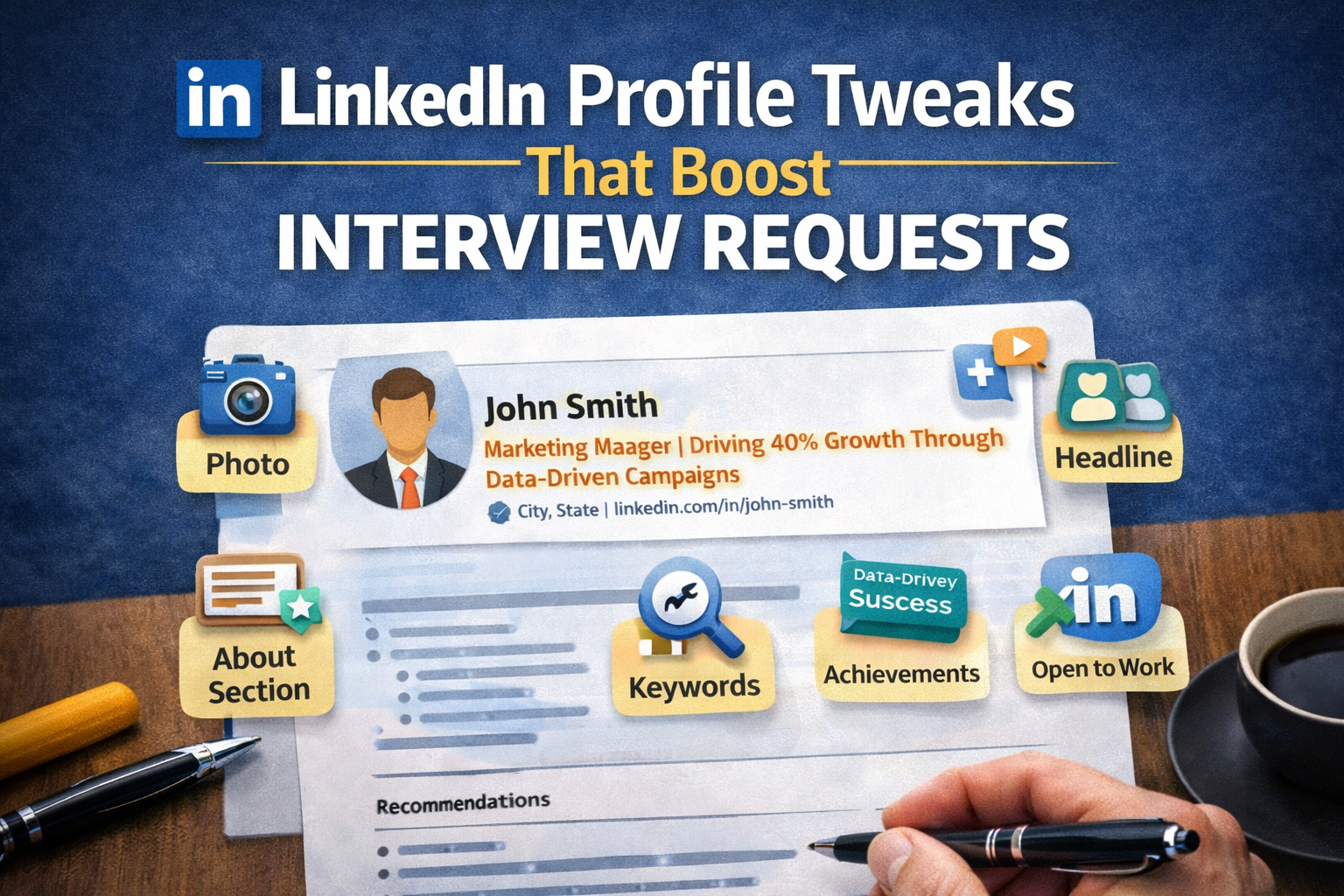
1. Use a Professional Profile Photo

Profiles with professional photos receive significantly more views and connection requests. Your photo doesn’t need to be studio-quality, but it should look polished and approachable.
What works:
- Clear headshot with good lighting
- Neutral or clean background
- Professional attire
Avoid:
- Group photos
- Casual selfies
- Distracting backgrounds
Think of your photo as your digital first impression—it sets the tone before anyone reads your profile.
2. Write a Headline That Goes Beyond Your Job Title
Your headline is one of the most visible parts of your profile. Instead of just listing your job title, use it to communicate your value.
Weak headline:
“Marketing Manager”
Strong headline:
“Marketing Manager | Driving 40% Growth Through Data-Driven Campaigns”
Tip: Include keywords, your role, and a key achievement or specialization.
3. Optimize Your Profile with Keywords
Recruiters use LinkedIn’s search function to find candidates, which means your profile needs to include the right keywords.
Where to add keywords:
- Headline
- About section
- Experience descriptions
- Skills section
Tip: Look at job descriptions in your field and mirror commonly used terms naturally.
4. Create a Compelling “About” Section
Your “About” section is your chance to tell your story. Instead of listing responsibilities, focus on your journey, strengths, and impact.
Structure to follow:
- Who you are
- What you specialize in
- Key achievements
- What you’re looking for
Tip: Write in first person and keep it conversational but professional.
5. Add Measurable Achievements to Your Experience
Just like a resume, your LinkedIn profile should highlight results—not just responsibilities.
Example:
- Weak: “Managed sales team”
- Strong: “Led a sales team of 10, increasing revenue by 35% in one year”
Numbers catch attention and build credibility quickly.
6. Customize Your LinkedIn URL
A custom LinkedIn URL looks more professional and is easier to share.
Example:
- Default: linkedin.com/in/john-doe-123456
- Custom: linkedin.com/in/johndoe
It’s a small change, but it signals attention to detail.
7. Showcase Skills Strategically
LinkedIn allows you to list multiple skills, but not all are equally valuable.
Best practices:
- Prioritize relevant, in-demand skills
- Keep your top 3 skills aligned with your target role
- Remove outdated or irrelevant skills
Endorsements also help reinforce credibility.
8. Request Recommendations
Recommendations act as social proof. They show that others trust your work and value your contributions.
Tip:
- Ask managers, colleagues, or clients
- Be specific about what you’d like them to highlight
- Aim for at least 2–5 strong recommendations
A well-written recommendation can influence hiring decisions.
9. Stay Active and Engage with Content
Profiles that are active tend to get more visibility. Engagement signals to LinkedIn’s algorithm that your profile is relevant.
Ways to stay active:
- Share industry insights
- Comment on posts
- Publish short updates or articles
Even a few interactions per week can increase your reach.
10. Turn On “Open to Work” (Strategically)
LinkedIn’s “Open to Work” feature helps recruiters know you’re available. You can choose whether to make this visible publicly or only to recruiters.
Tip:
- Specify job titles, locations, and preferences
- Keep it updated
- Use it strategically if you’re currently employed
This increases your chances of appearing in recruiter searches.
11. Add Featured Content and Portfolio Links
The “Featured” section allows you to showcase your best work. This is especially useful for roles in marketing, design, writing, or tech.
Examples:
- Portfolio projects
- Case studies
- Articles or blog posts
- Certifications
This section helps you stand out by showing—not just telling—your skills.
Bonus: Small Tweaks That Make a Big Difference
Beyond the main strategies, these quick fixes can also boost your profile:
- Use a professional banner image
- Keep your profile updated regularly
- Avoid spelling and grammar errors
- Align your LinkedIn profile with your resume
Conclusion
Your LinkedIn profile is more than just an online resume—it’s a powerful personal branding tool. With recruiters increasingly relying on LinkedIn to find and evaluate candidates, optimizing your profile is no longer optional.
The good news is that you don’t need a complete overhaul. By applying these 11 simple, data-backed tweaks, you can significantly increase your visibility, attract recruiter attention, and boost your chances of landing interviews.
Start with one or two changes today, then build from there. Over time, these small improvements can lead to big career opportunities.