

 4.9
4.9 4.5
4.5Pinch us, we must be dreaming—a 100% free resume builder? In an industry where hidden fees and paywalls are common, that kind of claim naturally raises eyebrows. Still, it’s worth taking a closer look.
With so many “freemium” resume platforms crowding the market—luring users in with free tools only to lock downloads behind surprise charges—it’s refreshing to see a service that appears, at least on the surface, to be genuinely free. Resume.com promotes itself as a no-cost resume builder, allowing users to create and download resumes without the typical last-minute payment prompts.
That said, “free” rarely means unlimited. While Resume.com does seem to offer full access without upfront charges, it’s important to consider potential limitations in features, customization, design options, or long-term flexibility.
To get a clearer picture, we’ll dig into online reviews and compare Resume.com to paid competitors to see how it truly stacks up. We’ll also examine what career experts and users are saying, so we can provide an honest assessment of whether Resume.com is a hidden gem—or simply a basic tool best suited for certain situations.
What does Resume.com do?
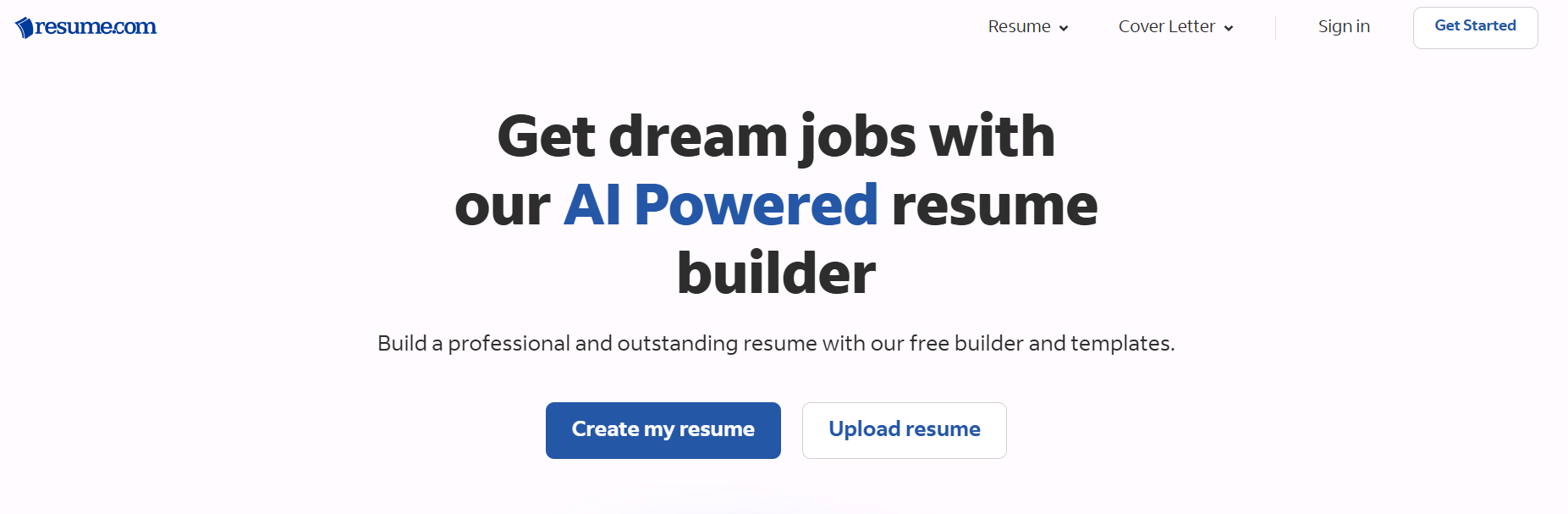
Resume.com positions itself as a completely free platform that gives users access to a variety of resume and cover letter templates in different styles and formats. The builder includes basic customization tools, allowing job seekers to edit content, adjust sections, and tailor their documents to specific roles without needing advanced design skills.
One notable advantage is Resume.com’s close connection with Indeed.com. Because of this integration, users have the option to share their completed resumes directly with employers through Indeed’s platform, potentially streamlining the application process and increasing visibility.
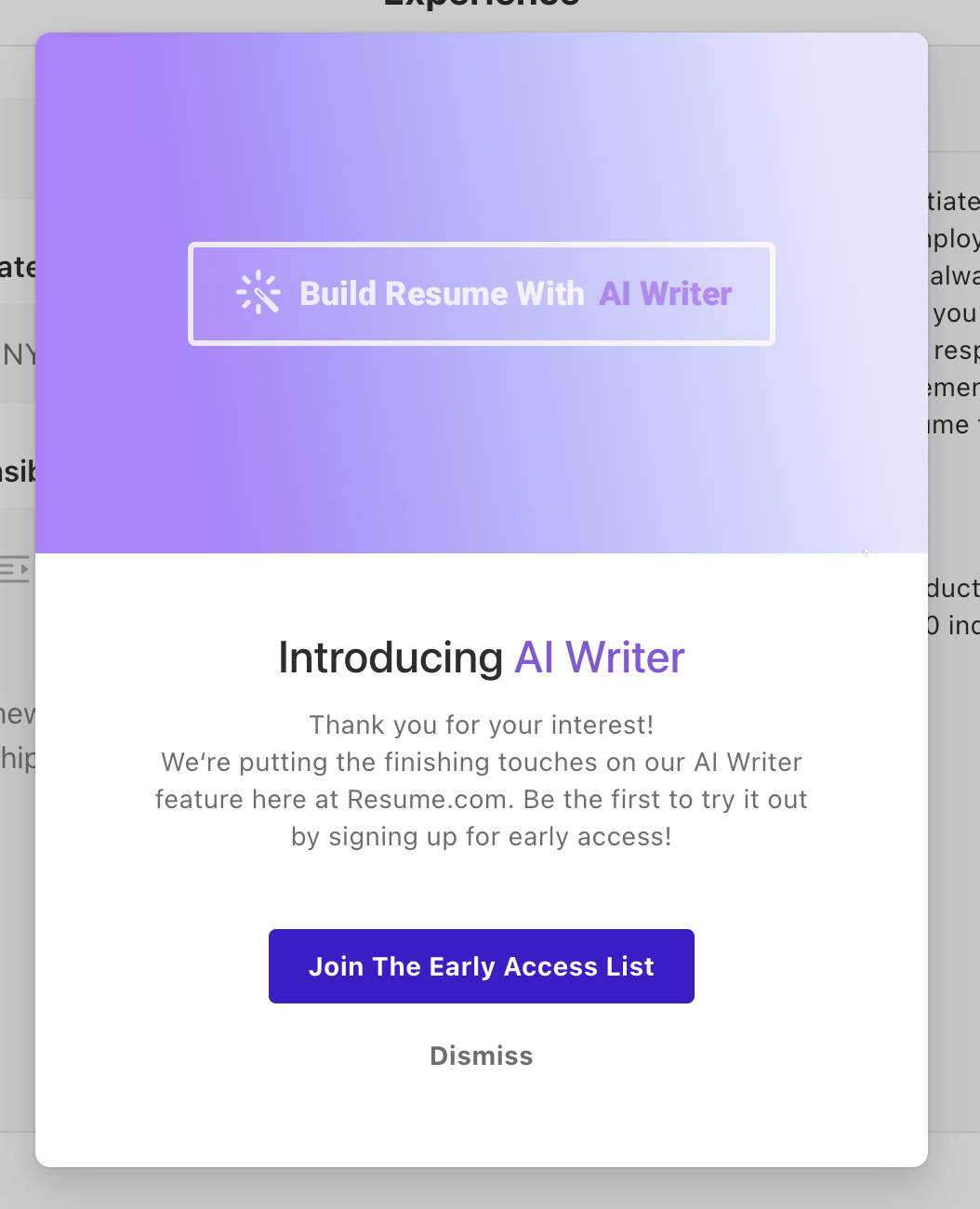
That said, while Resume.com advertises upcoming AI-powered features designed to enhance resume writing and content generation, those tools have not yet been released. Instead, interested users are currently directed to join a waitlist. For job seekers expecting fully functional AI assistance right away, this gap between promotion and availability may prove frustrating.
Who is this service for?
Now, based on the very corporate-style templates offered, Resume.com seems best suited for those applying to traditional business roles rather than more creative positions.
Since the promised AI writing feature is yet to be launched, applicants wanting more serious help writing resume content will still need to hire a pro resume writer.
As mentioned earlier, Resume.com is closely associated with Indeed.com. To the point that you can only log in using your Indeed.com account (slightly annoying if you don’t have one).
This connection implies a focus on early to mid-career candidates rather than senior executives, as Indeed listings tend to max out below $100k, while C-suite openings tend to use more exclusive platforms.
In short, Resume.com’s free tools will appeal more to junior to mid-level professionals seeking basic DIY formatting, rather than a bespoke writing service.
Resume.com: the pros and cons
| Pros: 100% free, no catch, no paywall Pre-written sections for some jobs Relatively easy to use builder ATS compliant templates Clean and professional look | Cons: No AI writer feature yet Pretty bland templates No testimonials on website Few careers have pre-built text No real expert guidance |
Resume.com’s process
Now we’ve covered the basics, let’s break down what happens before, during, and after you sign up for Resume.com.
How does Resume.com’s writing process work?
The process of building a resume on Resume.com kicks off with the unusual request to log in to your Indeed account. Some may find this off putting due to privacy concerns.
But once you’re past the login screen, you can select a template, input basic person and experience details, and start personalizing your resume content.
You can write your own messaging, or choose from a limited set of pre-written text – though professional niche options are noticeably lacking.
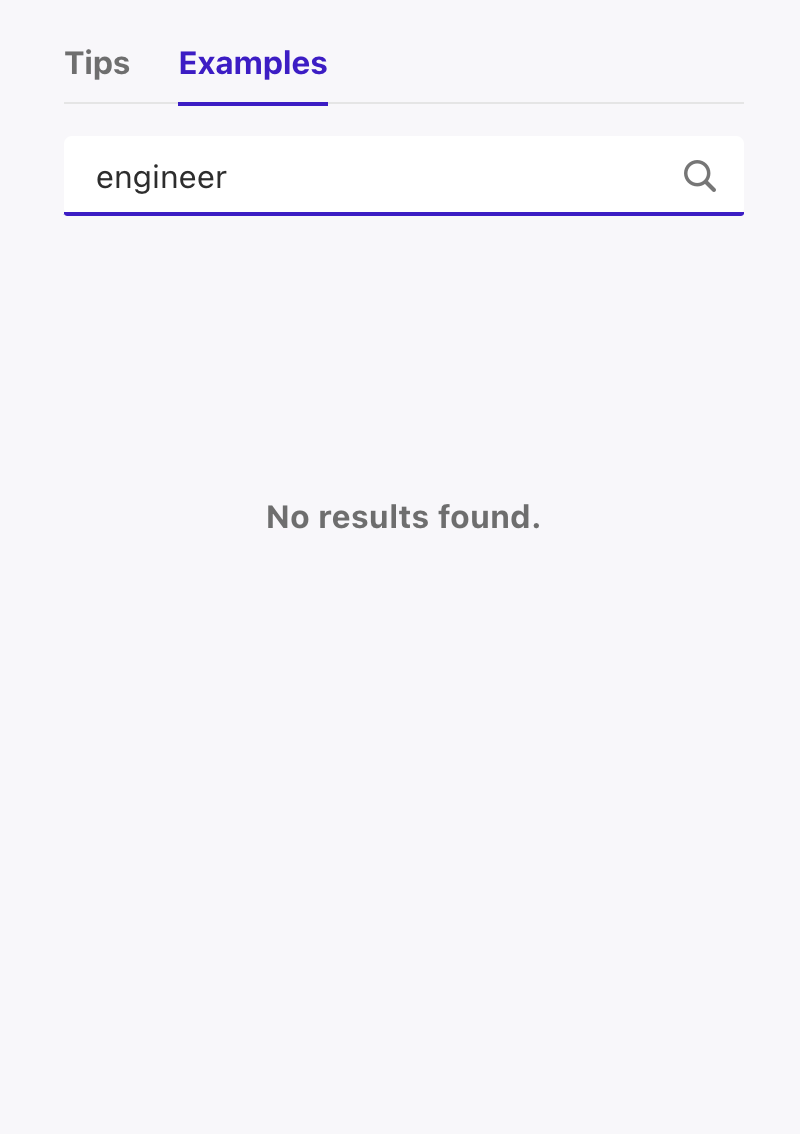
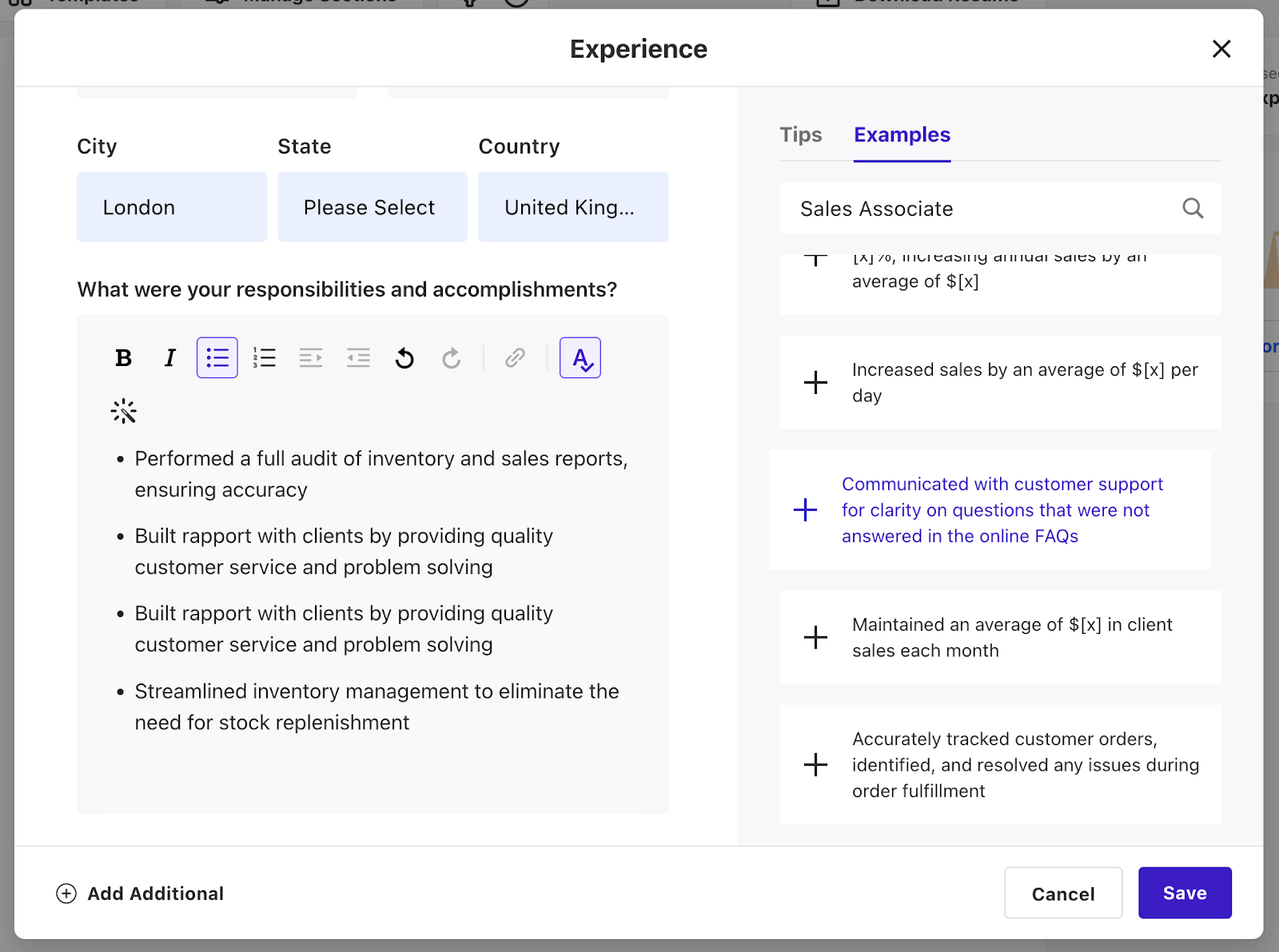
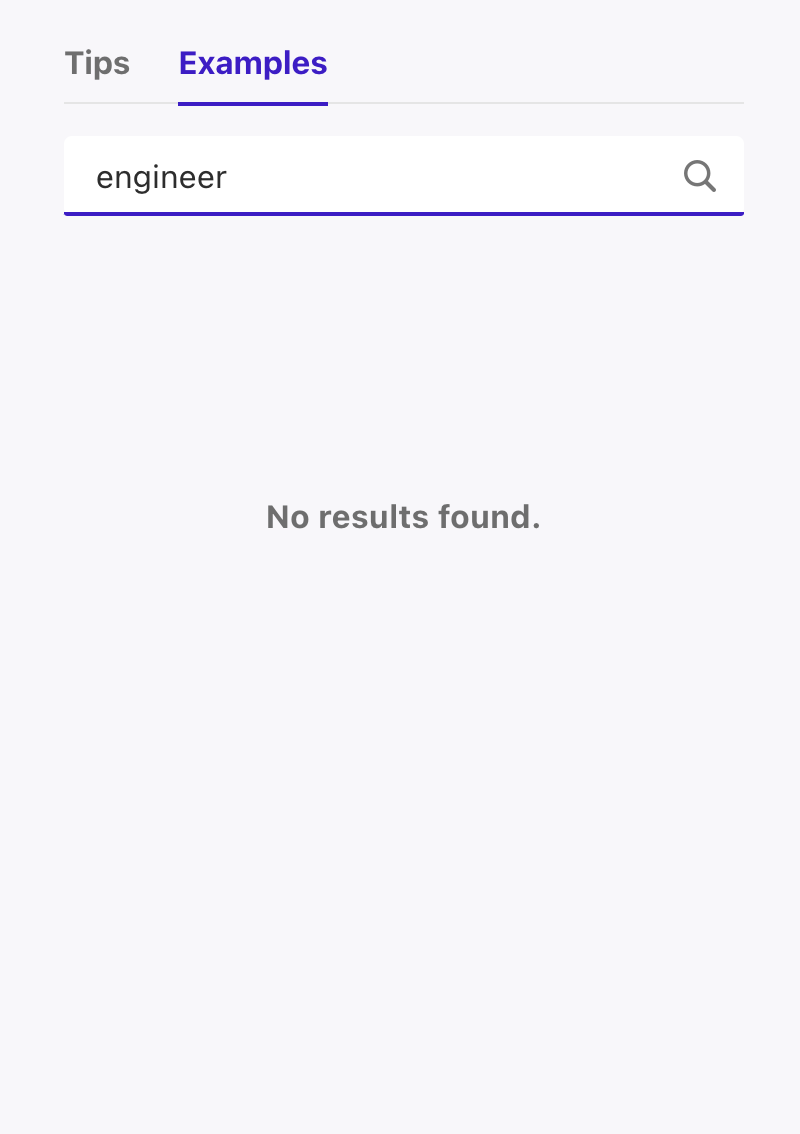
For example, during our review there were no suggested texts for specialized roles like chef or engineer.
The final step is downloading your resume as a PDF (and no – there’s no paywall!)
While the basics are there for DIY formatting, expect to write most of the profiling details yourself, with little guidance for those in less common fields.
How long does the process take?
Compared to full-service resume writing companies, completing the process on Resume.com takes significantly longer since the content creation is entirely handled by you.
The limited pre-written text options only cover common job titles, forcing most users to write their own profiling.
As there is currently no AI writer feature, users should view this tool as more of a visual builder rather than a writing aid. Be prepared to dedicate more time to personalizing the content.
What do Resume.com resumes look like?
As far as the actual resumes go, the templates offered by Resume.com definitely go for ATS compliance and professionalism over individuality.
What we’re saying is, expect monotone black text on white backgrounds across the board.
Funnily enough, Resume.com’s homepage pretends to show off a range of resume templates focused on “education”, “skill”, and “personality”. But in reality, these look practically identical.
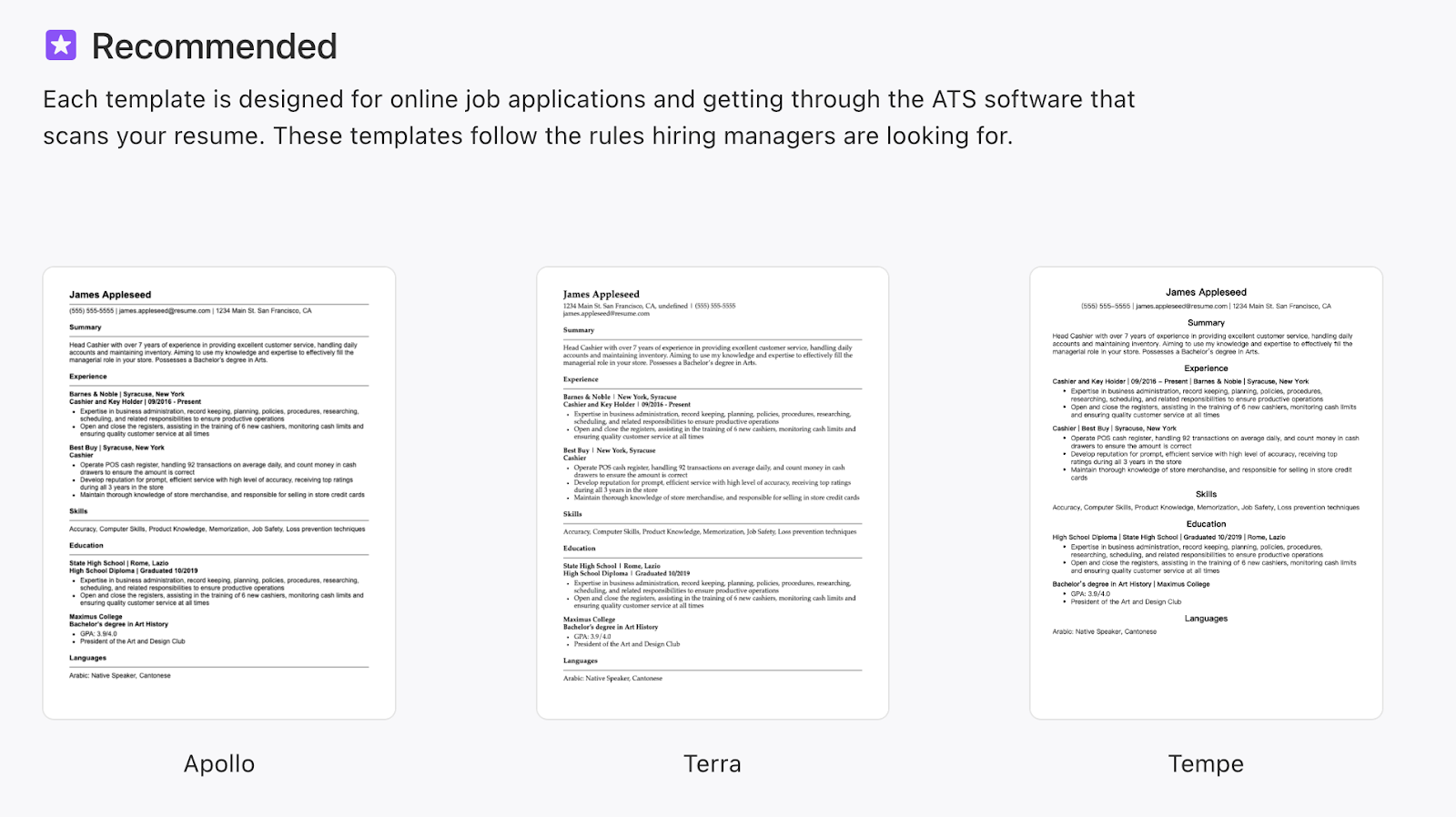
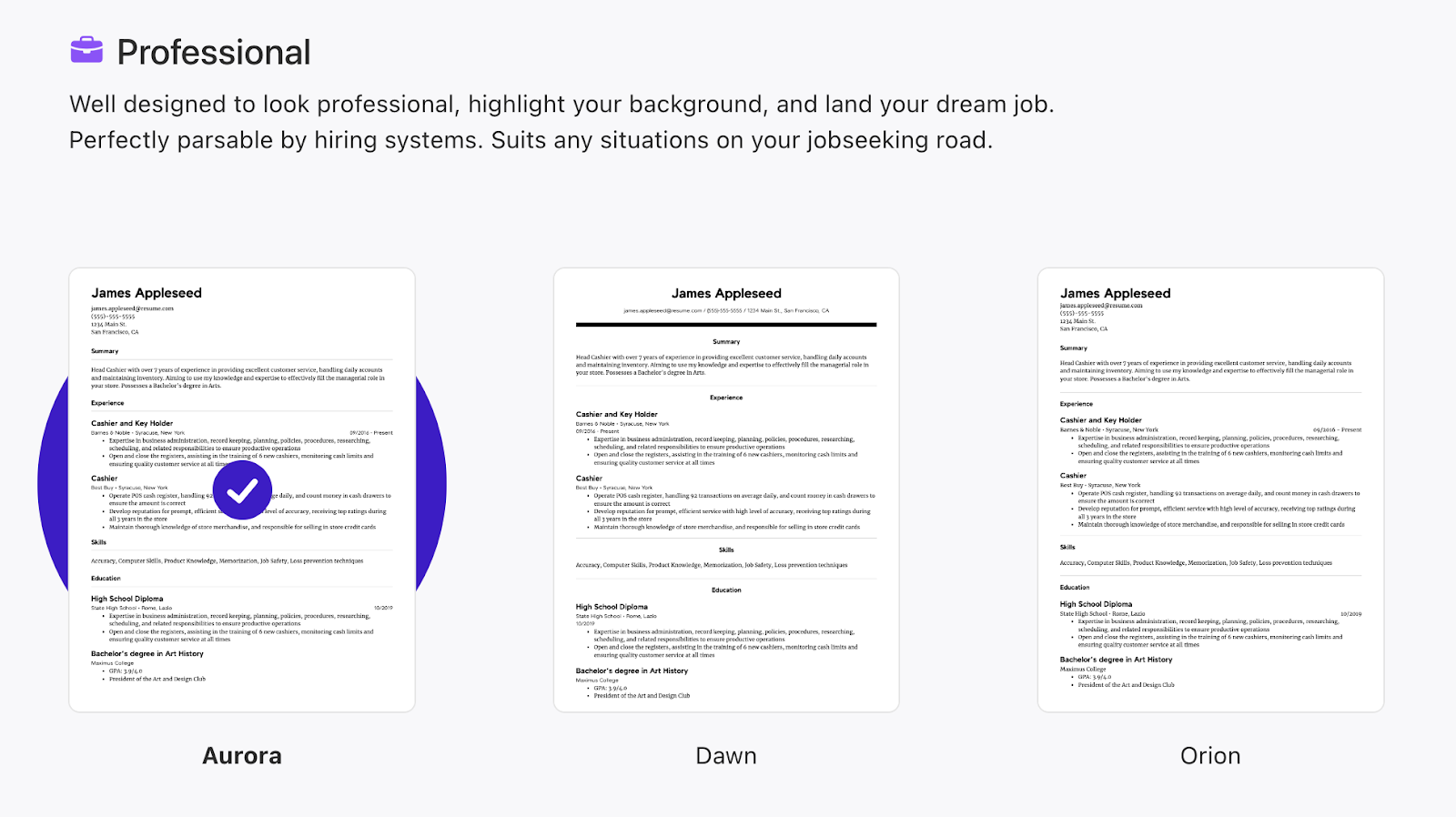
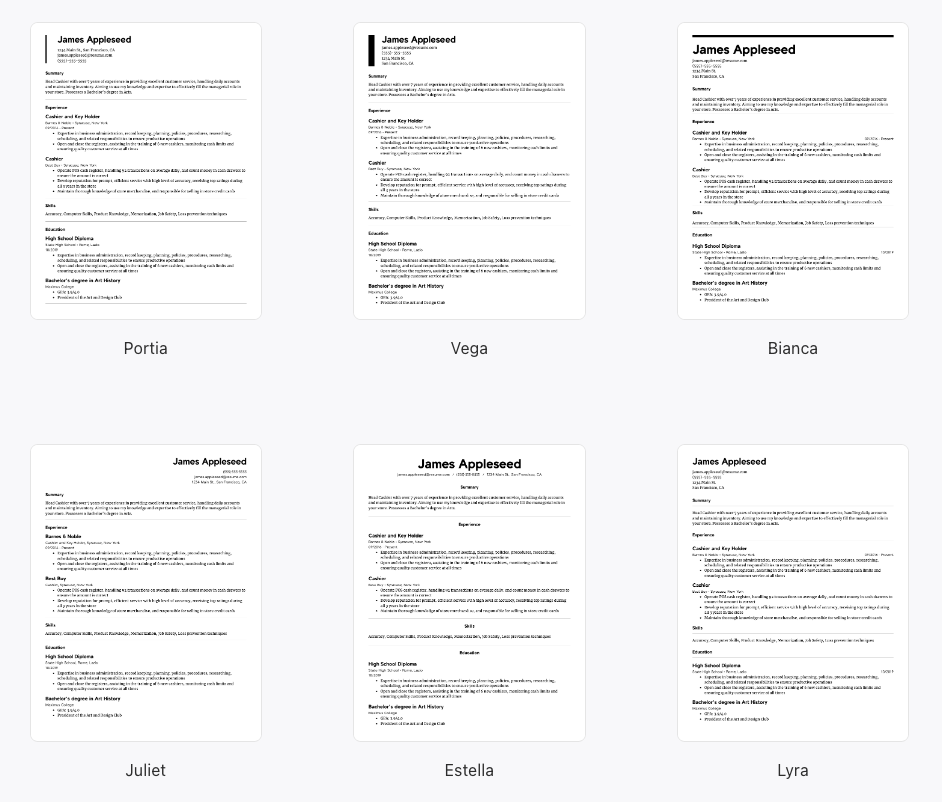
It’s as if visual control was handed to a CFO instead of a designer… and they came back with 12 identical documents.
Having said that, this isn’t a big issue if you’re looking for ATS compliance over striking looks.
Is their platform easy to use?
The Resume.com platform is relatively easy to use, with a straightforward resume building interface – slightly bogged down by some clunky elements.
It can be annoying to write 35-words minimum in a section just to unlock previews. And backend template customization feels less modern and dynamic than the slick homepage promises.
However, for basic resumes, the tool allows reasonably intuitive formatting and editing.
Those with more complex career stories might struggle to visually organize everything with the limited design options, but overall things are clean, quick, and easy on the eyes.
Resume.com’s Pricing & Guarantees
The “free” aspect of Resume.com might raise eyebrows, so let’s try and figure out what’s true and what’s just marketing.
Is Resume.com free?
Resume.com proudly advertises a 100% free model.
While this isn’t a unique claim, the fact it’s true certainly is. Users really can access all templates and tools with zero cost.
The one main catch is that guests not signing in with an Indeed account can only access their in-progress resumes for 48 hours – forcing login for long-term editing.
So as long as you use your Indeed credentials, resume building and downloads are completely free of charge. Resume.com delivers its free promise, just with temporary access for guests.
How does Resume.com compare to other resume writing services?
For job seekers wary of false marketing, Resume.com is one of the few truly free platforms.
This is a complete breath of fresh air. Especially when compared to competitors running bait-and-switch “freemium” services (we’re looking at you Resume Now).
While limited visually, Resume.com’s templates still output presentable resumes and cover letters for free. But the pre-written text is lacking, so may require a fair amount of editing.
Applicants on tight budgets who want basic templates and are comfortable writing their own profiles should 100% consider Resume.com over paysites with dubious practices.
Resume.com reviews
This is important: we’d like to remain impartial here, so here’s the full story. While planning on analyzing customer reviews, we ran into some strange things.
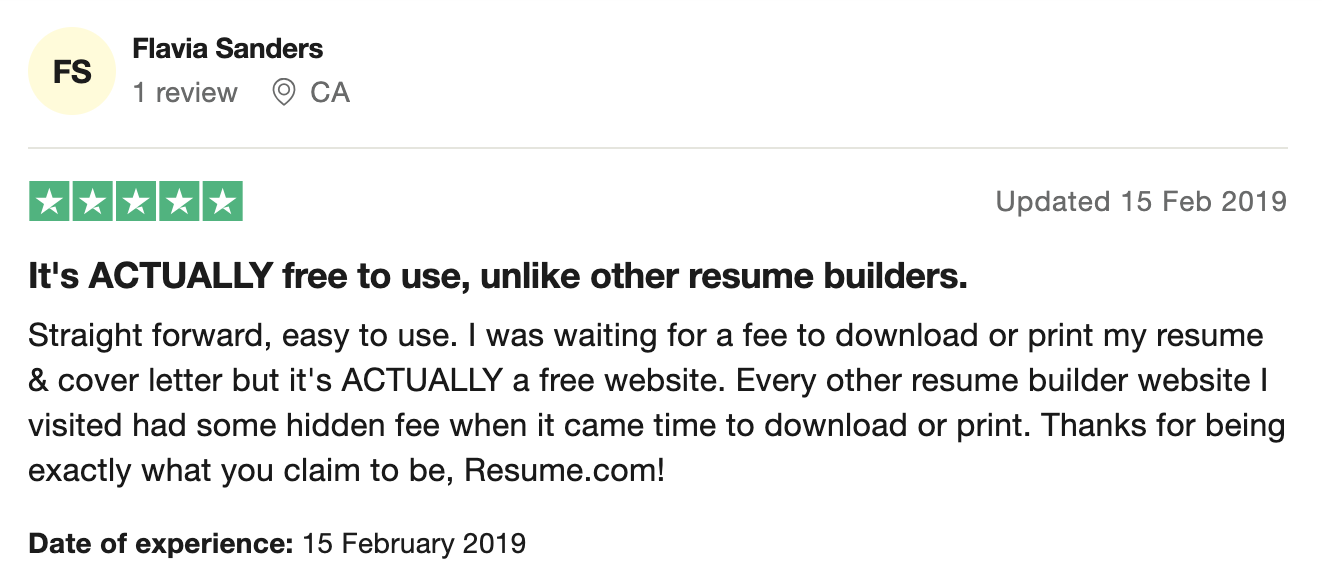
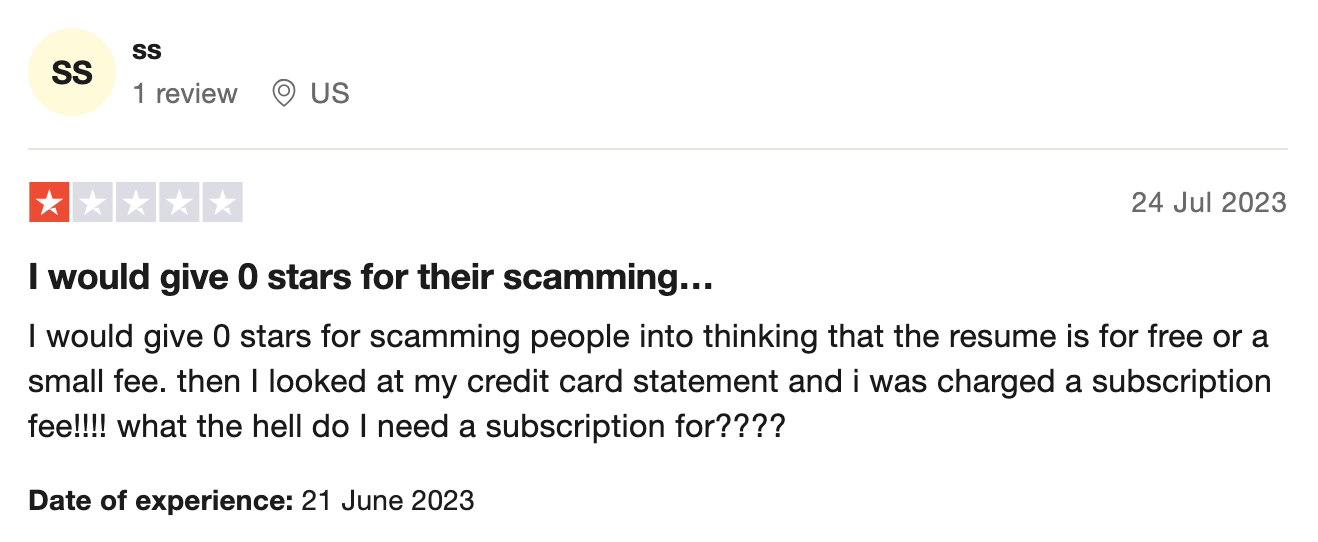
Firstly, many of the reviews refer to credit cards, bills, and “introductory prices”.
As far as we can tell, Resume.com has zero bills involved, so it’s unclear whether the company changed its business model (as recently as July 2023 based on some reviews), or if these are reviews for another brand. It’s important you know this, so proceed with this warning.
Resume.com reviews from TrustPilot
As mentioned, it’s unclear why some reviews refer to “small fees”, so take the 1.8 rating on TrustPilot with a grain of salt.
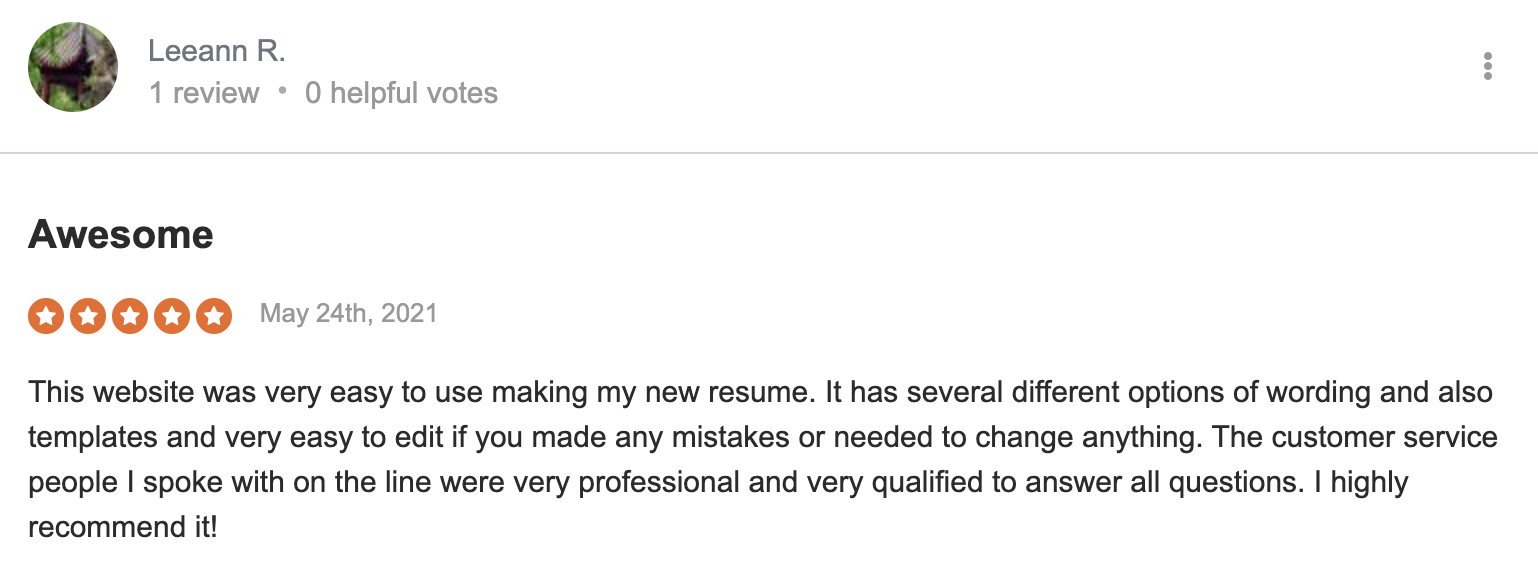
Resume.com reviews from SiteJabber
Resume.com fares better (and perhaps more accurately) on SiteJabber, with 3.98 stars based on 19 reviews. Most customers are happy with the service, with no stand out negative reviews.
What else should you know?
Now that we’ve explained this strange review situation, let’s get back to looking at the service’s effectiveness. That way, you can make your own call on whether to take Resume.com for a test spin.
How effective is Resume.com?
Resume.com makes a few bold claims. Namely, that they’ve helped 6 million people land jobs with their tools – impressive numbers if accurate.
However, real testimonials are conspicuously absent from their site.
Most competitors tend to blast you with inspiring reviews and success stories. So while Resume.com certainly is free, they do little to back up their claims with real success numbers.
Applicants will likely have to take their word that the templates provided are ATS compliant, and help rather than hinder job searches.
Which other services do they have?
Resume.com limits its services to just resume and cover letter building.
Unlike some competitors there are no extra services like online career coaching, personal branding, LinkedIn profile optimization, or interview practice.
Customers should expect a no-frills experience – it’s definitely a case of “get what you pay for”.
What kind of support do they offer?
Resume.com has no real customer support to speak of. With no clear contact options beyond a few help pages and FAQs, you may feel a little anxious working on important documents on a platform that clearly doesn’t want to talk to you.
Now, this isn’t to say it’s risky at all. And with Resume.com being partnered with Indeed.com, it’s clear there’s a certain level of trust to the service.
But we think it would be annoying to lose access to your resume halfway through writing it (if accounts got locked for some reason) and there’s no way to reach out and get help.
What makes Resume.com different?
The free model makes Resume.com stand out in a sea of often sneaky competitors.
However, the free model does mean more limited templates and customization compared to professional services.
The forced Indeed account connection might make them feel more trustworthy, but it could also just be annoying. Especially if you have no account.
How safe is this service?
Using Resume.com obviously means handing over sensitive data. While the company has standard privacy policies, job seekers simply seeking quick resume templates may not want to share details with yet another platform.
The website fails to explain how it sustains free operations without utilizing user data behind the scenes. While Resume.com has a good track record, it’s not risk-free.
Applicants should carefully weigh up if the convenience and price offset potential privacy risks or added hassles down the road if account security is ever compromised. Essentially, “free” here comes at the cost of providing your information.
Conclusion: does Resume.com really work?
To summarize, Resume.com achieves its promises like few other platforms. It’s a 100% free resume builder, complete with ATS-friendly templates and basic customization tools.
However, the service does come up short for those wanting writing guidance or creative visual designs. As the approach is very DIY beyond the template select screen.
If you’re a job seeker on a budget who wants simple scaffolding for content, this is probably the best ATS compliant tool you can pick.
But for most, the limitations around personalization and support highlight why hiring a professional resume writer might be worth the investment.