

 4.9
4.9 4.5
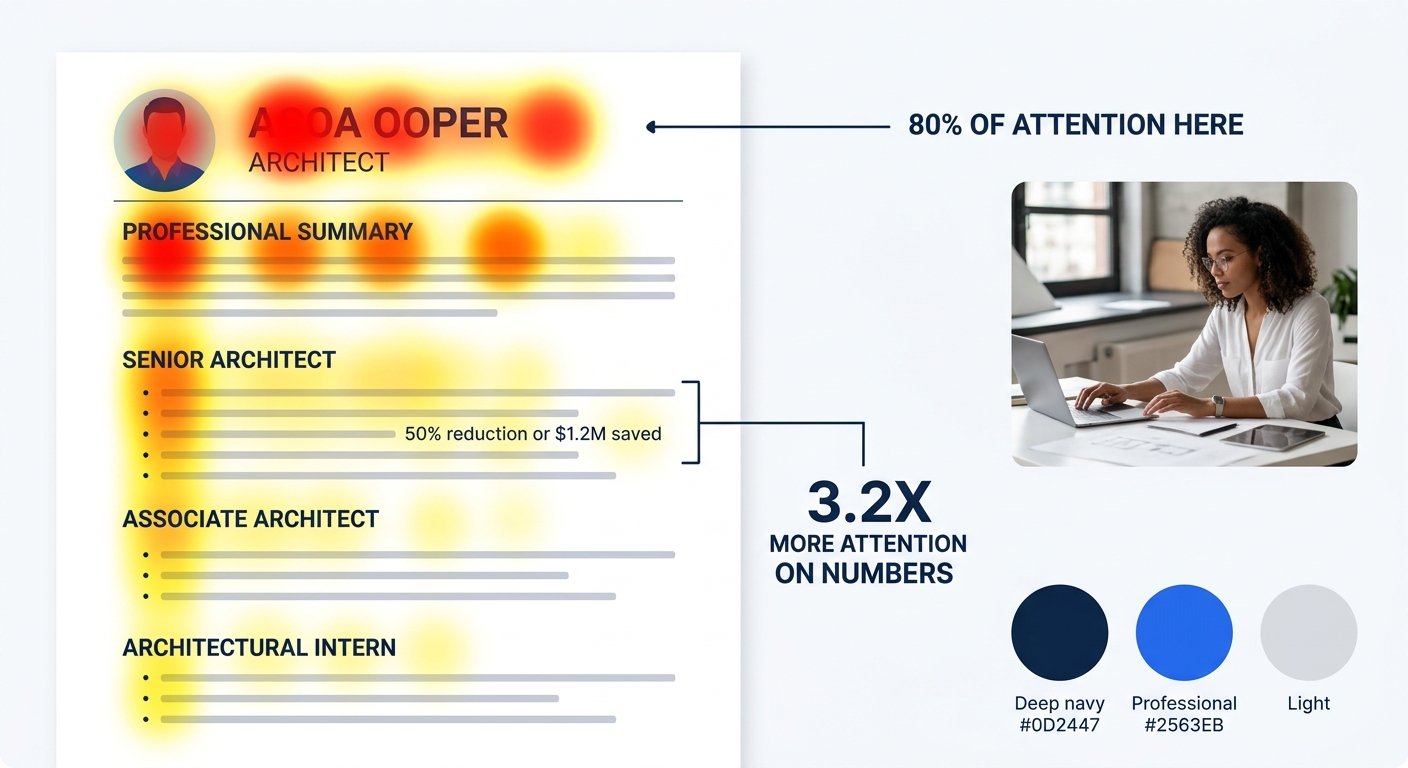
4.5Ladders Research conducted an eye-tracking study that measured exactly where recruiters look during their initial resume scan. The average viewing time before a keep-or-reject decision: six seconds. And 80% of that attention concentrated on the top third of the first page. For architects, where AIA credentials, NCARB certification, and specific BIM proficiency carry enormous weight, those six seconds are unforgiving. A beautiful rendering portfolio means nothing if the resume that precedes it gets tossed at second three.
This article traces what actually happens during those seconds, in order, and shows you how to win each one.
Phase Zero: Before Any Human Sees Your Resume
Your resume hits an Applicant Tracking System before it ever reaches a hiring manager’s desk. Over 75% of companies now use AI-powered screening tools that parse your document for keywords, formatting structure, and role-relevant qualifications. Architecture firms are no exception.
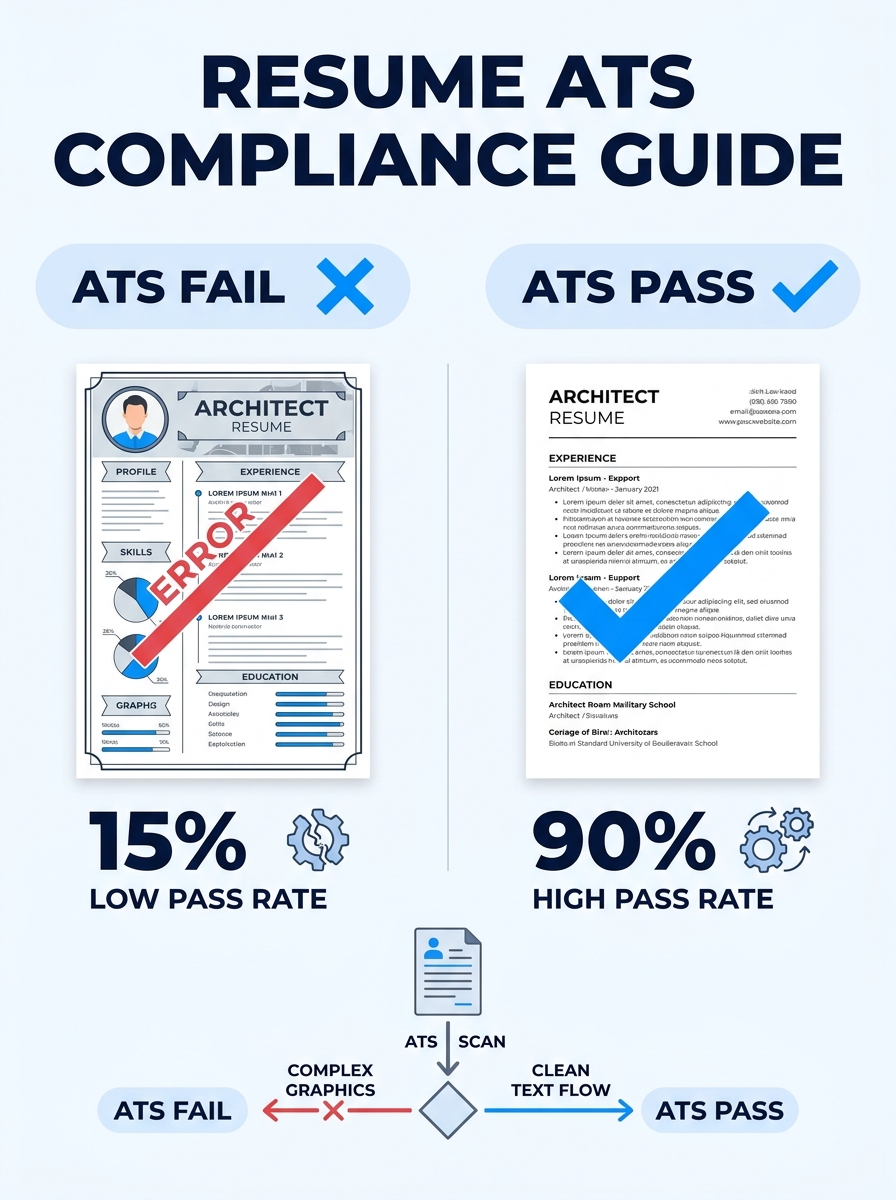
Here’s where architect resumes fail at disproportionate rates: design-forward layouts. You spent years training your eye for visual composition, and it shows in your resume. Elaborate column layouts, embedded graphics, custom typography — these hurt more than they help. The ATS can’t parse a two-column layout reliably. It chokes on tables. It ignores text embedded in images entirely.
The fix is counterintuitive for a design professional. Use a clean single-column format with standard section headers (“Work Experience,” “Skills,” “Education and Certifications”). According to Indeed’s resume format guide, chronological, functional, and combination resumes can all pass ATS screening when formatted correctly, but you must avoid tables, graphics, or overly designed layouts.
If you’re unsure whether your current layout will survive ATS parsing, our guide on making your resume ATS-friendly walks through the specific formatting rules that trip people up.
Seconds 1–2: The Top Third Gets 80% of the Attention
The recruiter opens your PDF. Eye-tracking data shows they follow an F-pattern: a horizontal sweep across the top, then a vertical scan down the left margin. The top third of your first page receives the overwhelming majority of initial attention.
For architects, this means your name, professional title line, and summary statement are doing almost all the work. And here’s where many architect resumes stumble badly.
Hiring managers expect mid- to senior-level architects to include a professional summary, not an objective statement. An objective says what you want. A summary demonstrates what you bring. The difference matters because during a five-second scan, the hiring manager is asking one question: “Can this person do the job I need filled?”
A weak summary: “Seeking a challenging position at an innovative architecture firm where I can grow my skills.” This tells the reader nothing about your capabilities.
A strong summary: “Licensed architect (AIA, NCARB) with eight years leading mixed-use commercial projects from schematic design through construction administration. Proficient in Revit, AutoCAD, and Rhino. LEED AP BD+C certified. Managed project budgets averaging $12M.”
That second version packs credentials, software, certifications, and scale into four sentences. A hiring manager scanning for three seconds gets everything they need to decide to keep reading. We’ve covered many of these signals hiring managers notice in the first seconds of reviewing a resume, and the pattern holds across industries: specificity wins over vagueness every time.
Second 3: The Credentials Question — AIA, NCARB, and Where They Belong
By second three, the hiring manager is scanning for design professional hiring signals, specifically licensure. In architecture, your RA (Registered Architect) status and AIA membership aren’t optional information. They’re often the first mental filter a hiring manager applies.
The question isn’t whether to include these credentials. It’s where to put them so they’re visible during a scan that might end in two more seconds.
You have three placement options for AIA licensing resume placement, and the right choice depends on your career level:
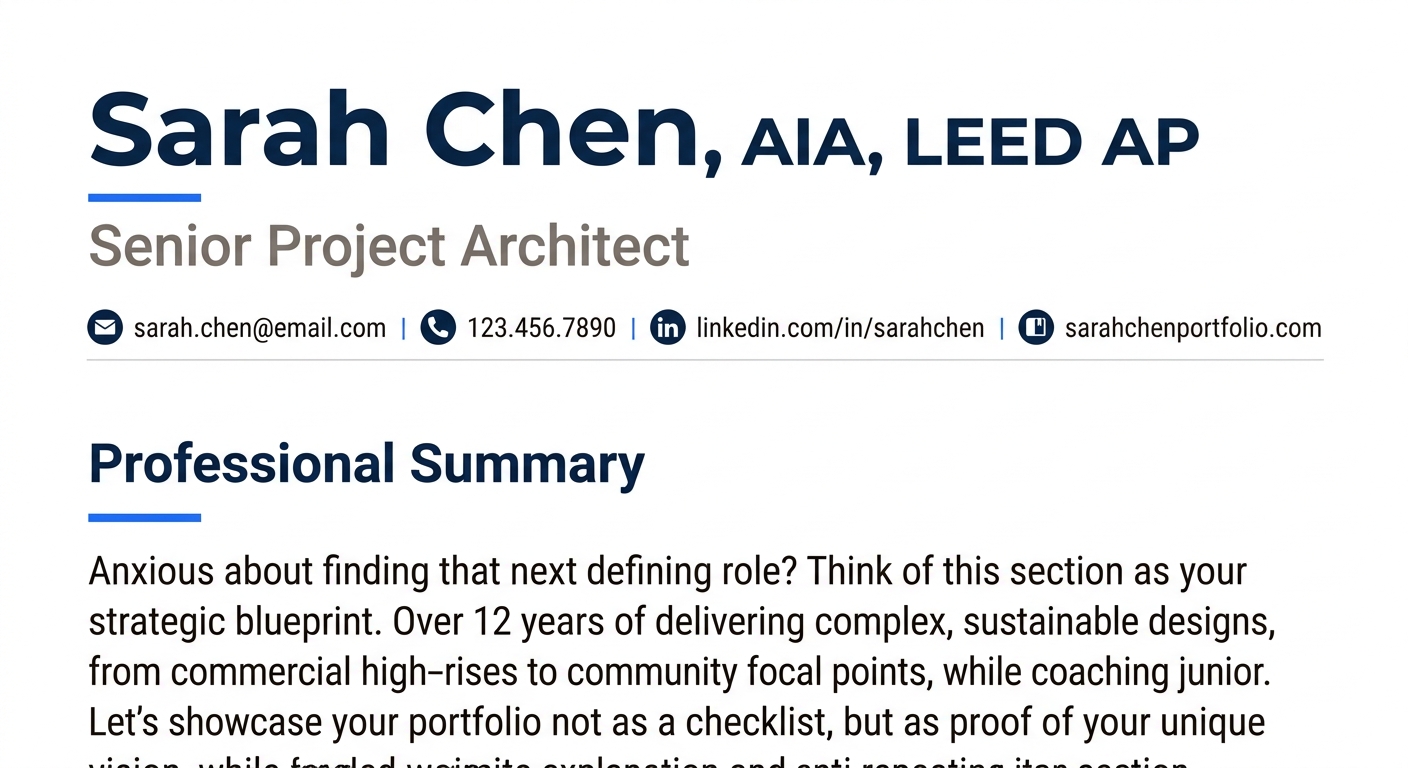
After your name. Write “Jane Chen, AIA, LEED AP” at the very top of the page. This is the strongest placement for licensed architects because the credential appears in the first words the recruiter reads. The AIA has specific guidelines for using the designation that are worth reviewing so you format it correctly.
In your summary statement. If you’re newly licensed or hold multiple certifications, weaving “Licensed Architect (AIA)” into the summary puts it in that high-attention top third without cluttering your name line.
In a dedicated section. If you hold several credentials (RA, AIA, NCARB, LEED AP, WELL AP, PMP), a “Licenses and Certifications” section below your summary keeps things organized. Resume.org recommends choosing placement based on how essential the credential is to the target role. If it’s a must-have, put it in the summary. If it’s one of several, give it its own section.
For mid-career and senior architects, the first option is almost always best. Put the letters after your name. The hiring manager sees them before they even reach your summary.
Seconds 4–5: The BIM Tools Check
If the hiring manager hasn’t rejected your resume by now, they’re scanning your skills section and the first few bullet points of your most recent role. This is where BIM tools on resume become a pass/fail gate.
A scan of current BIM architect postings on Glassdoor shows the same software names appearing repeatedly: Revit, AutoCAD, NavisWorks, and Tekla. Firms increasingly want architects who can work within digital construction workflows, and they’re scanning for those specific tool names.
But listing “Revit” isn’t enough. Hiring managers differentiate between someone who has opened Revit and someone who has built coordinated models in it. The way you frame your BIM skills signals which category you fall into.
Weak: “Proficient in Revit, AutoCAD, SketchUp, Rhino.”
Strong: “Developed coordinated Revit models for a 200,000 SF mixed-use project, running clash detection through Navisworks that eliminated 40+ RFIs during construction.”
The second version turns a software name into a story about project impact. When a hiring manager’s eye catches a number like “200,000 SF” or “40+ RFIs,” it triggers a slowdown in their scan. Numbers and metrics attract 3.2x more attention than plain text, according to the same eye-tracking research. Your architect resume optimization strategy should treat every bullet point as a chance to attach a number to a skill.
If you want to go deeper on the kinds of verbs that move the needle in bullet points, we’ve compiled a list of action verbs that boost resume impact across industries, and many apply directly to architecture roles.
Tip: Group your technical skills into clear categories: **Design Software** (Revit, AutoCAD, Rhino, SketchUp), **Visualization** (V-Ray, Lumion, Enscape), **Project Management** (Procore, Bluebeam, MS Project), and **Certifications** (LEED AP, WELL AP, PMP). This structure helps both ATS parsing and human scanning.
The Portfolio Link Decision
Architecture is one of the few professions where a portfolio can genuinely change a hiring outcome. But within a five-second resume scan, the portfolio itself isn’t being reviewed. The hiring manager is noting whether a link exists and whether it’s presented in a way that suggests professionalism.
Portfolio integration resume strategy for architects comes down to placement and format. Include a URL to your online portfolio (Behance, personal website, or a BIM-specific portfolio) in your header or contact information section, right alongside your email and LinkedIn. Don’t bury it at the bottom of page two. According to Novatr’s guide on building a BIM architect portfolio, the ideal portfolio showcases four to six projects with clear process documentation, and having one ready makes the resume itself more credible even before anyone clicks the link.
And your LinkedIn profile needs to match and expand on what your resume claims. If you haven’t updated yours in a while, these LinkedIn profile tweaks can help you present a consistent professional story across both documents.
The hiring manager isn’t reading your portfolio during the scan. They’re checking that the link exists and that it’s easy to find. Its presence alone signals you’re serious about the role.
Where the Scan Lands Today
The five-second architect resume scan is a gauntlet with a specific sequence: ATS parsing, F-pattern eye sweep of the top third, credential check, skills verification, and portfolio link presence. Each phase has a distinct failure mode, and each failure mode has a known fix.
What’s changed in 2026 is the severity of the ATS gate. With AI screening tools becoming standard across hiring pipelines, your resume is being read by two audiences: a machine that needs exact keywords and clean formatting, and a human who needs to see credentials, metrics, and relevant tools within five seconds. Designing for both audiences simultaneously is the core challenge of architect resume optimization today.
If you’re struggling to get callbacks and can’t identify why, it might be worth getting a second opinion. The best resume writing services include writers who specialize in architecture and design fields, and even a single round of professional feedback can reveal blind spots you’ve been overlooking for years. For those who prefer a DIY approach, the top resume builders available now include ATS-checking features that flag formatting problems before you hit submit.
The architects who consistently land interviews aren’t necessarily the most talented designers in the applicant pool. They’re the ones whose resumes survive each phase of the scan, delivering the right information at the right moment, in a format that both algorithms and tired human eyes can process without friction. That’s a design problem in its own right, and you already know how to solve design problems.