


 4.9
4.9 4.5
4.5Below is a complete, fill-in-the-blank cover letter template with line-by-line instructions. Following the six steps takes roughly 30 minutes and produces a one-page letter formatted to match what MIT’s career advising team and Indeed’s hiring data both recommend. Properly formatted cover letters generate a 42% higher response rate from recruiters and a 30% higher chance of landing the job compared to unformatted submissions.
TL;DR: Copy the template skeleton below, fill in each bracketed section using the step-by-step instructions, and you’ll have a correctly formatted one-page cover letter ready to submit as a PDF. The whole process takes about 30 minutes.
Before You Start
You need four things before Step 1:
- The job posting, open on your screen. You’ll pull specific language from it.
- Your resume, finalized. The cover letter references the same achievements but frames them differently. If your resume still needs work, fixing common formatting red flags first saves you from contradicting yourself in the letter.
- The hiring manager’s name. Check the posting, the company’s team page, or LinkedIn. If you genuinely can’t find it after 5 minutes of searching, “Dear Hiring Manager” is acceptable, but a named greeting outperforms a generic one.
- 30 uninterrupted minutes. Drafting and editing in a single session produces a more coherent letter than spreading it across days.
Step 1: Build Your Header Block
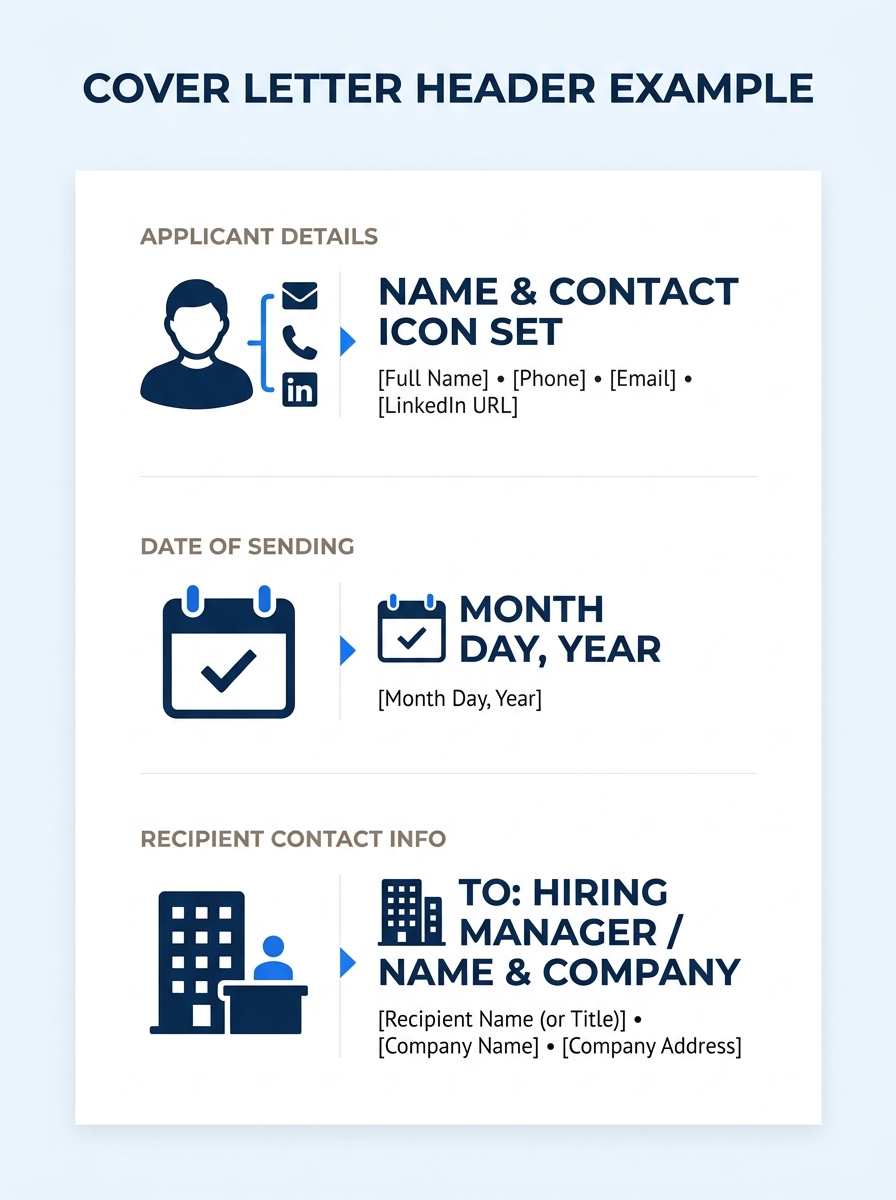
The header sits at the top of your letter and mirrors the contact information on your resume. It includes your full name, phone number, email address, city and state, and (optionally) your LinkedIn URL. Below your details, add the date, then the recipient’s name, title, company, and company address.
Here’s the template:
[Your Full Name] [Phone Number] | [Email Address] | [City, State] | [LinkedIn URL]
[Today’s Date]
[Hiring Manager’s Full Name] [Their Title] [Company Name] [Company Address]
You’ll know it worked when your header takes up no more than 5-6 lines and uses the same font as the rest of your letter. MIT’s career advising team recommends keeping font size between 10 and 12 points across the entire document, header included. Use 1-inch margins on all four sides, and keep everything left-aligned.
Step 2: Write a Specific Salutation
Address the letter directly to the person who’ll read it. The format is straightforward:
Dear [Ms./Mr./Mx.] [Last Name],
Skip “To Whom It May Concern.” It signals you didn’t research the company. If the posting lists a team or department but no individual name, “Dear [Department Name] Hiring Team” works better than the generic alternative. According to Indeed’s cover letter guidance, addressing the letter directly to the hiring manager using their name is one of the clearest signals of a customized application.
You’ll know it worked when the salutation names a real person or a specific team. One line, one comma, done.
Step 3: Draft Your Opening Paragraph (3-4 Sentences)
Your opening paragraph does three things: states the role you’re applying for, names where you found the posting, and delivers one quantified achievement that makes the reader want to keep going. This is the single most important example for a cover letter to get right, because hiring managers spend an average of 6-7 seconds deciding whether to keep reading.
Here’s the template:
I’m writing to apply for the [Job Title] position at [Company Name], which I found on [Source]. With [X years] of experience in [relevant field], I [specific achievement with a number, e.g., “increased quarterly sales by 22%” or “reduced customer response time from 48 hours to 6 hours”]. I’m excited to bring that same focus to [Company Name]’s [specific goal or initiative mentioned in the job posting].
The key word here is specific. “I’m a hard worker with great communication skills” tells the hiring manager nothing. “I trained 14 new hires across two locations, cutting onboarding time by three weeks” tells them exactly what you’ve done. If you need help turning vague descriptions into quantified results, the same principles that apply to resume bullet points work in cover letter openings too.
Tip: Pull the exact job title from the posting, don’t paraphrase it. ATS systems and recruiters both scan for title matches in the first paragraph.
Step 4: Build the Body (1-2 Paragraphs)
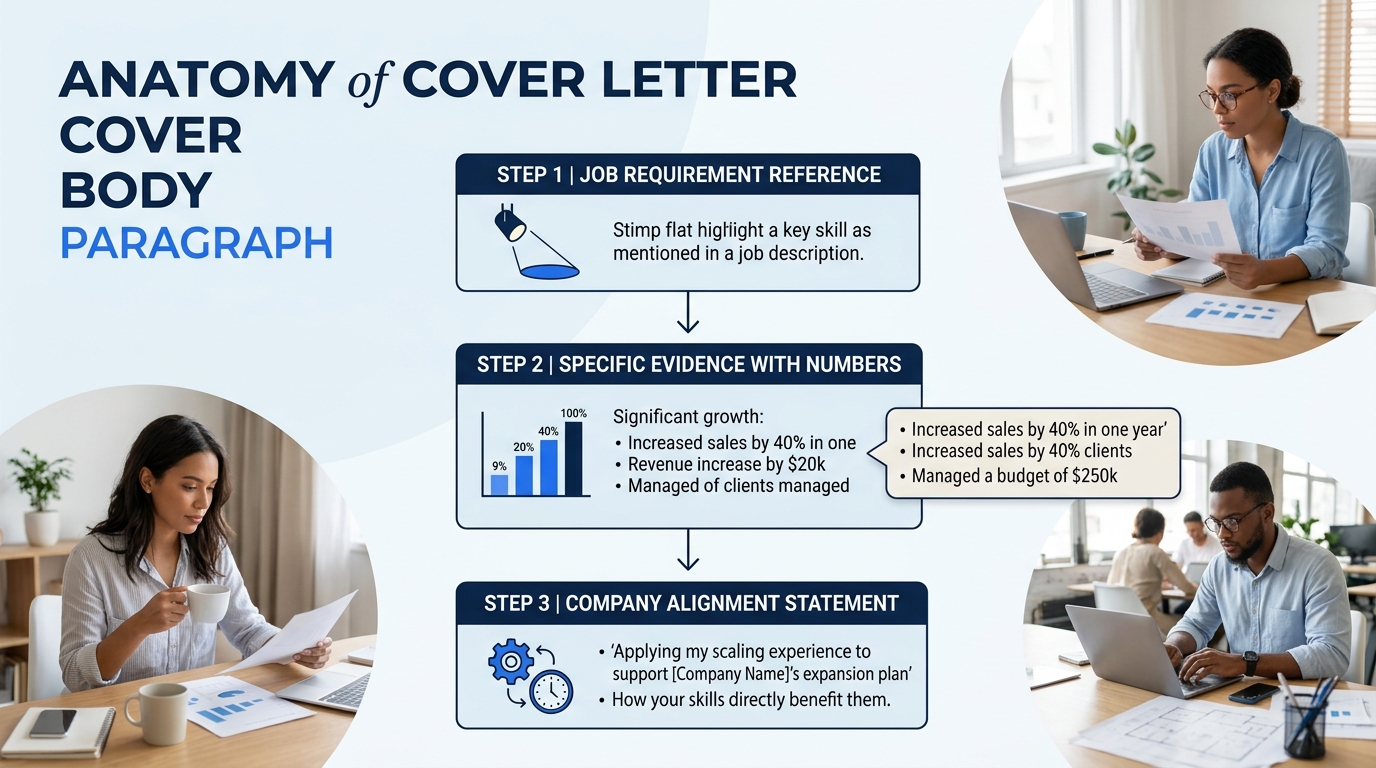
The body is where you connect your background to what the company actually needs. Each body paragraph should open with a requirement from the job posting, then show evidence that you meet it. ResumeGenius’s analysis of 200+ professional cover letter examples across industries confirms that effective body paragraphs consistently tie specific achievements to job requirements rather than listing general responsibilities.
Here’s the template for one body paragraph:
In my current role as [Your Title] at [Current/Most Recent Company], I [specific responsibility that matches a requirement from the job posting]. For example, [describe a project or result with numbers]. This experience directly aligns with your need for [paraphrase a specific requirement from the posting].
And if you have a second body paragraph, use it to address a different requirement:
My background in [second relevant skill area] has prepared me to [specific contribution you’d make]. At [Previous Company], I [another achievement with a measurable outcome], which [explain the business impact in one clause].
Forbes contributor Goldie Chan advises job seekers to “use your cover letter to highlight your value and explain how your skills and expertise can help the company reach their goals and fulfill their vision.” That’s the test for every sentence in the body: does it explain value to the employer, or does it describe what you did for yourself? If it reads like a biography, cut it. If it reads like a pitch, keep it.
You’ll know it worked when each body paragraph references a specific requirement from the job posting and backs it up with evidence from your experience. Two body paragraphs is the sweet spot for most roles. Three pushes you past one page.
Step 5: Write Your Closing Paragraph and Sign-Off
The closing paragraph is three sentences. Restate your interest, suggest a next step (the interview), and thank the reader.
Template:
I would welcome the opportunity to discuss how my [key skill or experience area] can contribute to [Company Name]’s [specific team, project, or goal]. I’m available for an interview at your convenience and can be reached at [phone number] or [email address]. Thank you for considering my application.
Sincerely, [Your Full Name]
“Sincerely” is the safest sign-off. “Best regards” works too. Avoid “Cheers,” “Warmly,” or anything overly casual unless you’re applying to a company where that tone clearly matches the culture. The University of Michigan’s career center sums up the closing philosophy well: “Keep it short and sweet, do not exceed one page. Be persuasive and show enthusiasm.”
You’ll know it worked when your closing includes a clear request for an interview and your full name. The entire letter, from header to sign-off, fits on exactly one page.
Does each sentence explain value to the employer, or does it describe what you did for yourself? If it reads like a biography, cut it. If it reads like a pitch, keep it.
Step 6: Format, Proof, and Export
With the content written, format the document for readability and ATS compatibility:
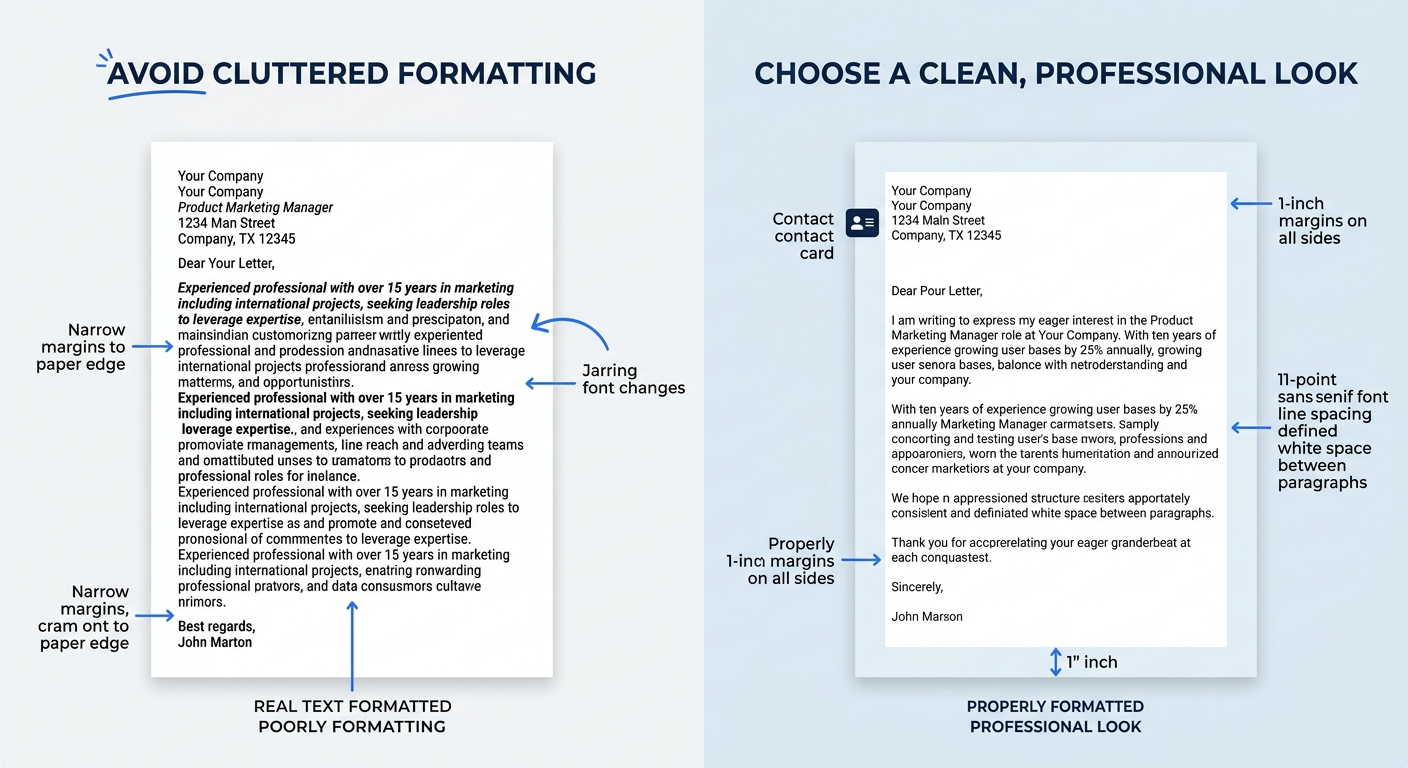
- Margins: 1 inch on all sides. Standard business letter formatting.
- Font: A clean, readable typeface, Calibri, Arial, Garamond, or Times New Roman. Size 10-12 points.
- Alignment: Left-aligned throughout. Don’t center or justify the body text.
- Spacing: Single-spaced within paragraphs, with a blank line between each paragraph.
- File format: Export as PDF unless the posting specifically asks for a .docx file. PDFs preserve your formatting across devices and operating systems.
Read the letter aloud before exporting. Your ear catches awkward phrasing that your eyes skip over. Then run a quick consistency check: does your cover letter mention the same job title, company name, and achievements that appear on your resume? If your professional summary contradicts your bullet points, recruiters notice the mismatch immediately, and the same applies when your cover letter and resume tell different stories.
You’ll know it worked when the final PDF is exactly one page, opens cleanly on a different device, and uses consistent formatting from top to bottom.
When Something Goes Wrong
Three things commonly derail cover letters after they’re written:
The letter exceeds one page. Cut the second body paragraph first, one strong example beats two thin ones. If it’s still too long, tighten your opening paragraph to two sentences instead of three. Resist shrinking the font below 10 points; recruiters flag that immediately as someone cramming too much content into the space.
The ATS doesn’t parse it. This happens when you submit a creatively designed file (built in Canva or a graphics tool) as a PDF with embedded images or unusual text boxes. Plain text formatting with standard fonts parses correctly in 95%+ of ATS platforms. If you’re using a visual template, test it by copying and pasting the PDF text into a plain text editor. If the text comes out garbled or out of order, the ATS will read it the same way.
You submitted the wrong company name. It happens more often than anyone admits, especially when customizing letters for multiple applications. Before every submission, search the document for the company names from your last three applications. One stray “Dear Ms. Johnson” addressed to a different company’s hiring manager is enough to move your application straight to the reject pile.
Where to Go From Here
The template above handles the standard application cover letter, which fits roughly 80% of job postings. But situations vary. A career-change letter needs a different emphasis in the body paragraphs, focusing on transferable skills rather than industry-specific results. A referral letter opens with the connection’s name instead of where you found the posting. An internal transfer letter skips company research entirely because you’re already inside.
For those variations, browse the five winning cover letter templates broken down by scenario we’ve published, or see how professionals in your specific field handle body paragraphs across Indeed’s full library of examples sorted by job title. You can also review additional real cover letter templates and tips to see how different industries handle tone and emphasis. The structure you just built, header, named salutation, quantified opening, body tied to the posting, clean close, PDF export, stays the same across every version. What changes with each application is the content inside the brackets, and that’s exactly where the 30 minutes of customization earns its return.
