

 4.9
4.9 4.5
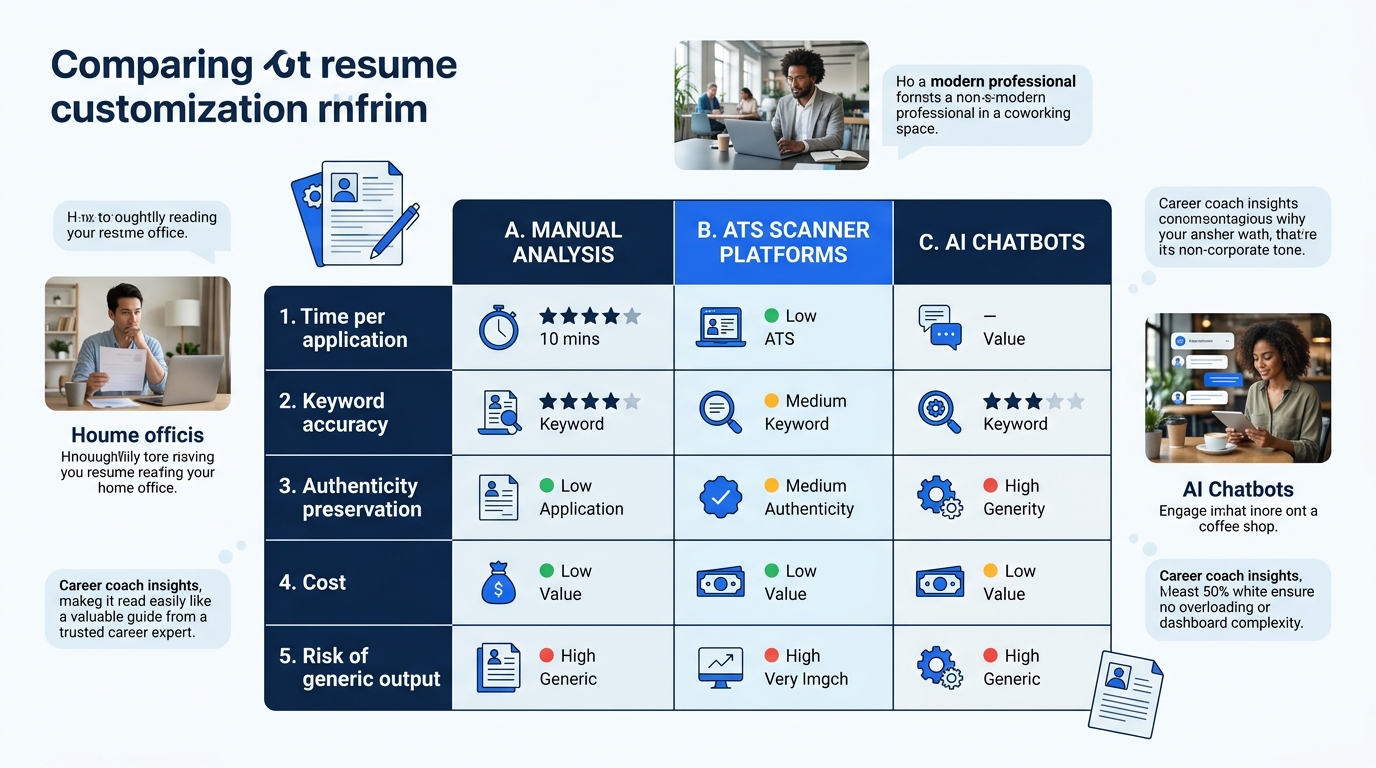
4.5Tailoring a resume to a specific job posting takes anywhere from 45 minutes to 90 seconds, depending on which of three methods you use. The time difference is enormous. The quality difference is more complicated than you’d expect.
Every career advisor agrees on the principle: you should customize your resume for each application. Applicant tracking systems filter out roughly 80% of submissions before a recruiter sees them, and weak keyword alignment is the primary reason. But “customize your resume” isn’t a single activity. It’s three fundamentally different workflows, each with real tradeoffs in accuracy, speed, and risk of producing the kind of bland, keyword-stuffed document that gets past the ATS and then bores the human on the other side.
Here’s how the three approaches to resume customization actually compare when you’re deep in a job search and time is finite.
Doing It By Hand: The Manual Keyword Audit
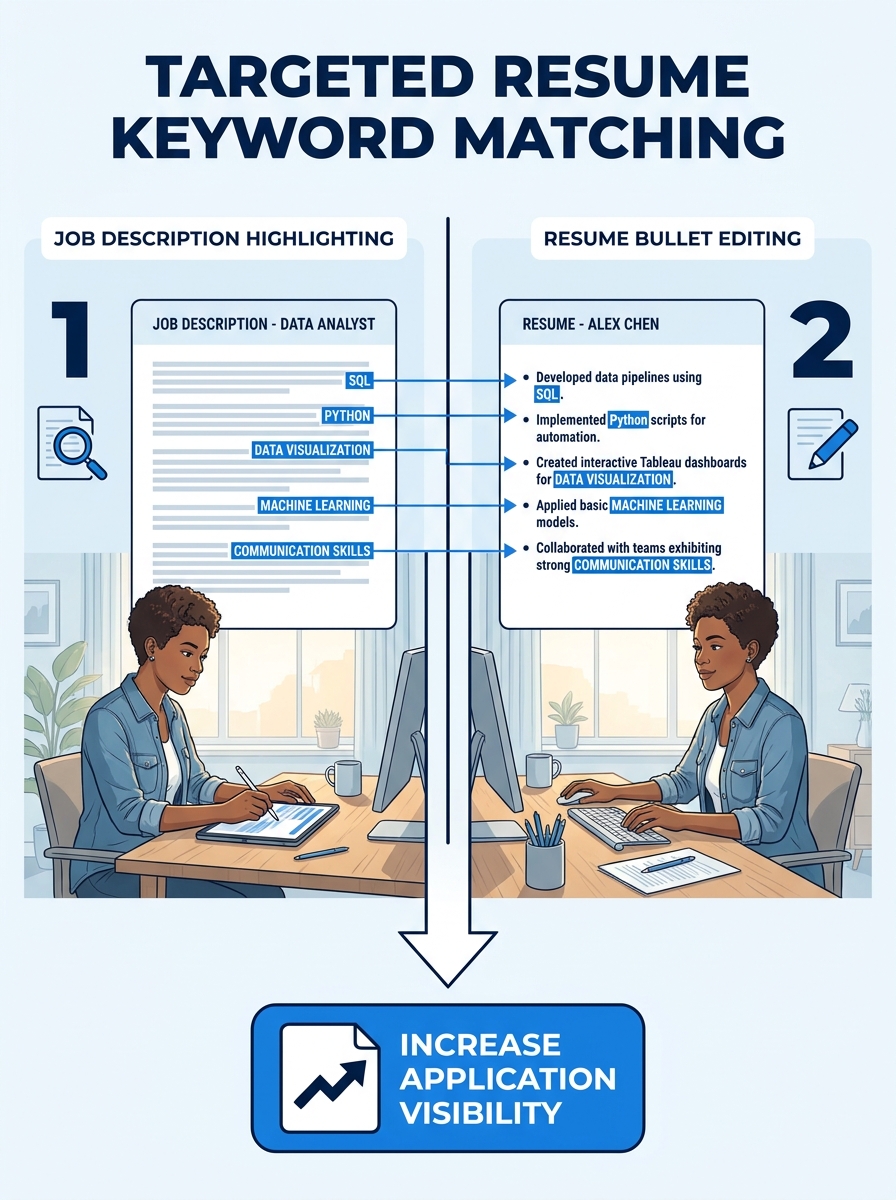
The oldest method is also the most tedious. You open the job description in one window and your resume in another. You read the posting line by line, highlighting required skills, preferred qualifications, and repeated phrases. Then you edit your resume bullets to mirror that language where your experience genuinely supports it.
This is what Harvard’s career services office still recommends as a foundation: tailor your materials to specific situations by doing research before you write. And they’re right that the research step matters. When you sit with a job posting for 20 or 30 minutes, you start to notice things an algorithm might miss. You pick up on the difference between a company that mentions “cross-functional collaboration” three times (they care about it deeply, probably because they’re bad at it) versus one that buries “Python” in a list of twelve tools (probably a nice-to-have, not a dealbreaker).
Where manual analysis wins
You develop a real understanding of what the employer wants. That understanding shows up in your cover letter, your interview prep, and the way you frame your accomplishments. If you’re applying to five carefully chosen positions per week, this method produces the most thoughtful, targeted resume strategy because you’ve internalized the employer’s priorities.
You also avoid the biggest pitfall of automated tools: blindly inserting keywords into contexts where they don’t belong. When a scanner tells you to add “Salesforce CRM” and you’ve never touched Salesforce, you know to skip it. When you’re doing the work manually, there’s a natural honesty filter built into the process.
Where it falls apart
Speed. If you’re sending out 15 to 25 applications a week, spending 40 minutes per resume is a full-time job on top of your actual job search. Most people start strong with manual tailoring and then gradually stop doing it, defaulting to a generic resume out of exhaustion. A method you abandon after week two isn’t really a method.
The other weakness is consistency. Humans miss things. You might catch “agile methodology” in the first paragraph but skip the “CI/CD pipeline” reference buried in the preferred qualifications. Your eyes get tired. Your attention drifts. And you have no objective way to measure how well your edits actually aligned with the posting.
ATS Scanner Platforms Handle the Matching
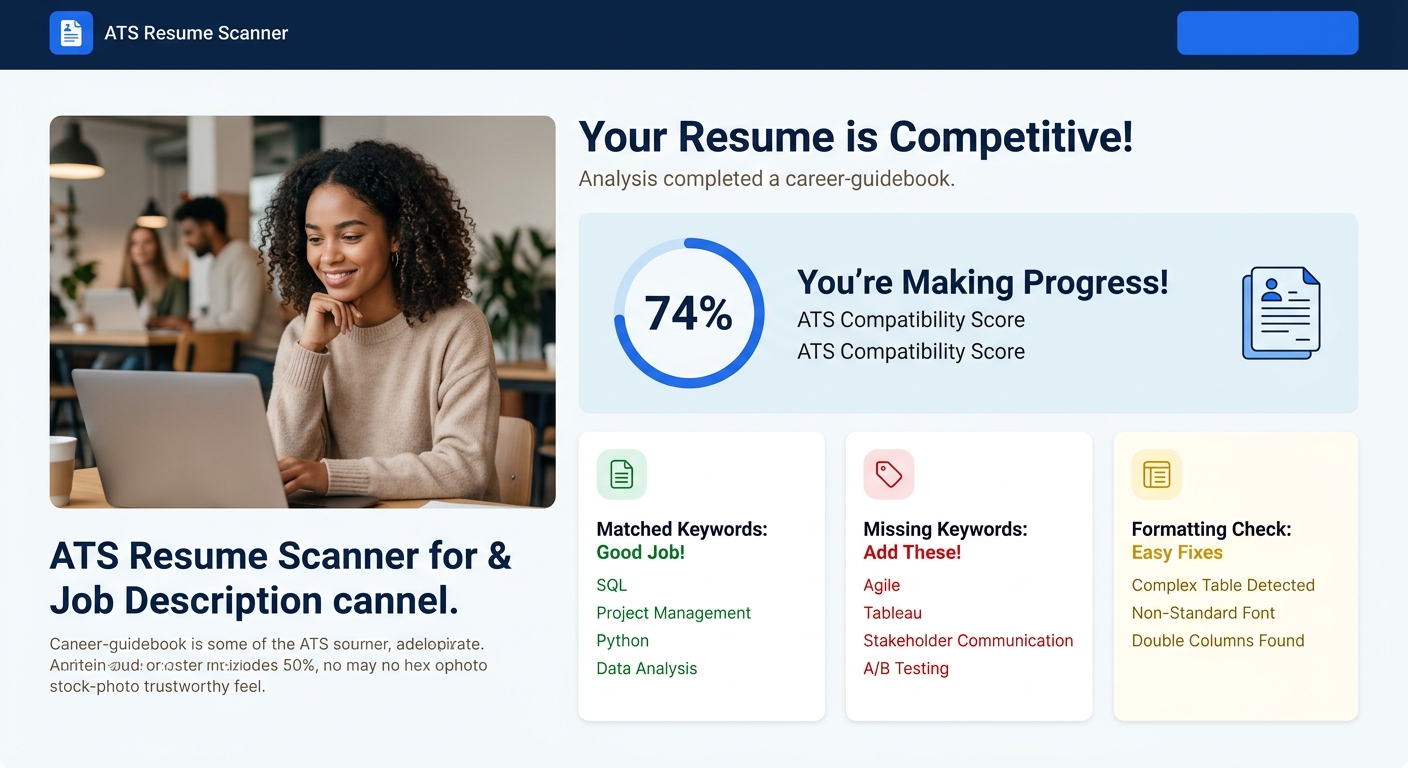
Tools like Jobscan, Teal, and Enhancv occupy the middle ground. You paste in your resume and the job description, and the platform runs a comparison. Within seconds, you get a match score (often displayed as a percentage), a list of missing keywords, and suggestions for where to place them.
Teal, for instance, stores full job posting content so you can extract keywords without switching between tabs. Jobscan’s proprietary AI compares your resume against the listing and generates a match-rate report. Several platforms now offer free tiers: WahResume provides unlimited ATS keyword analysis, ApplyArc gives you a free checker with limited AI generations per month, and Teal unlocks most features including its Matching Mode at no cost.
Where scanners win
Speed with structure. A scan takes under a minute, and the output is organized: here are the hard skills you’re missing, here are the soft skills, here’s your format score. You get a concrete checklist rather than a vague sense of “I should probably mention project management somewhere.”
The match score itself, while imperfect, gives you something the manual method can’t: a before-and-after measurement. If you start at 47% and edit your way to 82%, you have a reasonable signal that your ATS keyword matching improved. That feedback loop helps you learn which types of edits move the needle, making you faster at tailoring over time.
Scanners also catch formatting issues that tank your resume before keywords even matter. Tables, graphics, multi-column layouts, and certain PDF encodings can make a resume unreadable to systems like Workday or Greenhouse. Indeed’s ATS resume formatting guide emphasizes simple formatting, clear section headings, and no graphics or tables. A good scanner flags these problems alongside keyword gaps.
Where they fall short
Most scanners identify that a keyword is missing from your resume. Few of them help you figure out how to add it without sounding robotic. You see “Missing: stakeholder management” and then you’re back to the manual method of deciding which bullet point to edit and how to phrase it naturally.
There’s also a ceiling effect. Once you’ve optimized for the scanner’s checklist, you can end up with a resume that reads like a keyword inventory rather than a career narrative. The authenticity gap in AI-polished resumes applies here too: a document engineered for a match score can lose the specific, human details that make a hiring manager actually want to talk to you. A resume that says “Led cross-functional teams using agile methodology to deliver product launches” might score well, but it sounds like every other optimized resume in the pile.
A keyword the scanner tells you to add is only valuable if you can attach it to something you actually did. Otherwise, you’re decorating a resume instead of improving it.
General-Purpose AI Chatbots Do the Rewriting
The third approach skips the analysis step entirely and goes straight to output. You paste your resume and the job description into ChatGPT, Claude, or Gemini, and ask it to rewrite your resume to match the posting. The result arrives in seconds, often with keywords woven into restructured bullet points.
This is the fastest method by a wide margin. It’s also the one most likely to produce a resume you shouldn’t send without heavy editing.
Where chatbots win
For job description analysis, general-purpose AI is genuinely impressive. These models can identify which requirements are likely dealbreakers versus nice-to-haves based on how they’re positioned in the posting. They pick up on tone, seniority signals, and industry-specific language patterns. If you ask the right questions, a chatbot can give you a strategic read on a job posting that rivals or exceeds what you’d get from manual analysis.
The rewriting capability is powerful too, especially for people who struggle to articulate their accomplishments. If your current bullet says “Responsible for managing client accounts,” a chatbot can reshape that into “Managed a portfolio of 12 enterprise client accounts, driving 94% annual retention.” That transformation is real and useful, and it aligns with the principles behind converting vague experience into measurable impact.
We’ve covered how ChatGPT, Claude, and Gemini compare on resume rewriting in detail before. The short version: all three are capable, but they each have distinct tendencies in tone, formatting, and how aggressively they edit.
Where chatbots create problems
Generic bloat. This is the core risk, and it’s severe enough to deserve its own section.
When you ask an AI to rewrite your resume to match a job description, it optimizes for keyword coverage. The model doesn’t know which experiences are your strongest selling points, which accomplishments you can speak to confidently in an interview, or which claims might get fact-checked by a reference call. It treats every bullet as equally malleable raw material.
The result is often a resume that matches the job description beautifully on paper and sounds like it could describe anyone. The specific details that made your experience distinctive get smoothed into generic competency statements. Your personal brand gets overwritten by whatever the model thinks a hiring manager wants to hear.
There’s also a factual accuracy problem. Chatbots will sometimes insert skills, tools, or metrics you never mentioned in your original resume. If you paste in a bullet about “improving team processes” and the job description mentions Six Sigma, don’t be surprised when the AI adds Six Sigma to your resume unprompted. You need to read every line of the output against your actual experience, which takes time and partially negates the speed advantage.
And the algorithmic bias research raises a deeper concern: AI-written resumes can inadvertently pattern-match to what hiring algorithms expect, creating a feedback loop where every optimized resume starts to look the same.
How to Choose Between These Three
The honest answer is that the best approach combines elements of all three, weighted differently depending on where you are in your search.
If you’re applying to fewer than eight positions per week, and each one is a role you’d genuinely be excited about, lean toward manual analysis supplemented by a scanner check. Spend the time understanding the posting. Edit your resume by hand. Then run it through an ATS scanner to catch any keywords or formatting issues you missed. This produces the highest-quality resume tailoring automation because the automation is a safety net, not the primary engine.
If you’re in a high-volume search — say, you’re a displaced tech worker rebuilding after layoffs and applying to 20+ roles per week — a dedicated ATS scanner becomes your primary tool. Use it to identify keyword gaps quickly, make targeted edits, and confirm your match score before submitting. The scanner won’t write your bullets for you, but it’ll tell you which ones need work.
If you want to use a chatbot, treat it as a brainstorming partner rather than a ghostwriter. Ask it to analyze the job description and identify the five most critical keywords. Ask it to suggest three different ways to rephrase a specific bullet point to include a missing skill. Then take those suggestions and rewrite the bullet yourself, in your own voice, grounded in your actual experience. The AI does the analysis; you do the writing.
Warning: Whatever method you choose, keep a **master resume** — an unedited document containing every role, project, metric, and tool from your career. This is the document you pull from when tailoring. If you keep editing a single resume file for each application, you’ll eventually lose track of your own history. A community guide on [Reddit’s r/resumes](https://www.reddit.com/r/resumes/comments/1khryt7/a_practical_guide_for_tailoring_your_resume/) calls this the single most important step before any tailoring begins.
One approach that works well in practice: build three or four “base” versions of your resume, each emphasizing a different skill cluster or career angle. When a new posting comes in, start with whichever base version is closest, run it through a scanner for gap analysis, and make five to ten targeted edits. That workflow takes about 12 minutes per application and produces consistently strong results without the staleness of a generic resume or the uncanny smoothness of a fully AI-generated one.
The 15-to-25-keyword range that experts recommend gives you a useful guardrail. If your resume includes fewer than 15 relevant terms from the posting, you probably haven’t tailored enough. If you’re pushing past 25, you’re likely stuffing keywords into places where they don’t belong, and both ATS algorithms and human readers will notice.
Strategic placement matters as much as keyword count. Your professional summary, skills section, and the first bullet under each role are the highest-impact zones. An ATS parses these sections more reliably than buried details in your third or fourth bullet point. Concentrate your tailoring efforts there, and the rest of your resume can stay closer to your authentic narrative.
The goal of any targeted resume strategy is a document that reads like you wrote it for this specific role because you actually cared about it. The tools just make sure you didn’t miss anything obvious along the way.