


 4.9
4.9 4.5
4.5AI implementation consultant Lilach Bullock published a LinkedIn profile optimization framework on July 28 that prioritizes profile photo, headline structure, and About section over skills endorsements and recommendations, citing LinkedIn data showing profiles with photos receive 21 times more profile views than profiles without, according to the guide.
TL;DR: Bullock’s framework ranks photo, headline, About section, and Featured section as the four highest-impact profile elements, arguing most professionals waste LinkedIn’s 220-character headline on job titles already displayed elsewhere on the profile.
The four-part sequence addresses what Bullock calls the most common structural mistake on LinkedIn: treating profiles as résumés rather than landing pages. “A CV lists what you did. A landing page tells a stranger, in seconds, what changes for them if they work with you,” Bullock wrote in the guide.
Photo and Banner Image Drive Initial Engagement
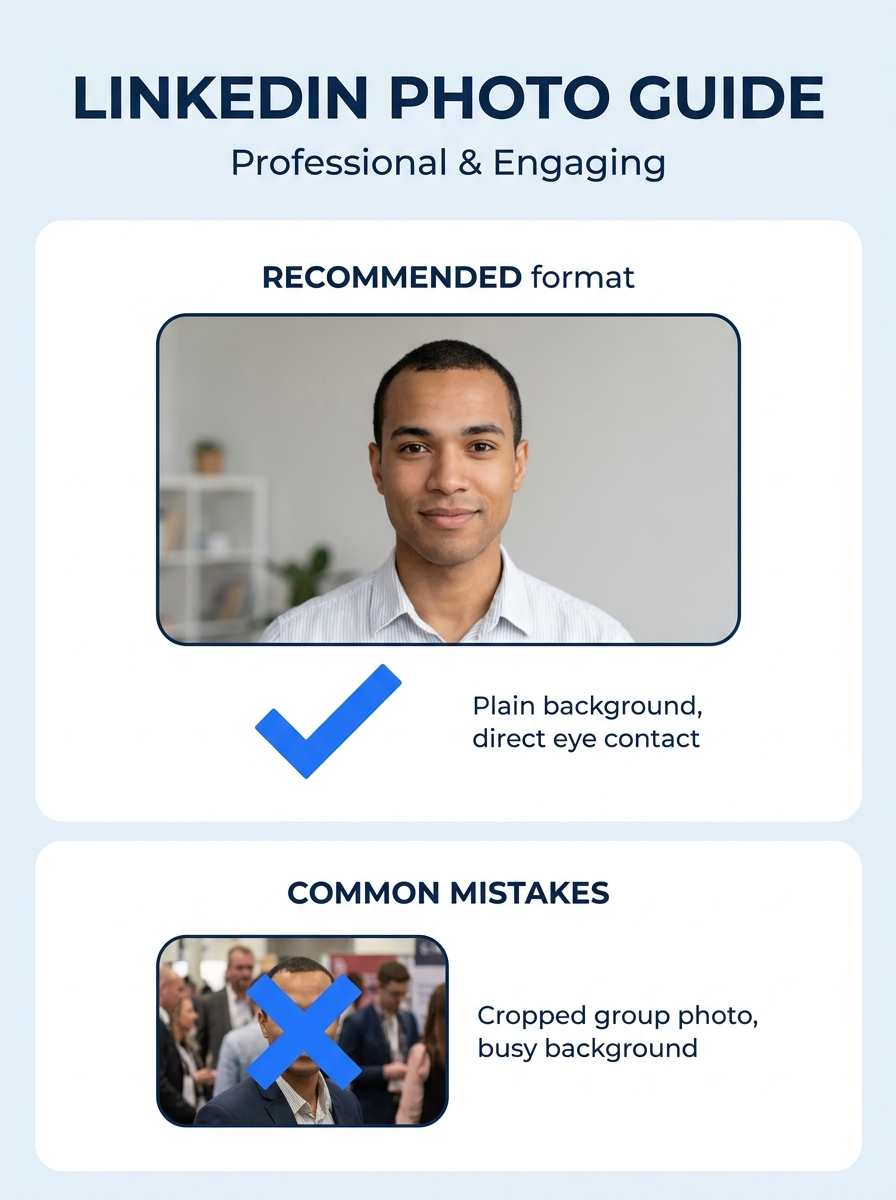
LinkedIn’s internal data shows profiles with professional headshots generate nine times more connection requests than profiles without photos, according to Bullock. The guide recommends recent headshots with plain backgrounds, good lighting, and shoulders-up framing, specifically advising against cropped wedding photos or outdated conference images.
Bullock ranks banner images far below photos in priority. “Nobody has ever messaged me because of my banner,” she wrote, recommending users either display a one-line value proposition or use a clean brand color and move on.
Headline Structure: 220 Characters, Outcome First
The guide targets LinkedIn’s 220-character headline field as the second-highest use point. Bullock reports her inbound messages tripled within one week after changing her headline from “CEO at Lilach Bullock | Forbes Contributor | Keynote Speaker” to outcome-focused language: “I help small businesses use AI to win back the time and leads they lost to bad marketing | Speaker | Forbes-listed.”
The recommended structure includes three components: what the user helps people achieve in plain language, who specifically they help (not generic terms like “professionals”), and one credibility marker such as an award, publication credit, or client count. The framework specifically advises against duplicating job title and company name, which LinkedIn already displays under the user’s name.
Job seekers working with career coaching services typically receive similar guidance during profile audits, focusing on employer-facing outcomes rather than credential lists.
About Section: First Person, Three-Part Structure
LinkedIn provides 2,600 characters for the About section, and Bullock’s framework structures it in three blocks. The opening line should name the specific problem the user solves “in the reader’s words, not yours,” she wrote. The middle section presents proof through numbers—clients helped, revenue generated, project statistics. The closing block includes a direct call to action telling readers exactly what to do next, whether “send me a message,” “book a call,” or “download the guide.”
The guide advises writing in first person (“I” and “you”) rather than third person. “Third person on your own profile reads like a press release nobody asked for, and it puts distance between you and the reader at the exact moment you want to close that distance,” Bullock wrote.
This aligns with broader resume writing service reviews showing recruiters spend an average of seven seconds on initial résumé scans, making front-loaded value statements critical across all career documents.
Featured Section Links to Proof, Not Homepage
Bullock ranks the Featured section—which appears directly under the About section—as the fourth priority area. The section allows users to pin articles, videos, PDFs, and links, and the guide recommends pointing visitors toward case studies, specific blog posts, or video testimonials rather than generic homepage links.
“It does double duty: it proves you know what you are talking about and it sends warm traffic straight to your site rather than leaving people to hunt for it,” Bullock wrote. The framework notes that specificity in Featured links and About sections mirrors local SEO principles, with both systems rewarding clarity about who the user serves and where.
Experience Entries Prioritize Outcomes Over Duties
The guide’s lowest-priority recommendation addresses the Experience section, where Bullock says most professionals “waste words” listing job responsibilities rather than outcomes. She advises rewriting each role around measurable change: “Grew an Instagram account from 4,000 to 60,000 followers in 14 months. Cut customer response time from 48 hours to 4. Closed three enterprise contracts worth £120,000 combined in one quarter.”
For roles without hard metrics, the framework recommends before-and-after framing: “The team had no consistent posting schedule and inconsistent branding. I built a content calendar and brand guide that the company still uses.”
The outcome-first approach matches recruiting patterns documented in industry reports, where hiring managers scan for quantified impact before reading full job descriptions during initial screening rounds.
The Takeaway
Bullock’s four-part sequence challenges the standard LinkedIn profile build order most career sites recommend. By ranking photo, headline, About section, and Featured section ahead of skills, endorsements, and recommendations, the framework argues professionals should prioritize the elements visible during a cold profile visit over credibility signals that require scrolling or tab navigation.
The 21x profile view lift attached to professional photos represents the starkest performance gap in the guide. For job seekers and career changers who treat LinkedIn profiles as static résumé archives, that single change—uploading a current headshot—delivers measurable visibility gains before any headline or About section work begins.
The outcome-first headline structure and three-part About format align with hiring psychology research showing decision-makers look for proof of impact within seconds of landing on a profile. Professionals who front-load specific results in their first 220 visible characters position themselves for inbound recruiting messages, while those who open with job titles and “passionate about” language compete with the majority who follow the same template.
