


 4.9
4.9 4.5
4.5By the end of this guide, you’ll have a properly formatted cover letter using standard block-style business letter structure, saved in the correct file type for ATS screening, ready to submit in about 30 minutes. This format is what 83% of recruiters expect, and the specific margin, font, and spacing values below ensure your letter parses cleanly through automated systems while looking polished to human readers.
TL;DR: A letter format cover letter follows block-style business letter rules: left-aligned text, 1-inch margins, 10–12pt professional font, single-spaced with blank lines between paragraphs, 250–400 words total. This guide walks through each element in order, from document setup to file export.
Before You Start
Gather these items before opening a blank document. Skipping any of them will slow you down mid-draft or force you to restart.
What you need:
- The job posting, open in a separate tab. You’ll pull specific keywords and the hiring manager’s name from it.
- Your finalized resume. The font and header style on your cover letter should match. The University of Michigan Career Center specifies using “the same font as your resume” at 10 to 12 point size.
- A word processor. Google Docs or Microsoft Word both work. Microsoft offers ATS-friendly cover letter templates with placeholder text you can replace with your own details.
- 25–35 minutes of focused time.
Knowledge level: You don’t need any design skills. If you can type a business email, you can format this letter. Everything is left-aligned with no columns, graphics, or special layouts involved.
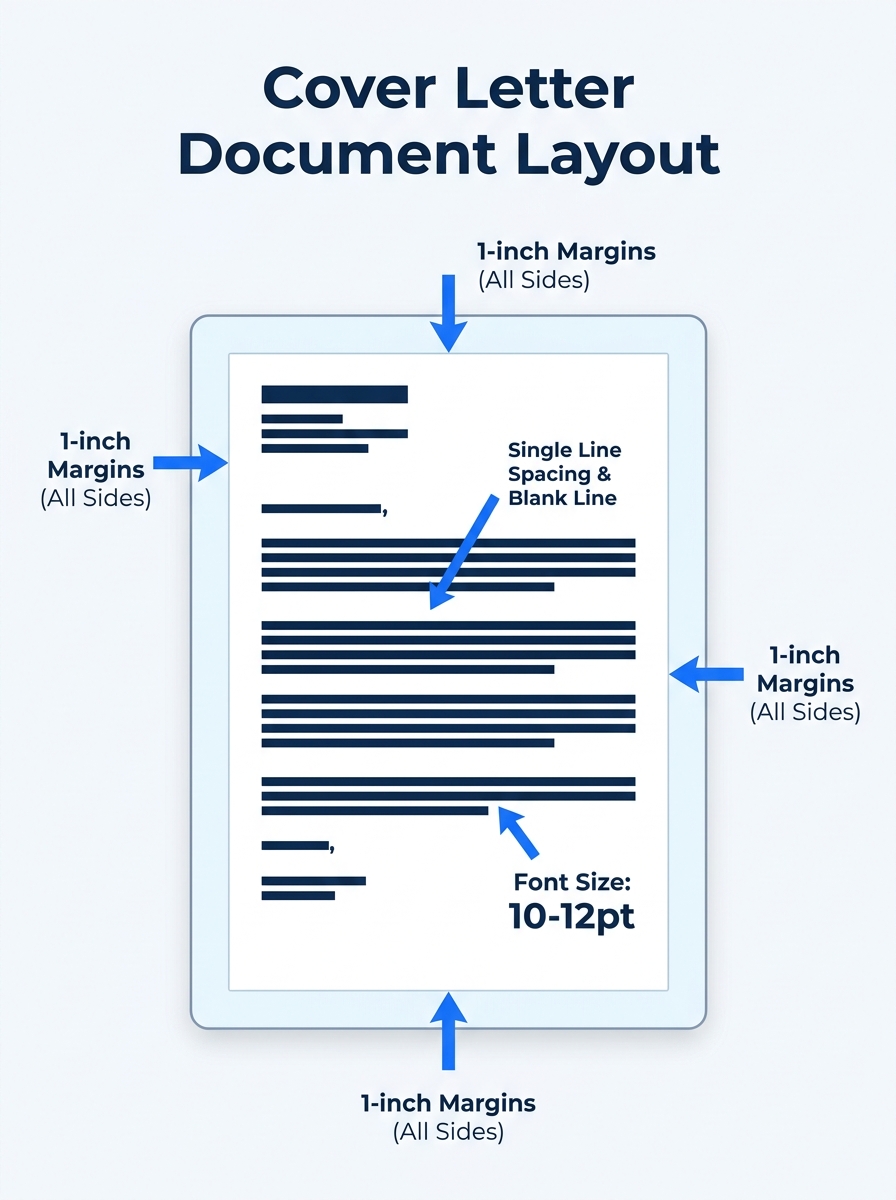
Step 1: Set Up Block Format Spacing and Margins
Block format means every line of text starts at the left margin. No indented paragraphs, no centered text, no right-aligned signature. Indeed’s business letter formatting guide confirms that business letters are written in “block style format, which means all text is aligned” to the left.
Here’s what to configure in your document:
- Margins: 1 inch on all four sides. If your letter runs long, the University of Michigan Career Center allows margins as narrow as 0.5 inches, but 1 inch is the default that produces the cleanest ATS scan.
- Font: Calibri, Arial, or Garamond at 10–12pt. Use the same typeface and size from your resume. 70% of employers prefer concise, clean-looking documents, and a mismatched font between your resume and cover letter signals carelessness.
- Line spacing: Single-spaced (1.0), with one blank line between each paragraph.
- Alignment: Left-justified. Don’t use full justification (“Justify”), which creates uneven word spacing that some ATS parsers misread.
You’ll know it worked when your document looks like a block of left-aligned text with clear white space between paragraphs and generous margins on all four sides.
Step 2: Build the Header and Date
The top of a letter format cover letter contains your contact information, the date, and the employer’s contact information, stacked in that order. Getting this right takes 5 minutes and gives the letter its formal structure.
Your contact block goes first. Include your full name, phone number, email address, and city/state. A full street address is optional and increasingly omitted. If your resume uses a designed header with your name in bold, replicate that same style here so both documents look like they came from the same person.
The date sits one blank line below your contact block. Write it in full: October 1, 2026. Abbreviated dates (10/1/26) read as informal in letter format.
The employer’s contact block follows one blank line after the date. Include the hiring manager’s name, their title, the company name, and the company address. Finding the manager’s name takes 2–3 minutes of LinkedIn searching, and it’s worth the effort. Indeed’s application letter guide states: “Start the cover letter with a professional greeting such as ‘Dear [Name],’ and address the hiring manager by name when possible. If you cannot find their name after researching, you can use ‘Dear [Department] Hiring Manager.'”
You’ll know it worked when your header shows three distinct blocks (yours, date, theirs) separated by single blank lines, all left-aligned, with no centering or right-alignment.
Step 3: Write the Greeting Line
“Dear [First Name] [Last Name],” is the standard greeting. Use a colon (“Dear Ms. Rivera:”) for the most formal tone, or a comma (“Dear Ms. Rivera,”) for a slightly warmer one. Either is acceptable in a letter format cover letter.
If you genuinely cannot identify the hiring manager, use “Dear Hiring Manager,” or “Dear [Department Name] Hiring Team,”. Avoid “To Whom It May Concern,” which 89% of hiring professionals consider outdated, and “Dear Sir or Madam,” which carries the same problem. You’ll know it worked when your greeting includes a specific name or, at minimum, a department-specific title.
Step 4: Open with Your Purpose
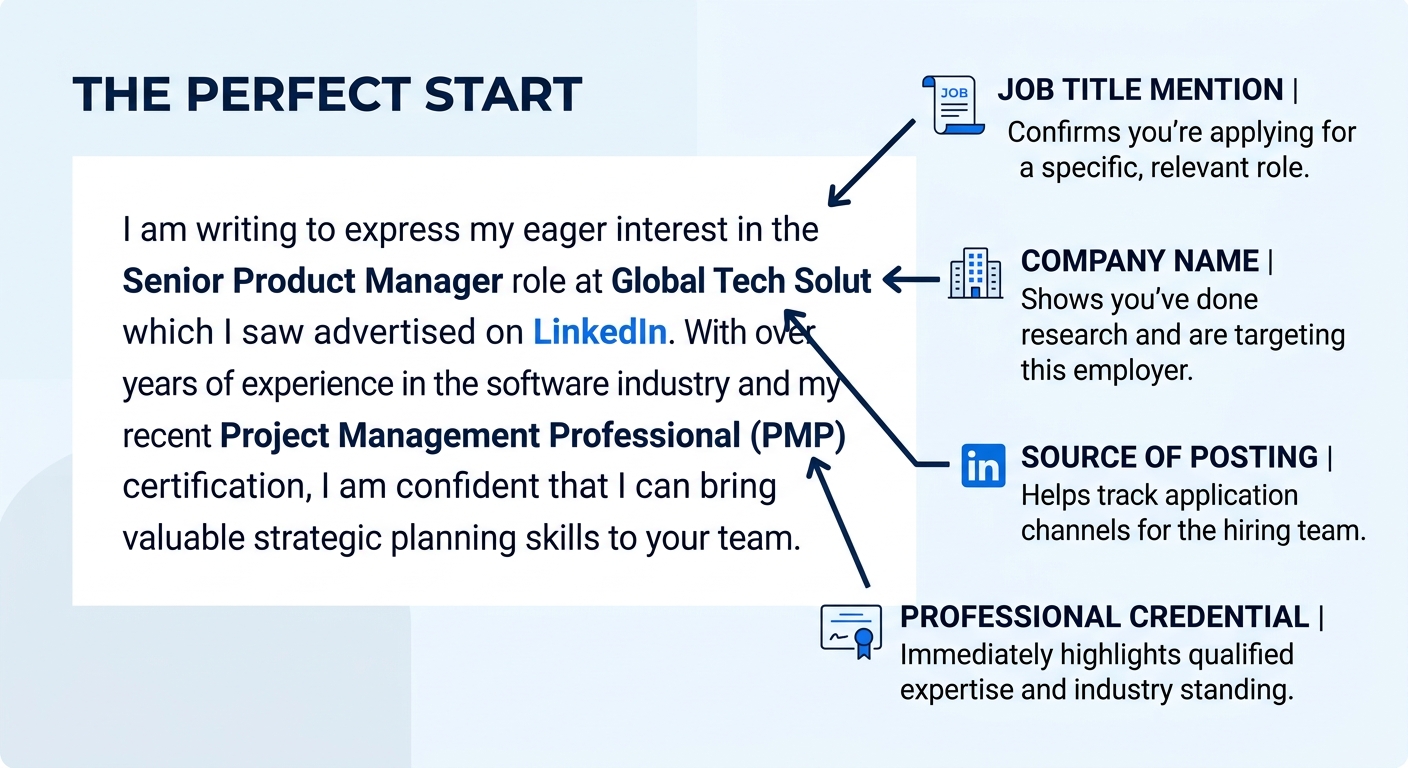
MIT’s Career Advising & Professional Development office frames this rule with zero ambiguity: “State clearly in your opening sentence the purpose for your letter and a brief professional introduction.” That means your first sentence names the job title, where you found the posting, and one line about who you are professionally.
Here’s a working formula: “I’m applying for [Job Title] at [Company], posted on [Source]. With [X years / specific credential] in [relevant field], I’m drawn to this role because [specific reason tied to the company].”
What makes this paragraph succeed is specificity. 65% of hiring managers don’t read cover letters for every application, so the ones who do open yours need to know within the first 3 sentences what position you’re targeting and why you’re credible. If your opening paragraph could be pasted into an application for a different company without changing a single word, it’s too generic. For a broader look at how the overall cover letter structure fits together, we’ve published a separate structural guide.
Keep this section to 3–4 sentences. You’re setting up the argument here, not making the whole case.
Step 5: Fill the Body with Evidence
The body runs one or two paragraphs (or one paragraph plus 2–3 bullet points) connecting your experience to the role. This is where 66% of candidates lose the reader by restating their resume line-by-line instead of interpreting their experience for the specific job.
Grammarly’s cover letter formatting guide recommends a tactic that doubles as ATS optimization: “Add keywords from the job post throughout your cover letter.” Scan the posting for repeated skills, tools, or qualifications, then work those exact terms into your achievement descriptions.
Structure each point as a result, not a duty:
- Weak: “Responsible for social media management.”
- Strong: “Grew Instagram engagement by 34% over six months by shifting to short-form video, directly supporting the kind of content strategy your team described in the posting.”
If you’re using bullet points, limit yourself to 2–3 at most. More than that and the cover letter starts reading like a second resume. Resume.io’s ATS cover letter guide recommends keeping the total letter “between 250 and 400 words, fitting on one page,” which means the body section should run roughly 100–175 words. You’ll know it worked when every claim in this section references a specific number, outcome, or skill keyword pulled from the job posting.
Tip: Match your font, header layout, and color scheme (if any) between your resume and cover letter. Hiring managers often view both documents side by side, and 58% of employers auto-reject applications with formatting errors or typos.
Step 6: Close and Sign Off
Your closing paragraph is 2–3 sentences. Restate your interest in the role, mention that you’d welcome a conversation about how your background fits, and thank the reader for their time. Keep the tone confident without veering into aggressive (“I look forward to hearing from you” works; “I’ll call your office next Tuesday” does not).
Below the closing paragraph, leave one blank line, then write “Sincerely,” or “Best regards,” followed by two blank lines (for a handwritten signature, if printed) and then your typed full name.
If you’re sending the cover letter as the body of an email, skip the printed-signature space and type your name directly below the sign-off. Include a clear subject line: “Application for [Role] – [Your Name],” as recommended by CVmaker.com’s 2026 application letter guide. You’ll know it worked when the sign-off block contains exactly three elements: a closing phrase, a space, and your full name.
If your opening paragraph could be pasted into an application for a different company without changing a single word, it’s too generic.
Step 7: Save and Send in the Right File Type
Save your cover letter as a PDF for email submissions and direct uploads. PDF preserves your formatting across every device and operating system. Use DOCX only when the job posting or application portal specifically requests a Word document, since some older ATS platforms parse DOCX more reliably than PDF.
Name the file with your full name and the document type: “Jordan-Rivera-Cover-Letter.pdf.” Hiring managers download dozens of files per opening, and a generic filename like “cover_letter_final_v2.docx” gets buried in a folder alongside 40 others.
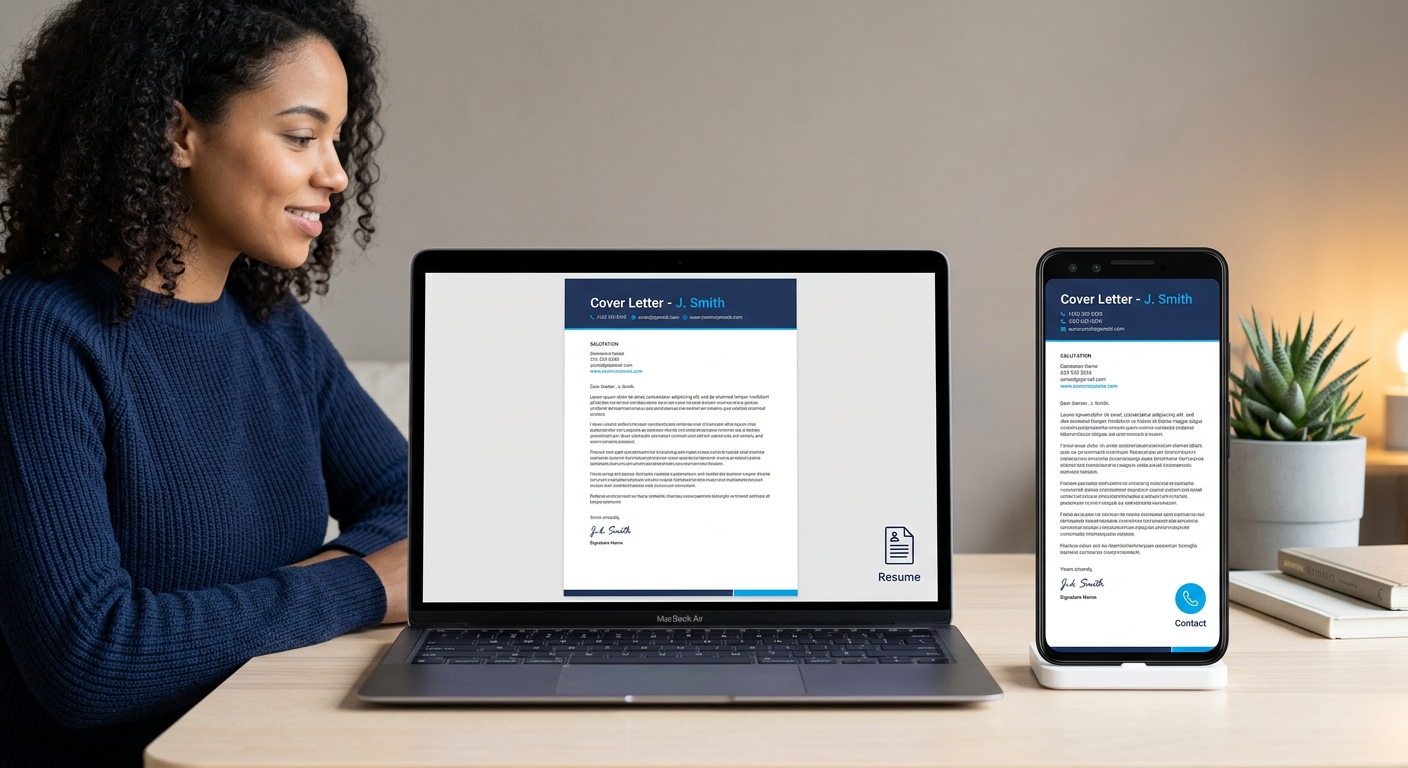
Before exporting, run one final check: open the PDF on your phone. If the text is readable without zooming, your margins and font size are correct. If the right edge of any line gets cut off, your margins are too narrow.
You’ll know it worked when the PDF opens cleanly on both desktop and mobile with all formatting intact, the filename is professional, and the file size stays under 1MB.
Common Problems and Fixes
The letter spills onto a second page. Cut your body section first. Two bullet points instead of three, or one body paragraph instead of two, usually fixes it. If it’s still over, tighten margins to 0.75 inches (never below 0.5). 70% of employers prefer cover letters that are half a page or less, so shorter is almost always the safer bet.
The ATS can’t read your letter. Avoid tables, text boxes, headers/footers, and images inside the document. ATS parsers read content in the main document body only. Complicated layouts “can confuse ATS and render your data unsearchable,” as Grammarly’s formatting guide puts it. Our guide to how correct cover letter formatting affects ATS parsing breaks down parser behavior in more detail, and if you want a broader look at formatting decisions, we’ve covered best practices for cover letter formatting separately.
Your cover letter and resume look mismatched. This happens when you use a template for one document but build the other from scratch. Match the font, font size, header style, and margin width across both files. If you built your resume with a specific tool, check whether it offers a matching cover letter template to keep the visual language consistent.
Where to Go From Here
With your letter format cover letter finalized, the next move depends on how you’re applying. If the role uses an online portal, upload your resume and cover letter as separate PDFs unless the system asks you to paste text into a form field, in which case you should strip all formatting and paste plain text only. If you’re applying by email, paste the cover letter into the email body and attach both the PDF cover letter and resume as separate files.
For faster turnaround on your next application, save a master version of this document with your header, formatting, and sign-off locked in. Swap out the company name, job title, hiring manager, and body paragraphs for each new position. The structure stays fixed; the content changes every time. And if you’re building your resume and cover letter together from scratch, our step-by-step cover letter format walkthrough covers the full process alongside resume coordination.
