

 4.9
4.9 4.5
4.5By the end of this guide, you’ll have a finished, ATS-friendly cover letter built from a proven template. Header, three body paragraphs, sign-off, exported as a PDF, ready to attach to your next application. The whole process takes about 30 minutes.
TL;DR: Pick one of three proven cover letter formats (problem-solution, achievement-focused, or narrative), fill in six sequential sections using the step-by-step instructions below, then export as a PDF. Eighty-three percent of recruiters still consider cover letters important for hiring decisions, so skipping this step costs you interviews.
Before You Start
You need four things before opening a template. First, the job description for the specific role you’re applying to. Second, the name of the hiring manager (check LinkedIn or the company’s team page). Third, a finalized resume so you don’t repeat it. Fourth, access to either Microsoft Word, Google Docs, or Canva’s free editor, since all three offer free cover letter templates you can edit in your browser.
Time commitment: 20-30 minutes for your first letter using a template, 10-15 minutes for each additional letter once you’ve built the initial version.
Skill level: none. If you can type an email, you can fill in a template. The structure does the hard part for you.
Info: MIT’s career advising office recommends keeping your cover letter to one page maximum, with a font size between 10 and 12 points. Every template listed below respects those constraints by default.
Step 1: Pick the Right Format for Your Situation
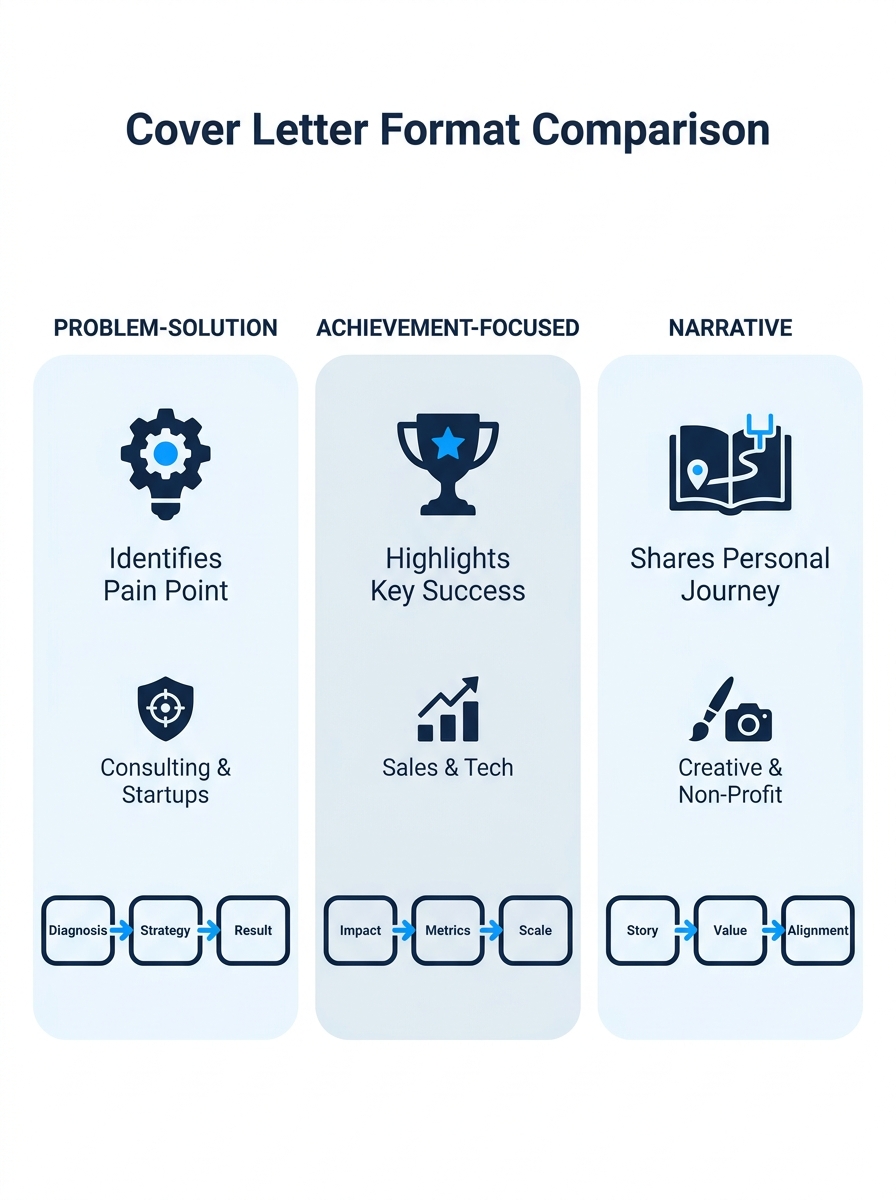
Three cover letter formats consistently outperform generic templates across industries, and choosing the wrong one wastes the 30 seconds a recruiter spends scanning your application.
| Format | Best For | Structure | Strongest Trait |
|---|---|---|---|
| Problem-Solution | Experienced professionals (5+ years) | Identifies a company challenge, then details how your skills solve it | Highest overall response rate across industries |
| Achievement-Focused | Technical, data-driven, or results-oriented roles | 3-4 bullet points with quantifiable results | Proves impact with numbers instead of adjectives |
| Narrative / Story-Driven | Creative fields, career changers, non-traditional backgrounds | A short story connecting your background to the role | Stories are 22 times more memorable than facts alone |
Pick one format. Stick with it for the entire letter. You’ll know you’ve chosen correctly when the format matches your strongest available evidence: measurable results point to achievement-focused, a clear company pain point points to problem-solution, and a career arc that needs explaining points to narrative.
Step 2: Build the Header Block
Open your template in Word, Google Docs, or Canva. Microsoft’s free cover letter templates let you double-click and start editing immediately online; Canva offers drag-and-drop design tools with shape and line elements you can fill with a brand color.
Replace the placeholder header with these five elements, in this order:
- Your full name (14-16pt, bold)
- Your phone number, email address, and city/state (no full street address needed)
- Today’s date
- The hiring manager’s full name and title
- The company name and address
This is where 26% of hiring managers say personalization starts. Addressing the letter to a specific person by name significantly improves how the application gets received compared to “Dear Hiring Manager” or “To Whom It May Concern.” If you can’t find the name after checking LinkedIn and the company website, use the department head’s title: “Dear Marketing Director” beats “Dear Sir or Madam” every time.
You’ll know Step 2 is done when: every placeholder text in the header section has been replaced with your actual information, and the hiring manager’s name appears in the salutation line.
Step 3: Write the Opening Paragraph (3-4 Sentences)
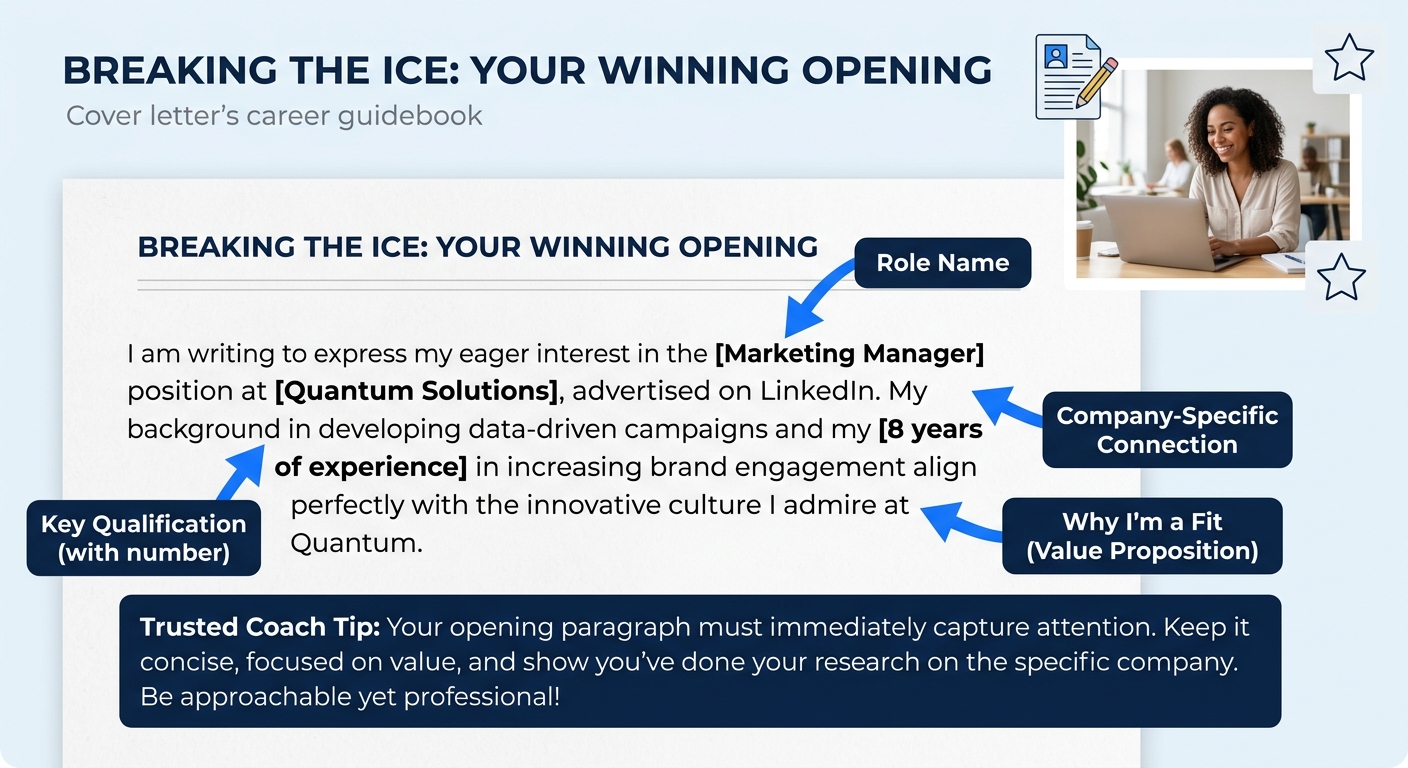
Your first paragraph has one job: tell the reader which role you’re applying for and why you’re worth the next 20 seconds of their attention. Columbia University’s career education office advises candidates to “articulate your qualifications and motivation for the position” by reading the job description closely and researching the organization before writing a single word.
Here’s how to structure those 3-4 sentences:
- Sentence 1: Name the exact role and where you found it.
- Sentence 2: State your most relevant qualification or achievement (one specific thing, with a number if possible).
- Sentence 3-4: Connect that qualification to something specific about the company that excites you.
An example for a marketing coordinator role: “I’m applying for the Marketing Coordinator position listed on your careers page. Over the past two years at Acme Corp, I managed paid social campaigns that generated $340K in attributed pipeline revenue. Your team’s recent expansion into B2B content marketing is exactly the kind of challenge I want to take on next.”
That’s 53 words. Keep the opening paragraph between 40 and 75 words. Anything longer loses the reader before they reach your evidence.
Step 4: Fill in the Body (One to Two Paragraphs)
The body is where your chosen format from Step 1 takes over. This section carries the weight of your argument, and 47% of employers say they wouldn’t hire a candidate who shows no knowledge of the company. Prove you’ve done the homework.
If you chose Problem-Solution: Identify a specific challenge the company faces (pull this from the job posting, recent news, or their quarterly report). Then describe a time you solved a similar problem, with a measurable result. One paragraph, 80-120 words.
If you chose Achievement-Focused: List 3-4 bullet points, each starting with an action verb and ending with a quantifiable outcome. Former Google recruiter Farah Sharghi has warned that candidates who emphasize “potential over proof” become invisible to hiring managers screening dozens of applications. Numbers are proof. If you’ve been building a resume that avoids that mistake, your cover letter bullets should follow the same principle.
If you chose Narrative: Write two short paragraphs (60-80 words each) that connect a defining professional moment to the requirements of this role. Stories work because they create emotional resonance, but the story must end with a clear link back to the job description.
Forty-seven percent of employers say they wouldn’t hire a candidate who shows no knowledge of the company. Your body paragraphs are where you prove you actually read the job posting.
Whichever format you use, keep the body single-spaced with a blank line between paragraphs. Add two blank lines after the header and before your signature for a clean, professional layout, following standard formatting conventions.
Step 5: Write the Closing Paragraph and Sign Off
Three sentences. That’s the target length for your closing paragraph. Sentence one restates your enthusiasm for the specific role (not generic enthusiasm for “this opportunity”). Sentence two names a concrete next step you’d like to take, such as discussing a particular project or walking through a portfolio piece. Sentence three thanks the reader for their time.
Then sign off with “Sincerely,” or “Best regards,” followed by your full name. Skip “Warmly” or “Cheers” unless the company culture clearly signals informality.
You’ll know Step 5 is done when: your closing paragraph contains exactly one reference to the specific role or company, and your full name appears below the sign-off. The entire letter should fit on one page with comfortable margins.
Step 6: Format, Review, and Export as PDF
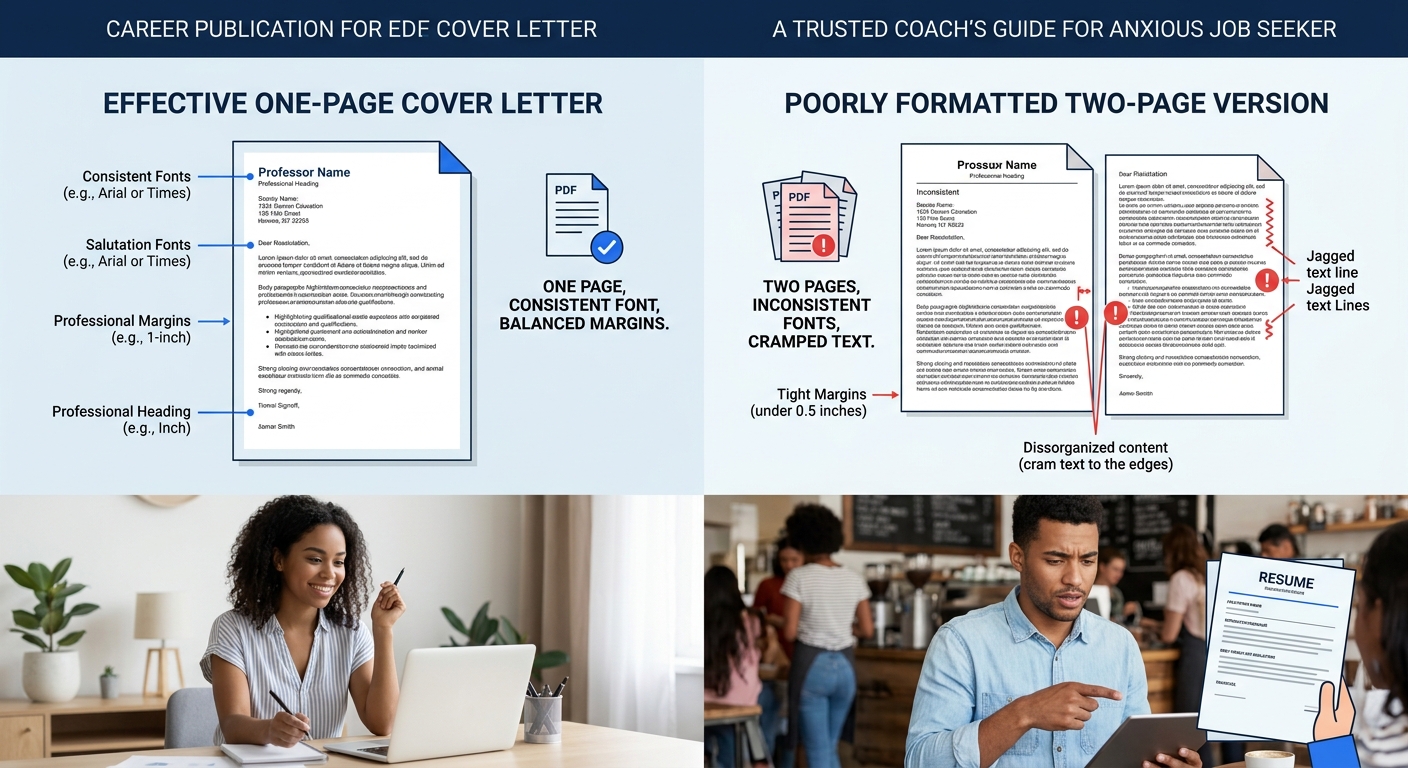
Stick to Calibri, Arial, or Georgia in 10-12pt. These fonts are ATS-friendly, which means applicant tracking systems can parse every word without garbling your formatting. Set margins to 1 inch on all sides. If your letter spills onto a second page, cut the body section first.
Read the letter aloud. If any sentence sounds like it belongs in every application you’ve ever written, replace it with something specific to this company. Thirty-eight percent of hiring managers pay closer attention to applications that include tailored details, and a generic body paragraph is the fastest way to lose that attention.
Save and export as a PDF. Don’t send a .docx file unless the application portal specifically requests one. PDFs preserve your formatting across devices and operating systems.
You’ll know Step 6 is done when: the exported PDF is a single page, every piece of placeholder text has been replaced, and you can read the letter aloud in under 45 seconds.
When Things Go Wrong
Problem: The letter is longer than one page. Cut adverbs and filler phrases first (“I believe that,” “I am confident that,” “as you can see from my resume”). If it’s still too long, reduce your body section from two paragraphs to one. The 2026 trend toward brevity means 66% of both job seekers and employers now prefer half a page or less.
Problem: The template formatting breaks when you paste your text. This happens most often in Word when you copy from another document and carry over hidden formatting. Use “Paste as Plain Text” (Ctrl+Shift+V on Windows, Cmd+Shift+V on Mac), then reapply the template’s font and size.
Problem: You can’t find the hiring manager’s name. Search LinkedIn for the company name plus the department. If that fails, call the company’s front desk and ask. If both options strike out, address the letter to the department head by title. “Dear Director of Engineering” is acceptable. “To Whom It May Concern” signals that you didn’t try.
Warning: Don’t skip the PDF export step. Sending a .docx or .pages file risks the recipient seeing broken formatting, shifted margins, or font substitutions. Thirty seconds of extra work protects 30 minutes of writing.
Where to Go From Here
You’ve got a finished cover letter. The next move depends on where you are in the application process. If you’re still polishing your resume, we’ve published sample cover letters paired with different resume styles and a breakdown of free cover letter examples organized by job type that show how the two documents work together.
If your template is ready but your LinkedIn profile still needs attention, a strong profile reinforces everything your cover letter claims. We’ve written a full walkthrough on optimizing your LinkedIn profile for job searches that covers headlines, summaries, and the settings that control recruiter visibility.
And one final thing worth doing: save your finished cover letter as a new template. Keep the header, the structure, and the sign-off intact, but clear out the company-specific sentences. Next time you apply, you’ll start from your own proven format instead of a blank placeholder. That cuts your per-application time from 30 minutes to about 15.
