


 4.9
4.9 4.5
4.5The cover letter template that gets callbacks follows a six-section structure: header, greeting, opening paragraph, middle paragraph, closing call to action, and professional sign-off. This guide walks you through building one from scratch in under 30 minutes, with three proven format variations for different job situations.
TL;DR: Pick one of three cover letter template formats (Problem-Solution, Achievement-Focused, or Narrative), fill in the six required sections using the step-by-step instructions below, and export as a PDF. Keep it under 400 words and one page.
Before You Start
You need four things ready before step 1: a finished (or near-finished) resume, a specific job posting you’re applying to, the company name plus the hiring manager’s name if you can find it, and a word processor like Google Docs, Microsoft Word, or Canva. Set aside 25-30 minutes.
The job posting is essential because a cover letter template is a starting framework you customize, not a form you fill in blindly. According to recent hiring data, 83-94% of hiring managers still consider cover letters important when evaluating candidates. But 66% of job seekers prefer cover letters to be half a page or less, which means staying under 400 words. Your template needs to hit that sweet spot: structured enough to write quickly, flexible enough to feel personal.
If you’ve already read through our complete cover letter template guide, you’ll recognize some of the structural principles here. This tutorial gets more specific about execution.
Step 1: Set Up Your Header and Contact Block
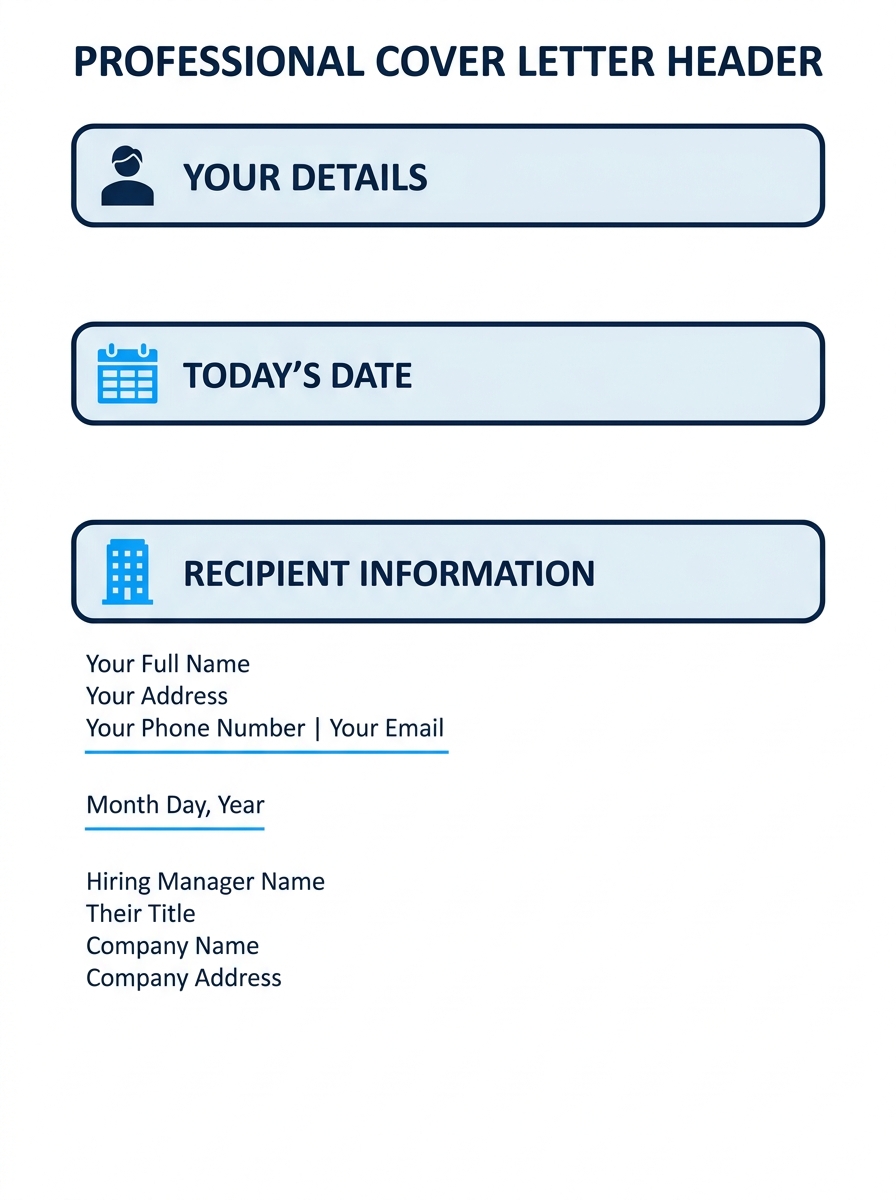
Your header sits at the top of the page. It contains your full name, phone number, email, LinkedIn URL, and city/state. Skip your full street address. That convention is outdated, and it’s a privacy concern.
The University of Michigan Career Center specifies that the layout should be “left justified, beginning no more than 2 inches from the top” of the page. Match the font to whatever you used on your resume. Arial, Calibri, Georgia, or Helvetica in 10-12 point size all parse cleanly. Set one-inch margins on all sides.
Below your contact info, add the date, then the employer’s information:
- Hiring manager’s name and title
- Company name
- Company address (city and state are sufficient)
You’ll know this step worked when your header block takes up roughly the top quarter of the page and visually matches your resume’s formatting style.
Tip: If you can’t find the hiring manager’s name, try LinkedIn, the company’s team page, or call the front desk and ask. “Dear Hiring Manager” works as a fallback, but 26% of recruiters say addressing them by name significantly improves a letter’s impact.
Step 2: Write a Greeting That Doesn’t Sound Automated
“Dear [First Name] [Last Name]” is the standard. “Dear Ms. Chen” or “Dear Mr. Okafor” also works if you prefer more formality. Avoid “To Whom It May Concern.” It reads as though you didn’t bother to research the company, and hiring managers notice.
If the posting lists a department but no individual name, “Dear [Department Name] Hiring Team” is a reasonable middle ground. Stay away from overly casual greetings like “Hey there” or “Hi team,” even at startups. You can always dial back formality in the interview; you can’t recover from a first impression that felt sloppy.
You’ll know this step worked when your greeting feels like the start of a professional conversation, addressed to a specific person or team rather than a void.
Step 3: Draft the Opening Paragraph (The Hook)
This is where most cover letters fail. The opening paragraph has one job: make the reader want to keep going. Aim for 2-3 sentences, roughly 40-60 words.
Indeed’s cover letter writing guide recommends researching the company to determine whether you agree with its mission and vision before you write a word, then reflecting that research in your opener. This advice sounds obvious, but fewer than half of applicants actually follow it.
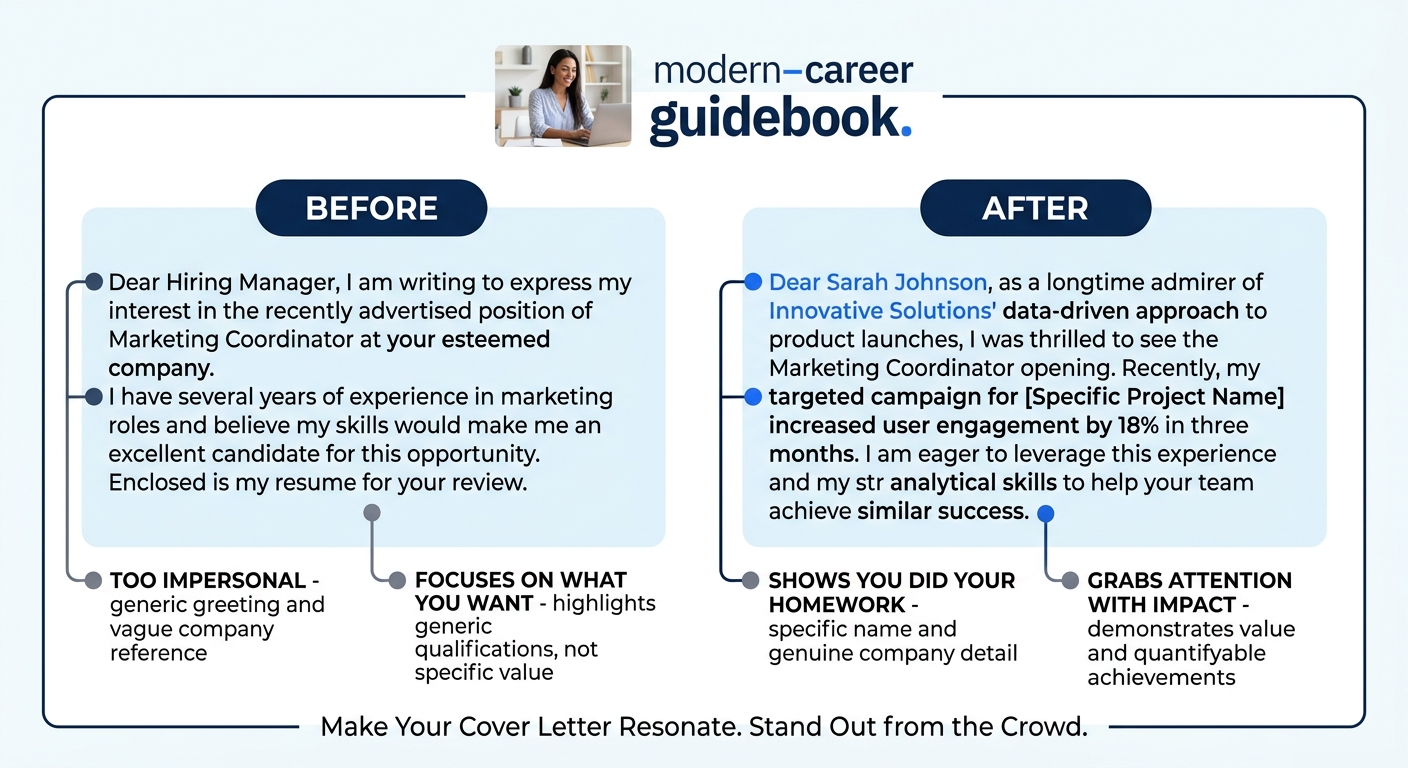
Here’s what a weak opener looks like next to a strong one:
Weak: “I am writing to express my interest in the Marketing Manager position at your company. I believe my skills and experience make me a strong candidate.”
Strong: “Your Q2 campaign for the Northridge product launch was the first thing I studied when I started following Acme Corp’s brand work two years ago. I’d like to bring that same conversion-focused approach to your open Marketing Manager role.”
The strong version names a specific thing about the company. It signals homework. The weak version could be pasted into any application for any marketing job at any company without changing a word.
You’ll know this step worked when your opening paragraph contains at least one company-specific detail that couldn’t be copy-pasted into a different employer’s application.
Step 4: Build the Middle Paragraph (The Proof)
The middle section is where you connect your experience to the job requirements. Pull 2-3 specific requirements from the posting and match each one to something you’ve accomplished, with numbers attached.
The Microsoft Word Blog’s formatting guide defines the correct cover letter structure as “clear sections that guide readers through information, including a header, greeting, opening paragraph, middle paragraph, closing call to action, and professional sign off.” The middle paragraph carries the heaviest argumentative load in that sequence.
A strong middle paragraph follows a pattern: claim, evidence, result. For example:
“At Rivera Digital, I managed a $340K annual ad budget across Google and Meta platforms, optimizing spend allocation weekly based on ROAS data. Over 14 months, I improved cost-per-acquisition by 28% while increasing qualified lead volume by 15%.”
That’s 43 words. It contains a dollar figure ($340K), a timeframe (14 months), and two measurable outcomes (28% CPA improvement, 15% lead increase). This kind of specificity is what separates a cover letter template that earns calls from one that gets skimmed and closed.
If you’ve already worked on quantifying achievements for your resume, the same numbers belong here, reframed for the letter format.
You’ll know this step worked when your middle section contains at least two specific numbers (percentages, dollar amounts, timeframes, team sizes) tied to real outcomes from your work history.
Step 5: Close with a Call to Action and Sign-Off
Your closing paragraph is 2-3 sentences. Restate your interest, suggest a next step, and thank the reader. Confidence matters here. Don’t end with “I hope to hear from you someday if it’s convenient.” Ask directly.
Example: “I’d welcome the chance to discuss how my experience in conversion optimization could support your 2026 product launch goals. I’m available for a conversation at your convenience. Thank you for your time and consideration.”
Sign off with “Best regards,” “Sincerely,” or “Thank you,” followed by your full name. If submitting digitally, your typed name is sufficient. Skip the scanned signature unless the company specifically requests one.
You’ll know this step worked when your closing paragraph ends with a specific, confident ask (a call, an interview, a meeting) rather than a passive wish.
Your template saves you time. Your customization is what gets you interviews. Ten minutes of editing per application is the difference between a form letter and a first impression.
Choosing the Right Template Format
Three cover letter template formats consistently perform well, each suited to different situations. The Problem-Solution format currently produces the strongest callback rates because it mirrors how hiring managers think about open roles: they have a problem, and they need someone who can fix it.
| Format | Best For | Structure | Ideal Length |
|---|---|---|---|
| Problem-Solution | Roles with clearly defined challenges in the posting | Identify a company problem → propose your solution with evidence | 280-350 words |
| Achievement-Focused | Quantitative roles (sales, engineering, finance) | Bullet-pointed metrics matched to job requirements | 250-320 words |
| Narrative | Creative roles, career changers, mission-driven orgs | Short story connecting your background to the company’s purpose | 300-400 words |
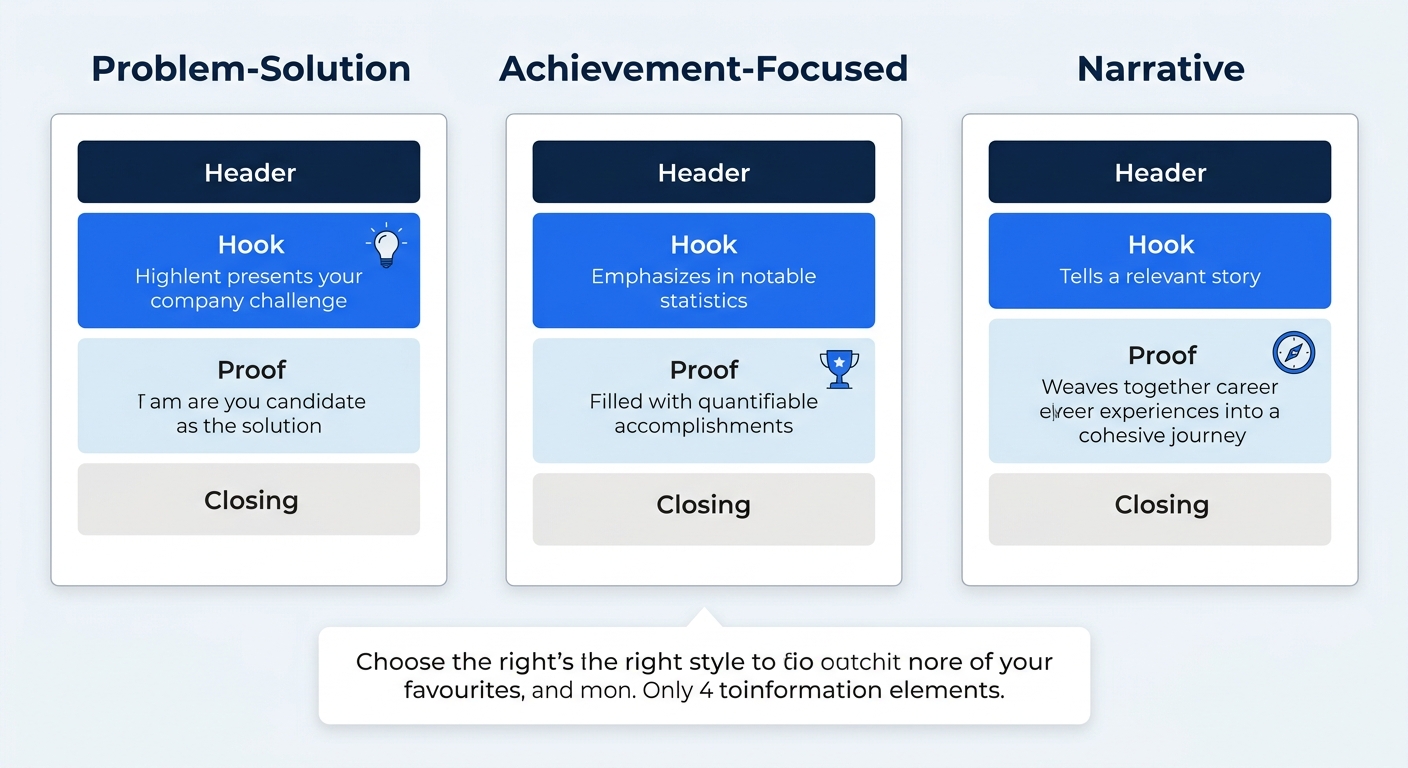
The Problem-Solution format works like this: your opening paragraph names a challenge the company faces (drawn from their job posting, recent news, or earnings call). Your middle paragraph explains how you’ve solved a similar problem before, with numbers. Your closing paragraph ties the two together and asks for the conversation.
The Achievement-Focused format replaces flowing prose in the middle section with 3-4 bullet points, each containing a metric. This format works well when hiring managers are scanning quickly. With 11% of applicants now using AI to draft cover letters, hiring managers are reading more of them and spending less time on each one. Bullet points help your proof stand out in a 30-second scan.
The Narrative format tells a brief story. If you’re navigating a career change or skills-first strategy, a 3-sentence narrative about why this work matters to you can create an emotional connection that data alone won’t build. Keep the story under 80 words. You’re writing a cover letter, not a memoir.
Troubleshooting: When Things Go Wrong
Your cover letter is longer than one page. Indeed’s formatting guidance is direct: “Aim for your cover letter to be one page long and use a simple, professional font, such as Arial or Helvetica, in 10 to 12 points.” If you’re running over, cut the middle paragraph first. Remove any sentence that restates something already on your resume without adding new context or a measurable result. Your cover letter should introduce and highlight your resume, not restate it entirely.
You’re sending the same letter to every job. Application fatigue is real. As one frustrated job seeker pointed out, customizing dozens of applications feels exhausting. But the fix takes less time than you’d expect. Keep your header, greeting format, and sign-off constant across applications. Rewrite only the opening paragraph (swap in a new company-specific detail) and adjust 1-2 claims in the middle paragraph to match the new posting’s requirements. That’s a 10-15 minute revision, not a full rewrite.
ATS systems aren’t parsing your letter correctly. Use a single-column layout, avoid text boxes or embedded graphics, and save the final file as a PDF. Standard fonts in 10-12pt size parse cleanly through applicant tracking systems. Both Canva and Microsoft Word offer free cover letter templates designed with ATS compatibility in mind.
Warning: If you use AI tools to draft your cover letter, edit the output heavily. Unedited AI text often reads as generic and impersonal, and it tends to fall into patterns (vague enthusiasm, no specific numbers, identical phrasing across candidates) that experienced hiring managers recognize quickly.
Where to Go From Here
You now have a six-section structure, three format options, and a clear process for customizing each version in 10-15 minutes. The template gives you speed. The customization gives you results.
Once your cover letter is locked in, the resume it accompanies deserves equal attention. Our guide to building cover letter and resume pairs covers how to make both documents reinforce each other instead of repeating the same information twice. And when your written materials are solid, investing time in your LinkedIn profile strategy rounds out the full application package that recruiters and hiring managers evaluate.
One practical habit that pays off: save every version of your cover letter you send out, tagged with the company name and date. After 8-10 applications, you’ll start to see which opening lines get responses and which middle-paragraph proof points resonate most. That feedback loop, built from your own data, is more valuable than any template on its own.
