

 4.9
4.9 4.5
4.5Three cover letter template formats drive the bulk of successful applications across every industry: problem-solution, achievement-focused, and narrative. Each format maps to specific job categories, and choosing the wrong one tanks an otherwise qualified application. This guide takes you from selecting the right template to sending an ATS-ready file in under 30 minutes.
TL;DR: Pick a template format (problem-solution, achievement-focused, or narrative) based on your job type, customize the header and body with role-specific details, and export as a single-column PDF that passes ATS filters. The whole process takes about 30 minutes per application.
Before You Start
You’ll need four things before you touch a template:
- A specific job posting you’re applying to. Don’t build a cover letter in the abstract. You need the job title, company name, and listed requirements in front of you. According to Indeed’s cover letter guidance, 47% of employers won’t extend an offer to candidates who show no knowledge of the company. You can’t fake that without the actual posting.
- A finished resume. Your cover letter pulls specific accomplishments from your resume and reframes them for this role. If you’re still building your resume, grab a free cover letter template to download and come back once your resume is done.
- The hiring manager’s name (if possible). About 26% of hiring managers specifically value being addressed by name rather than “Dear Hiring Manager.” Check the company’s LinkedIn page, the job posting, or the team page on their website. If you can’t find a name after 5 minutes of searching, “Dear Hiring Manager” is fine.
- A word processor or template tool. Microsoft Word offers free ATS-friendly cover letter templates. Canva has a library of customizable designs. Google Docs works too. Pick whatever you’re comfortable with.
Time commitment: 25-35 minutes for your first letter. About 15 minutes per additional application once you’ve built the base template.
Step 1: Identify Your Job Category
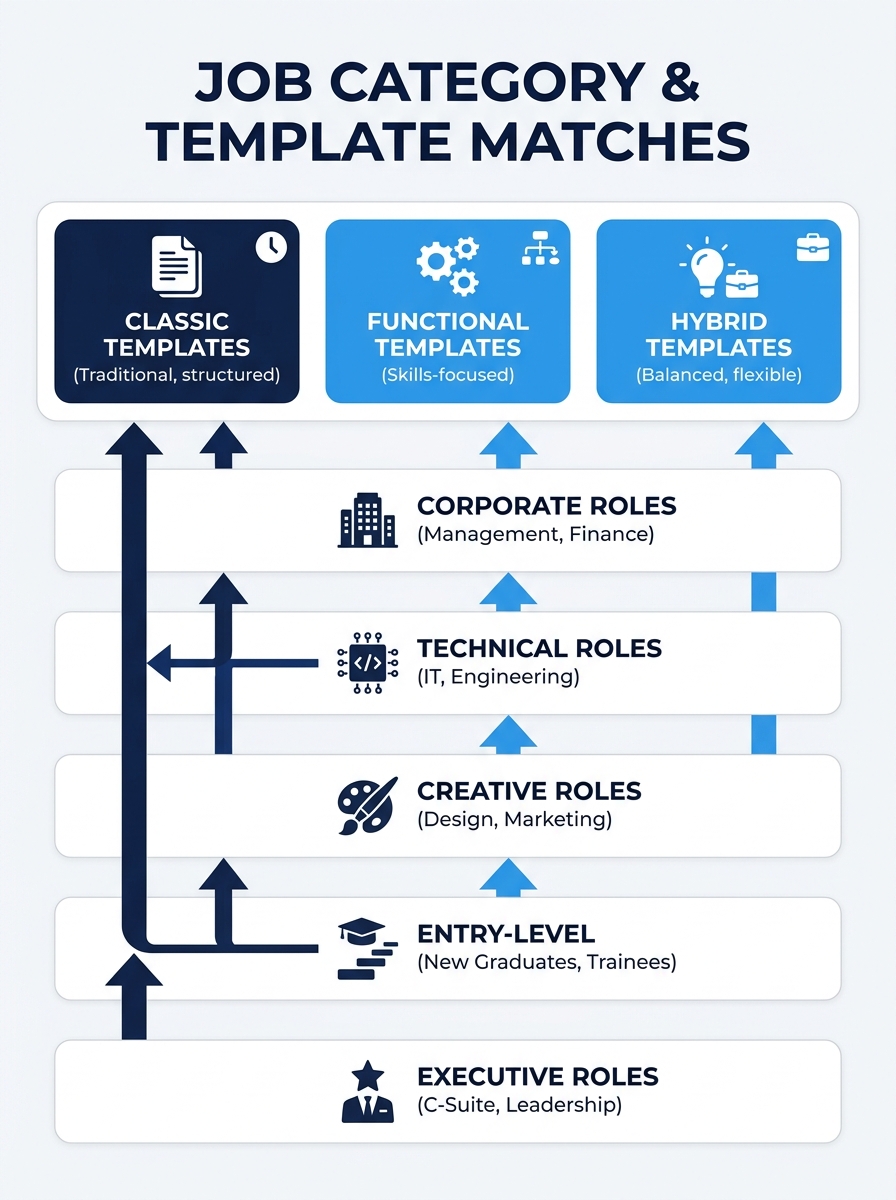
Every role falls into one of five broad categories, and the category determines which template format you’ll use. Here’s how they break down:
Corporate/Traditional includes banking, law, accounting, insurance, government, and administrative roles. These employers expect conservative formatting and a formal tone. Novoresume’s research recommends a simple layout for traditional industries like banking, academia, and law.
Technical covers software engineering, data science, IT, manufacturing, and skilled trades. These roles reward quantified results and specific technical vocabulary.
Creative includes marketing, design, advertising, content, media, and communications. There’s more room for personality and storytelling here, but ATS compliance still matters.
Entry-Level/Career Change applies to recent graduates, people switching industries, and anyone with fewer than two years of experience in the target field. Transferable skills carry the argument. If you’re pivoting careers, you’ll find a deeper breakdown in our complete template cover letter guide.
Executive/Senior covers director-level and above, including C-suite, VP, and senior management roles. These letters emphasize strategic impact and organizational outcomes.
Step 2: Match a Template Format to Your Category
94% of hiring managers say a cover letter influences their interview decision. But the format that works for one category can actively hurt you in another. Here’s the mapping:
| Job Category | Best Template Format | Why It Works |
|---|---|---|
| Corporate/Traditional | Problem-Solution | Shows you understand the organization’s challenges and can address them |
| Technical | Achievement-Focused | 3-4 bullet points of quantified results demonstrate capability fast |
| Creative | Narrative | Storytelling shows communication skills and emotional intelligence |
| Entry-Level/Career Change | Problem-Solution | Redirects attention from thin experience toward what you can solve |
| Executive/Senior | Achievement-Focused | Board-level readers want P&L impact numbers, not paragraphs |
Problem-Solution format opens by identifying a specific challenge the company faces (pulled from the job posting, news, or annual reports), then positions you as the person who’s solved similar problems before. You dedicate 60% of the body to evidence you can fix their stated need.
Achievement-Focused format replaces narrative paragraphs with 3-4 bullet points of concrete, measurable accomplishments. Each bullet follows the pattern: action verb + what you did + quantified result. This format works for roles where data matters more than personality.
Narrative format uses a brief story arc to create a connection. You open with a specific moment that sparked your interest in the field or company, then bridge that story into your qualifications. This is the riskiest format because a weak story sounds forced, but a strong one is the most memorable letter a hiring manager will read all day.
Tip: If you’re unsure which format to pick, default to problem-solution. It works across the broadest range of industries and experience levels, and 70% of employers prefer cover letters that stay under half a page, which the problem-solution format naturally does.
Step 3: Set Up the Header and Personalized Greeting
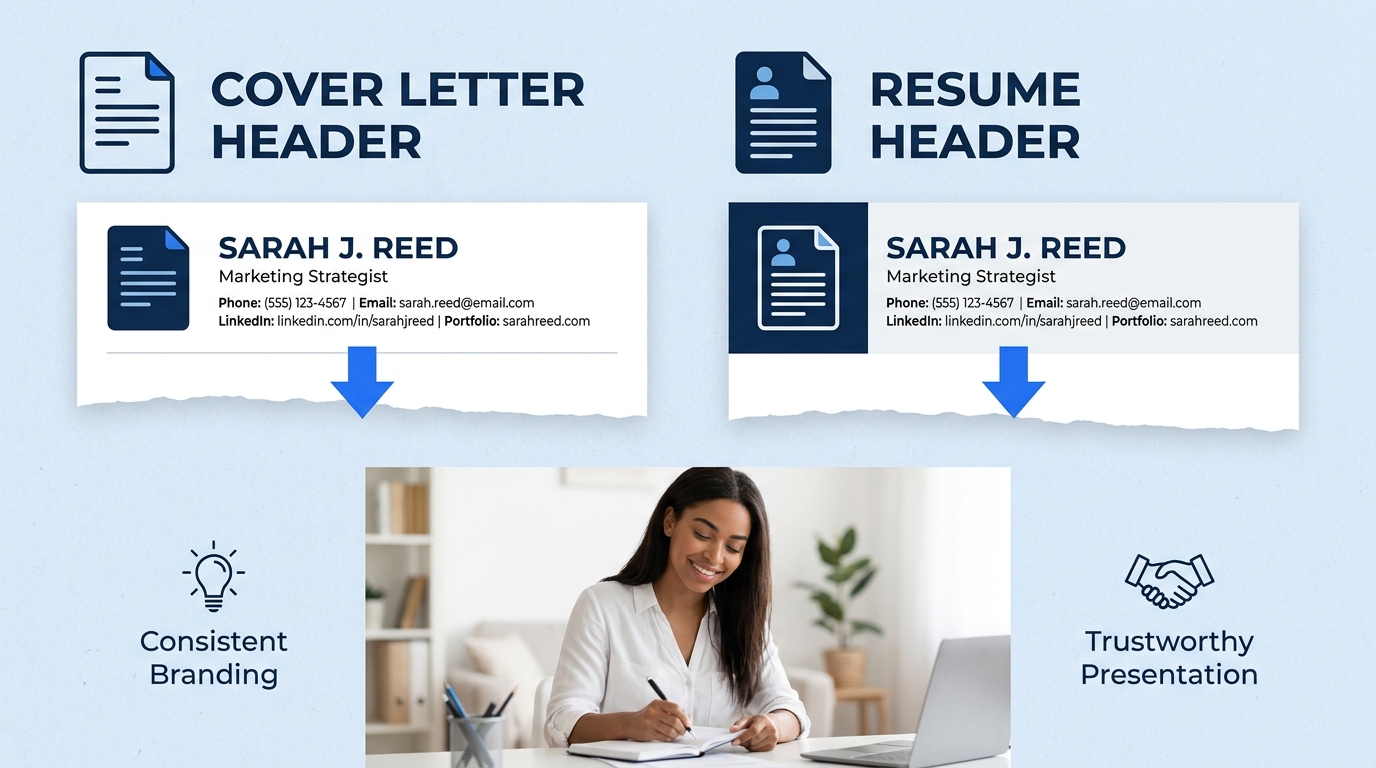
The header takes 3 minutes and establishes professional credibility before the hiring manager reads a single sentence. Include these elements in this exact order:
- Your full name (14-16pt, bold)
- Your phone number, professional email, and city/state (no full street address needed)
- Your LinkedIn URL (if your profile is complete and active)
- Today’s date
- The hiring manager’s name, title, and company address
For the greeting, use “Dear [First Name] [Last Name],” if you’ve found the hiring manager’s name. Use “Dear Hiring Manager,” or “Dear [Department Name] Hiring Team,” if you haven’t. Skip “To Whom It May Concern” entirely. It signals zero research effort, and 47% of employers factor company knowledge into their hiring decisions.
You’ll know this step is done when your header matches the header on your resume. Same fonts, same contact information, same color scheme. A mismatch between your resume and cover letter looks careless.
Step 4: Write an Opening Paragraph That Hooks
The opening paragraph is 2-3 sentences and has one job: make the reader continue to paragraph two. ResumeGenius analyzed 200+ professional cover letter examples and found that effective openers consistently do three things: name the specific role, reference a company detail that proves you’ve done research, and state one headline-worthy qualification.
Here’s what that looks like in practice for each format:
Problem-Solution opener: “Your Q2 earnings call mentioned a 12% increase in customer churn across the Northeast region. At [Previous Company], I led a retention initiative that reduced churn by 18% over nine months, and I’d like to bring that approach to the [Job Title] role at [Company].”
Achievement-Focused opener: “With eight years in cloud infrastructure and three AWS certifications, I’m applying for the Senior DevOps Engineer position at [Company]. My last deployment pipeline cut release cycles from two weeks to 36 hours.”
Narrative opener: “The first brand campaign I ever saw that made me stop scrolling was [Company]’s 2024 holiday spot. I’ve spent the four years since building campaigns designed to create that same feeling, and the [Job Title] role is where I want to do it next.”
Notice that every opener addresses a specific person, company, or situation. Generic openers like “I am writing to express my interest” get skimmed or skipped. Our best cover letter template examples guide has additional openers broken down by industry.
Step 5: Build the Body With Job-Specific Content
The body section is where 66% of applicants lose their advantage by writing too much. Both job seekers and employers prefer cover letters at half a page or less, so your body gets one to two paragraphs maximum.
For Problem-Solution templates: Your first body paragraph names the company’s challenge (pulled from the job posting’s “responsibilities” section). Your second paragraph provides 2-3 specific examples from your background that prove you can handle it. Each example includes a number: revenue generated, percentage improved, time saved, team size managed.
For Achievement-Focused templates: Replace body paragraphs with a short intro sentence followed by 3-4 bullet points. Each bullet uses this structure: strong verb + specific task + measurable outcome. Example: “Reduced average ticket resolution time from 4.2 hours to 1.8 hours by restructuring the tier-1 support workflow, saving $340K annually.” CVGenius emphasizes that highlighting specific job requirements like agile methodologies and Kanban experience shows you understand the employer’s actual needs.
For Narrative templates: Your body continues the story from your opener, but pivots toward concrete skills. The story provides the emotional hook. The skills provide the hiring justification. Aim for a 40/60 split: 40% story, 60% evidence.
Both job seekers and employers agree on one thing: 66% of candidates and 70% of employers prefer cover letters that stay at half a page or less.
Step 6: Format for ATS and Export as PDF
ATS software eliminates up to 50% of candidates before a human ever reads their application. Formatting errors are the most common reason qualified applicants get filtered out. Follow these rules:
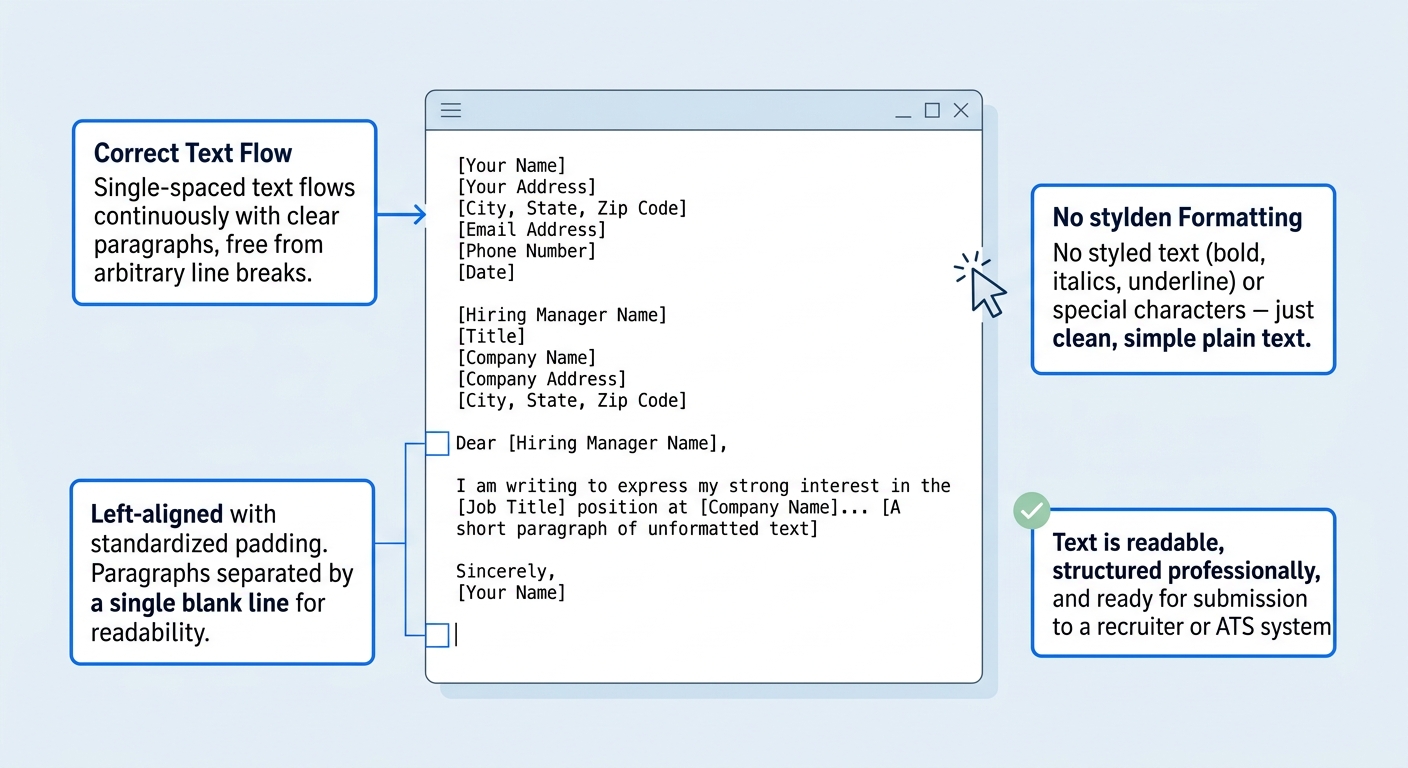
- Use a single-column layout. No tables, text boxes, or multi-column designs. ATS parsers read left-to-right, top-to-bottom. Anything that breaks that flow gets garbled.
- Stick to standard fonts. Arial, Calibri, Georgia, or Times New Roman in 10.5-12pt. Creative fonts might not render in ATS systems.
- Save as PDF unless the application specifically requests .doc or .docx. PDF preserves your formatting across devices. Microsoft Word’s free cover letter templates are already designed with ATS-safe formatting and export cleanly to PDF.
- Name the file professionally. Use the format: FirstName-LastName-CoverLetter-CompanyName.pdf. Some ATS systems display the filename to recruiters.
- Run a final check. Copy all text from your PDF and paste it into a plain text editor. If the text appears in order and nothing is missing or scrambled, your formatting will survive ATS parsing.
You’ll know it worked when the plain-text paste reads like a normal letter, with each section appearing in sequence. If paragraphs are jumbled or headers appear in the middle of body text, go back and remove whatever design element is causing the problem.
Common Problems and Quick Fixes
Your letter is over one page. Cut adjectives first, then cut any sentence that doesn’t directly reference the job posting or a quantified accomplishment. Every sentence needs to earn its space. If you’re still over, our guide on writing a winning sample cover letter shows exactly what to trim and what to keep.
You can’t find the hiring manager’s name. Try LinkedIn’s company page, filter employees by the department you’re applying to, or call the company’s front desk and ask. If none of that works, “Dear [Department] Hiring Team” is better than a wrong name. Getting the name wrong is worse than not including one at all.
Your ATS paste test comes back garbled. The most common culprits are text boxes, headers/footers, and multi-column layouts. Rebuild the letter in a single-column format without any design elements in the header or footer area. Move your contact info into the body of the document instead.
Warning: Don’t use the same cover letter for multiple applications. Changing only the company name and job title is a pattern that hiring managers recognize immediately, and it defeats the purpose of using a targeted template format.
Where to Go From Here
With your template built and your first application sent, the real efficiency kicks in on applications two through ten. Keep your base template saved and swap out three elements for each new application: the company-specific challenge or reference in your opener, the 2-3 achievements in your body that best match the new job posting, and the hiring manager’s name. That swap takes about 15 minutes once you’ve done it a few times. If you want to see how other applicants have handled specific industries, browse the sample cover letter examples organized by job type on this site. And if you’re running your job search primarily through LinkedIn, pair your cover letter work with a strong LinkedIn job search strategy so you’re applying where your profile already supports your application.
