

 4.9
4.9 4.5
4.5This tutorial gives you a finished, ATS-compatible cover template letter in under 20 minutes using free tools from Microsoft Word, Canva, and Adobe Express. Three full examples are included below, along with formatting specs pulled directly from university career centers and Indeed’s hiring guidelines.
TL;DR: Grab a free cover template letter from Microsoft Word, Canva, or Adobe Express. Customize it using the five-step process below: header, targeted opener, achievement body, specific close, and ATS-safe formatting at 10–12pt font with 1-inch margins on a single page.
Before You Start
You need four things ready before touching any template. First, the job posting you’re applying to, open it in a separate tab so you can mirror its language. Second, your resume, because the University of Michigan Career Center advises using “the same font as your resume” for visual consistency. Third, 2–3 quantified accomplishments from your work history (revenue numbers, percentage improvements, project counts). Fourth, the hiring manager’s name if you can find it on LinkedIn or the company’s team page.
Time commitment: 15–20 minutes for your first letter, 5–8 minutes for each subsequent version once you have the template saved.
Tools you’ll use (all free):
- Microsoft Word for the web, 10+ cover template letter designs accessible at word.cloud.microsoft
- Canva, printable, customizable cover letter templates with drag-and-drop editing
- Adobe Express, dozens of layout options at adobe.com/express
- A plain text editor (Google Docs, Notepad) for drafting before you paste into the template
Info: If you’re applying via email rather than an applicant portal, the University of Michigan Career Center recommends using the body of the email as your cover letter, skip the attachment entirely and paste the text directly.
Step 1: Set Up Your Header and Contact Block
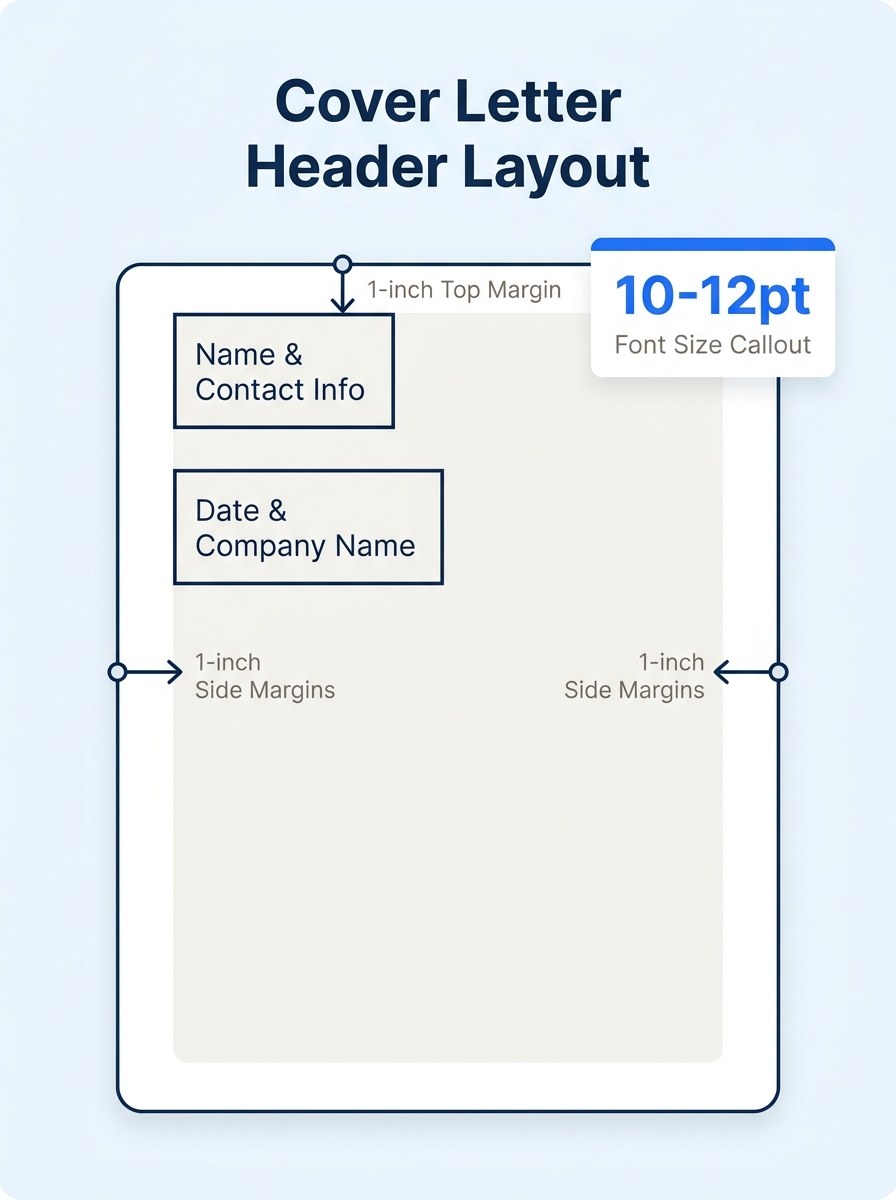
The header is the first thing a recruiter scans, and it should take you 2 minutes flat. Your goal here is to match the header style of your resume so both documents look like they came from the same person.
Include exactly these five items: your full name, city and state (skip your street address, SHRM’s hiring guidelines no longer expect it), phone number, email address, and one link (LinkedIn profile or portfolio URL). Below that, add the date, the company name, and the hiring manager’s name if you have it.
You’ll know it worked when your header occupies no more than 1.5 inches from the top of the page and mirrors the font, size, and alignment of your resume header. The University of Michigan’s formatting spec places the layout as “left justified, beginning no more than 2 inches from the top” with margins between 0.5 and 1 inch on all sides.
Step 2: Write an Opening That Names the Role
The opening paragraph has one job: tell the reader which position you want and give them one reason to keep reading. UCF’s Experiential Learning office states that a cover letter “should not be a restatement of the entire resume. Instead, it should be an introduction of your resume, highlighting those skills and experiences most suited to the position.”
Here’s the action: write 2–3 sentences. Sentence one names the exact job title and where you found the posting. Sentence two connects your strongest relevant qualification to the role’s primary responsibility. That’s it.
Example opener:
I’m applying for the Marketing Coordinator position listed on your careers page. My three years managing social media campaigns for a 50,000-follower B2B brand directly maps to the channel growth targets in your job description.
Avoid the generic phrases that hiring managers filter out, lines like “I am writing to express my interest” or “I believe I would be a great fit” tell the reader nothing specific. If you could paste your opening into a letter for a different company without changing a word, it’s too vague.
You’ll know it worked when your opener contains the exact job title, the company name, and at least one specific qualification.
Step 3: Build the Body Around Measurable Results
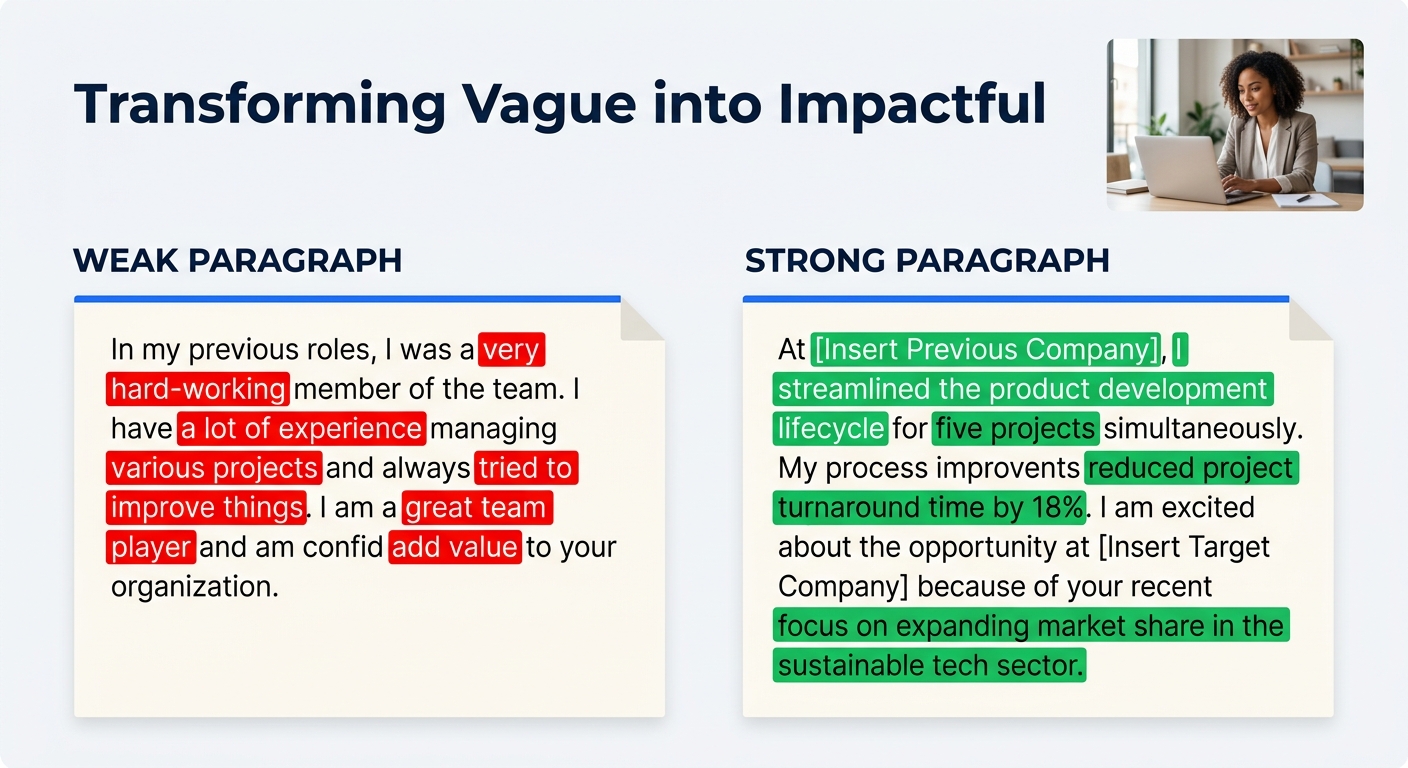
This is where most cover letters fall apart. Candidates either repeat their resume line by line or write vague paragraphs about passion and teamwork. The body should be 1–2 paragraphs, each anchored by a concrete accomplishment with a number attached.
According to Indeed’s career advice team, “a simple, clean format with standard headings helps ensure your letter is parsed correctly and reaches a human.” That means your body paragraphs should read cleanly without bullet points, icons, or multi-column layouts.
Structure each body paragraph like this: name the challenge you faced, describe what you did, and state the measurable result. SHRM’s recruiter surveys report that candidates who mirror job description keywords and include quantified achievements see measurably higher interview callback rates, because ATS parsers pick up the matching terms and human screeners can quickly assess impact.
Example body paragraph:
At Greenline Logistics, I inherited a customer onboarding process that averaged 14 days from signed contract to first shipment. I redesigned the intake workflow, cut 3 redundant approval steps, and brought the average down to 6 days, a 57% reduction that the VP of Operations cited in our Q3 board presentation.
If you’re a student or recent graduate with limited work experience, UCF’s cover letter samples recommend drawing from internships, co-ops, or class projects. A capstone project where you analyzed 500 survey responses is a legitimate data point.
You’ll know it worked when each body paragraph contains at least one specific number (a dollar figure, percentage, count, or timeframe).
If you could paste your opening into a letter for a different company without changing a word, it’s too vague.
Step 4: Close With a Specific Ask
Your closing paragraph should do two things: restate your interest in the specific role and propose a next step. Don’t write “I look forward to hearing from you”, that’s passive and forgettable. Instead, name what you want to happen.
Write 2–3 sentences. Sentence one briefly connects your overall experience back to the company’s stated mission or a recent initiative. Sentence two asks directly for a conversation, a meeting, or a phone screen. Use “Sincerely” as your sign-off, it works across every industry, from banking to creative agencies.
Example closing:
Your 2026 expansion into the Southeast market aligns with the regional sales infrastructure I built at my current role. I’d welcome a 20-minute call to discuss how that experience applies to your growth plan. Thank you for your time.
You’ll know it worked when your closing names a specific action (a call, a meeting, a date) and doesn’t default to “I look forward to hearing from you.”
Step 5: Format for ATS and Human Readers
Formatting errors disqualify more cover letters than bad writing does. Many companies use applicant tracking systems to filter applications before a human reviewer ever opens them. A clean, single-column layout with standard fonts is the baseline.
Here are the exact specs, drawn from Indeed and the University of Michigan Career Center:
- Font: 10–12 point, same typeface as your resume (Arial, Calibri, or Times New Roman work across all ATS platforms)
- Margins: 0.5 to 1 inch on all sides
- Alignment: left-justified throughout
- Length: 1 page maximum, the Michigan Career Center’s guideline is blunt: “Keep it short and sweet, do not exceed one page”
- File format: PDF unless the application portal specifically requests .docx
- Style: active voice, positive language, no passive constructions like “responsibilities included”
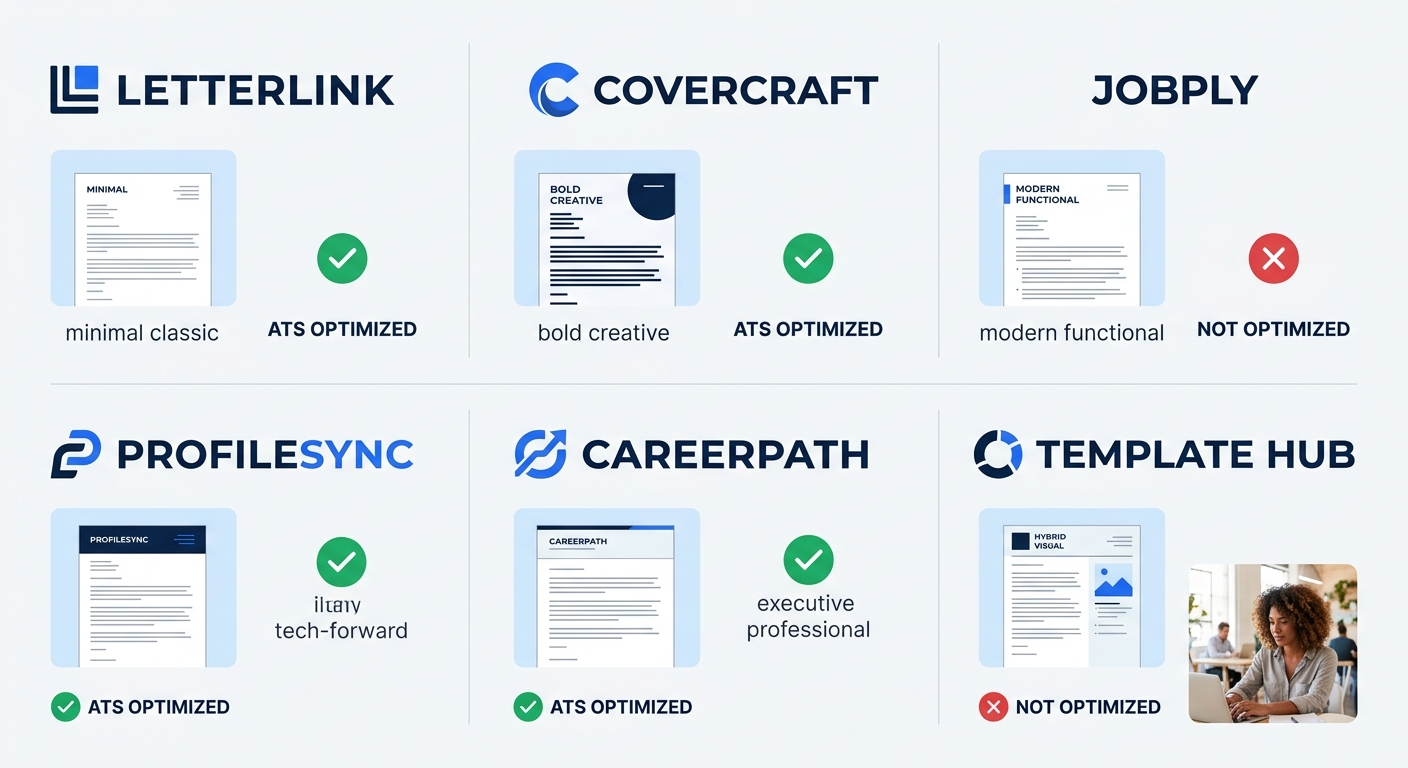
If you’re working from a Canva or Adobe Express template with graphics, columns, or colored sidebars, strip them before submitting through an ATS portal. Those design elements look great printed out but break parser logic. Save the designed version for in-person interviews or email attachments where you know a human will open it. For more on using a cover letter template effectively, we’ve written a dedicated walkthrough.
You’ll know it worked when you can copy-paste the entire text of your letter into a plain text editor and it still reads correctly, no missing words, no jumbled sections.
Free Cover Template Letter Examples by Platform
Resume Genius hosts 200+ cover letter examples organized by job title and experience level, and Novoresume offers 16+ industry-specific templates ranging from executive to entry-level. Here’s how the major free platforms compare:
| Platform | Number of Templates | ATS-Safe by Default | Customization Level | Best For |
|---|---|---|---|---|
| Microsoft Word for Web | 10+ | Yes | Full text and layout editing | Traditional industries (finance, law, government) |
| Canva | 50+ | No (requires manual adjustment) | Drag-and-drop design | Creative roles, email attachments |
| Adobe Express | Dozens | No (design-heavy defaults) | Template-based with text editing | Visual roles, portfolio-adjacent jobs |
| Indeed | 100+ samples | Yes (plain text) | Copy-and-adapt examples | Any industry, ATS submissions |
| Resume Genius | 200+ | Yes | Download and edit in Word | All experience levels |
| Novoresume | 16+ | Yes | Structured editor with prompts | Executive and career-change roles |
If you want to explore additional free options organized by job type, our collection of cover letter templates covers more platforms and industry-specific formats.
Troubleshooting Common Failures
Three problems account for the majority of cover template letter rejections. Here’s how to spot and fix each one.
Problem 1: The ATS strips your formatting. You’ll recognize this when your application status jumps straight to “rejected” within minutes of submission, or when the preview screen in the portal shows garbled text. Fix it by submitting as a PDF with no headers, footers, text boxes, or multi-column layouts. Copy your text into a plain text editor first to verify nothing breaks.
Problem 2: Your letter reads as generic. If you’re sending the same cover template letter to 15 different companies with only the company name swapped, recruiters will notice. The Brave AI-synthesized recruiter data suggests that spending even 5 minutes swapping in company-specific details, a recent product launch, a team you’d join, a value from their mission statement, separates a personalized letter from an obvious template. We’ve covered why application fatigue drives this mistake and what to do about it.
Problem 3: Your letter exceeds one page. Every career center and recruiter guideline agrees on this ceiling. If your letter spills onto a second page, cut your body paragraphs first. Each body paragraph should cover one accomplishment, not three. Remove any sentence that restates information already on your resume without adding context or results.
Warning: Don’t use AI to generate your entire cover letter and submit it unedited. AI drafts tend to produce the same generic phrasing across thousands of applications, and hiring managers increasingly recognize the patterns. Use AI for structure and speed, then rewrite every sentence with your specific details.
Where to Go From Here
You have a working cover template letter. The next step is building a small library of 3–4 versions: one for your primary target role, one for a stretch role in a different function, one for a different industry, and one short version for email-only applications. Each version shares the same header and formatting but swaps the opener, body achievements, and closing ask to match the target.
From here, pair your cover letter with a properly formatted resume so both documents present a unified professional image. If you’re working from a step-by-step cover letter template guide, the formatting consistency checks there apply to your resume too. And if you’re actively job searching on LinkedIn, make sure your profile headline and summary echo the same language you’re using in your cover letters, recruiters who find your application compelling will check your profile within minutes.
