


 4.9
4.9 4.5
4.5LinkedIn gives you 220 characters in your headline, and every one of them is searchable at 5x the weight of any other profile field. This guide walks you through building a profile that ranks in recruiter searches, setting up alerts, and running a daily engagement system in one weekend plus 15 minutes a day afterward.
TL;DR: Treat your LinkedIn profile as a search-optimized landing page: use all 220 headline characters with relevant keywords, write an About section that reads like a two-minute pitch, turn on recruiter-visible “Open to Work,” set targeted job alerts, and commit to 5–10 daily comments on posts from target companies.
Before You Start
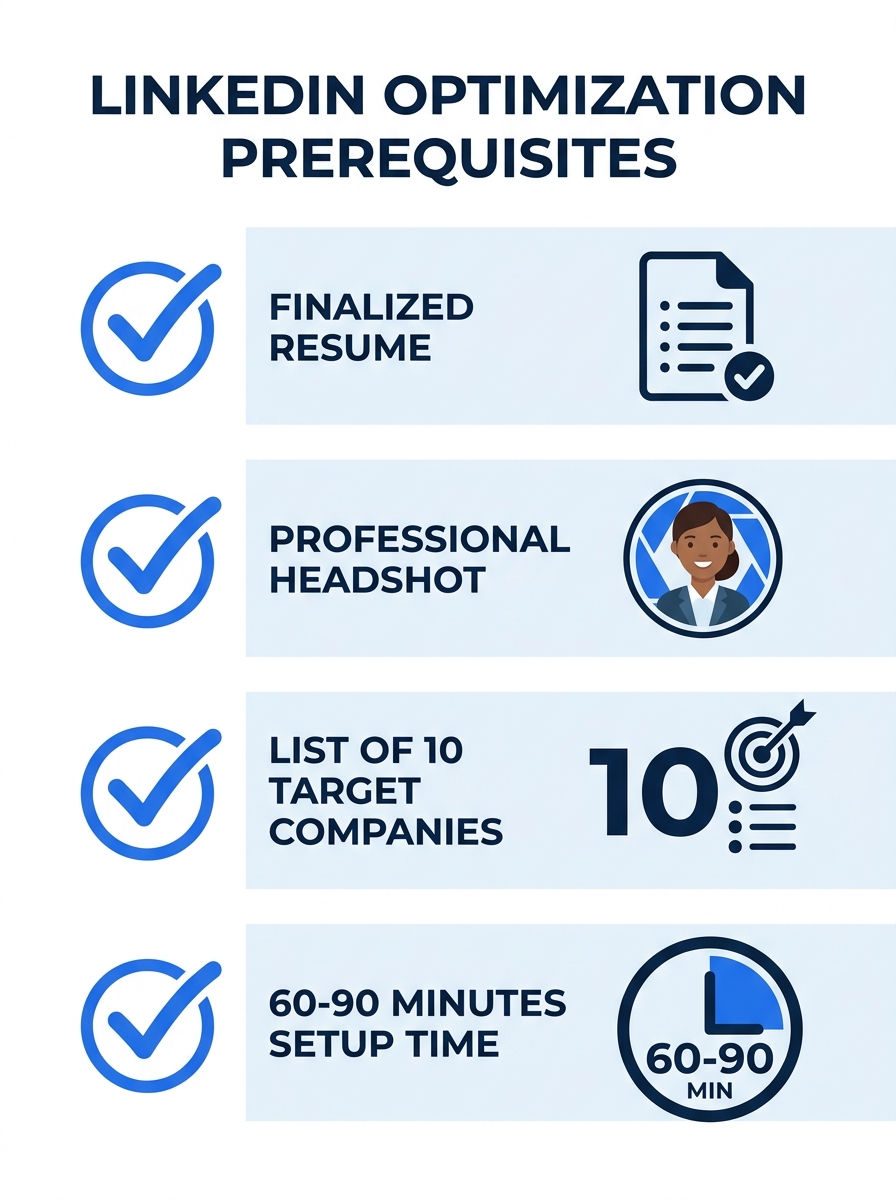
You need four things ready before you touch your LinkedIn profile. Skipping any of these slows you down mid-process.
- A finalized resume. Your LinkedIn experience entries should match it line-for-line. According to BridgeviewIT’s 2026 optimization guide, you should “match your experience sections one-to-one so there are no inconsistencies between the two.” If your resume still needs polish, handle that first.
- A professional headshot. Profiles with professional photos receive 21x more views and 36x more messages than those without. A smartphone photo against a plain wall with natural light works fine. No selfies, no group crops.
- A list of 10 target companies. You’ll need these for job alerts and commenting targets in later steps.
- 60–90 minutes for initial setup, then 15 minutes daily for ongoing engagement.
Time commitment for the full strategy: one weekend afternoon for Steps 1–5, then a recurring 15-minute daily habit for Steps 6–7.
Step 1: Rewrite Your Headline Using All 220 Characters
Your headline is the single most important field for search visibility. LinkedIn’s algorithm indexes it at 5x the weight of other profile sections, and recruiters see it before they click into your full profile. The goal here is to pack it with the keywords a recruiter would actually type.
The action: Delete your current headline. Write a new one that includes your target job title, 2–3 core skills, and a signal that you’re available. ORS Partners recommends using “phrases such as ‘seeking,’ ‘open to,’ ‘actively seeking,’ or ‘available for'” directly in your headline and summary.
A weak headline looks like: “Marketing Professional.” A strong one looks like: “Senior Content Marketing Manager | SEO, Demand Gen, HubSpot | Open to B2B SaaS Roles.” The second version hits multiple keyword searches and tells a recruiter exactly what you do.
If you don’t have work experience yet, Zety’s optimization guide advises highlighting “your education level and main study focus in the profile headline” and stating immediately that you’re seeking opportunities in a specific field.
You’ll know it worked when: your headline fills close to the 220-character limit and contains at least two terms a recruiter would search for your target role.
Step 2: Build Your About Section as a Two-Minute Pitch
The About section is your value proposition. Recruiters using AI-powered search tools scan this field for context the headline can’t carry, and candidates who leave it blank or generic lose significant search visibility. BridgeviewIT’s guide recommends using “your resume summary as your About section” as a starting point, then expanding it for LinkedIn’s format.
The action: Write 3–5 short paragraphs covering these elements in order:
- What you do and the results you’ve driven (include specific numbers: “grew organic traffic 140% in 8 months,” “managed a $2.3M annual budget”).
- Your core skills and the tools you use daily.
- What you’re looking for next and how to reach you. End with a direct call to action like “DM me or email [email protected].”
Keep paragraphs short. LinkedIn truncates the About section after roughly three lines on mobile, so your strongest claim needs to land in the first sentence.
You’ll know it worked when: a friend can read your first two sentences and accurately describe what job you’re looking for.
Step 3: Fill Your Experience With Quantified Achievements
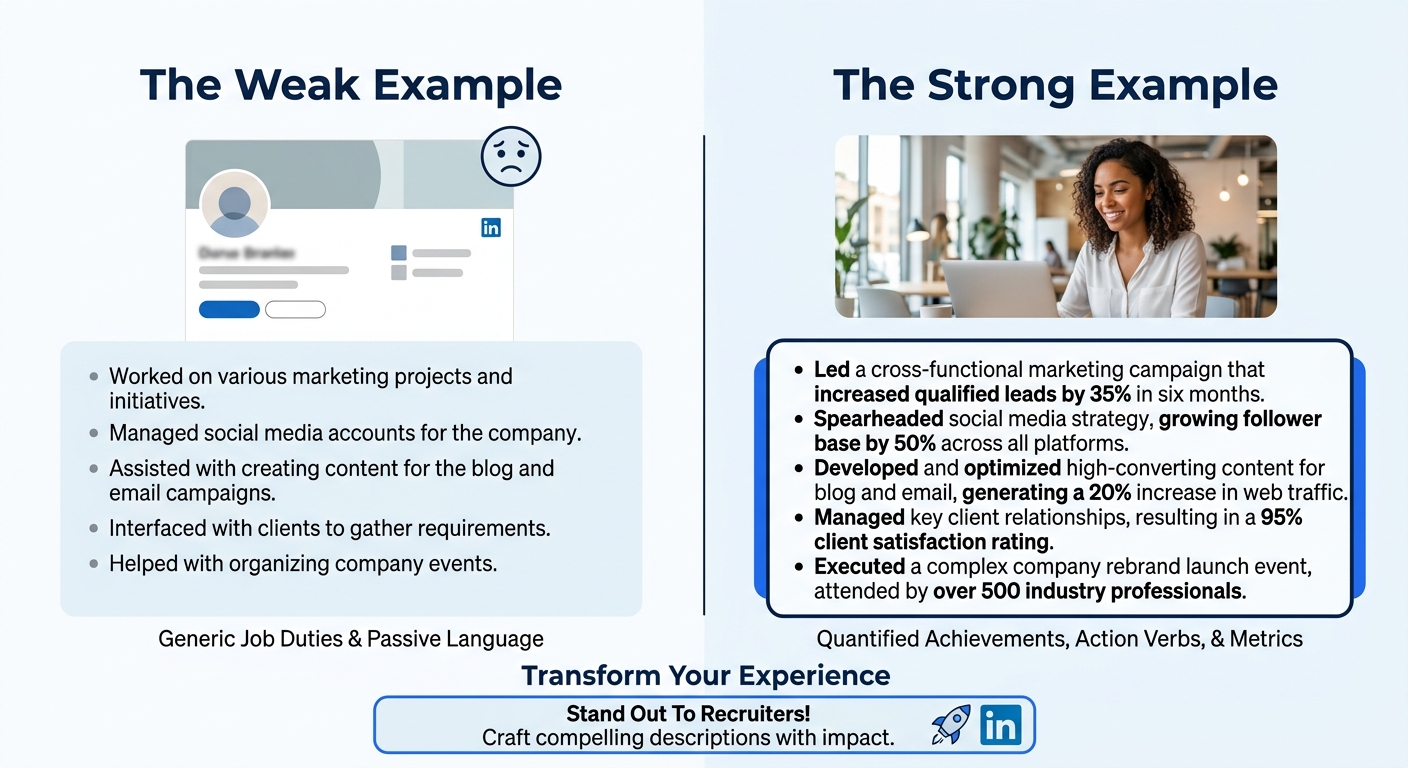
Generic duty descriptions (“Responsible for managing social media accounts”) tell recruiters nothing about your impact. Profiles with quantified achievements in every role perform dramatically better in both human review and the AI search tools that now shape how recruiters find candidates.
The action: For each role listed, write 3–5 bullet points that follow the format: action verb + what you did + measurable result. “Increased ARPU 35% by redesigning the onboarding email sequence” beats “Managed email marketing” every time.
Fill in all remaining profile sections: education, certifications, skills (add at least 5 relevant ones), and volunteer work. The goal is reaching All-Star completion status, which makes your profile appear in 40x more recruiter searches than incomplete profiles. All-Star requires a photo, headline, summary, current position with description, education, at least 5 skills, and 50+ connections.
You’ll know it worked when: LinkedIn displays the “All-Star” profile strength indicator, and each experience entry contains at least one specific number.
Step 4: Turn On “Open to Work” and Set Up Job Alerts
These two settings convert your profile from a static page into an active job-search tool. Recruiter-only “Open to Work” visibility lets recruiters find you proactively before you apply, without broadcasting your search to your current employer.
The action: Go to your profile, click “Open to,” select “Finding a new job,” and choose the recruiter-only visibility option. Add your target job titles (up to 5), preferred locations, workplace types (remote, hybrid, on-site), and start date.
Then set up job alerts. LinkedIn’s own best practices documentation recommends setting alerts to “increase your chances of being one of the first applicants.” Create one alert per target company from your list of 10, plus 2–3 alerts for your target job title across all companies. Save interesting postings for later review rather than applying immediately on mobile.
Tip: Apply from your desktop whenever possible. LinkedIn’s help center specifically recommends accessing jobs “via desktop” because the full application experience is easier to complete on a larger screen.
You’ll know it worked when: you receive daily or weekly email notifications for new postings matching your criteria, and your “Open to Work” badge shows only to recruiters (not your full network).
Step 5: Comment on Target Companies Before You Connect
Sending connection requests cold produces low acceptance rates. Commenting on content from people at your target companies builds name recognition before you ever send a request. Personal profiles generate 2.75x more impressions than company pages, so engaging with individual employees’ posts carries more weight than commenting on the company’s official page.
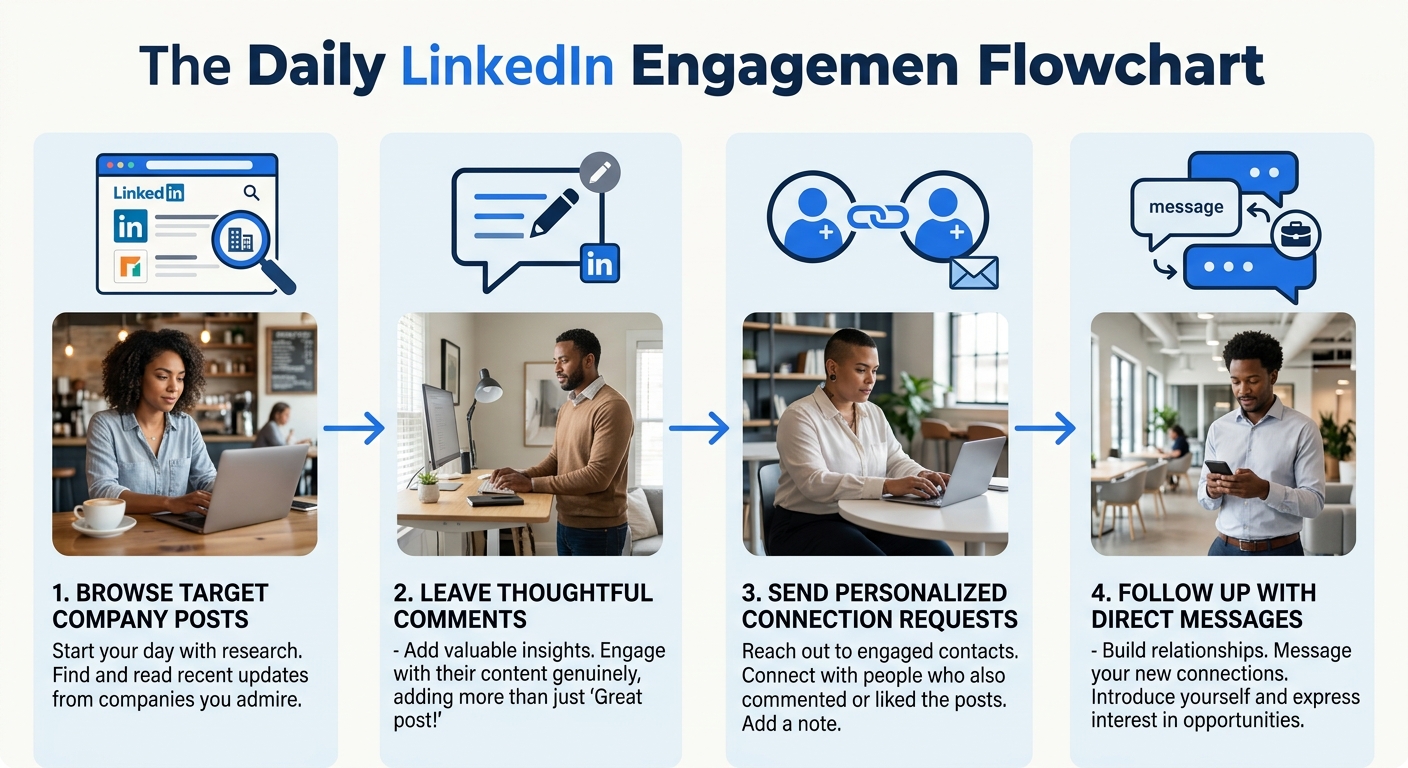
The action: Each day, spend 10–15 minutes leaving 5–10 thoughtful comments on posts from employees at your target companies. “Thoughtful” means adding a specific observation, sharing a relevant experience, or asking a genuine question. “Great post!” doesn’t count.
Focus on connecting with senior professionals in your field, industry leaders, and people who’ve made career transitions similar to what you’re pursuing. According to Dynamic Works Institute’s research, “over 70% of professionals say they were hired at a company where they had a connection.” More than 18,000 connections are made on LinkedIn every minute, and yours need to be strategic ones.
Over 70% of professionals were hired at a company where they already had a connection. Your commenting habit builds those connections before you need them.
You’ll know it worked when: people start responding to your comments, you get profile views from employees at target companies, and at least 3–5 new connections accept your requests each week.
Step 6: Send Direct Outreach to Decision-Makers
The hidden job market is real. Hiring managers frequently ask their teams for referrals before posting roles publicly, and 26% of paid job posts in 2024 didn’t require a degree, reflecting a broader shift toward skills-based hiring where demonstrated results matter more than credentials. Direct outreach puts you in front of hiring managers during that pre-posting window.
The action: Identify the hiring manager or team lead for your target role at each company. LinkedIn’s search filters let you find people by title, company, and location. Send a connection request with a personalized note (under 300 characters) that references something specific: a post they wrote, a project their team shipped, or a mutual connection.
Shelley Roth, an entrepreneur, trainer, and consultant profiled in TopResume’s job search guide, has built her career around “helping individuals, organizations, and teams improve their effectiveness and results by changing the way they think about social media and business.” That philosophy applies directly here: your outreach should demonstrate that you’ve done your homework on the person and their team, not that you’re mass-messaging everyone with “hiring manager” in their title.
After they accept, follow up within 48 hours with a brief message: introduce yourself in one sentence, mention what drew you to their team, and ask if they’d be open to a 15-minute conversation. Keep it under 100 words.
You’ll know it worked when: at least 2–3 out of every 10 outreach messages get a response, and you’re having 1–2 informational conversations per week.
When Your Profile Views Stay Flat
Three common problems stall LinkedIn for job seekers, and each has a specific fix.
Problem 1: Zero profile views after a week. Your headline probably lacks searchable keywords. Go back to Step 1 and check whether your headline contains the exact job titles recruiters search for. Search those titles yourself on LinkedIn and see if competing profiles rank higher. If they do, study their headlines and adjust yours.
Problem 2: Views but no messages. Your About section may be too vague or missing a call to action. Recruiters who view your profile and find no clear “here’s what I want” signal move on. Revisit Step 2 and make sure your first sentence states your target role and your last sentence tells people how to reach you.
Problem 3: Connection requests ignored. Your note was too generic or you skipped the commenting phase. If you’re connecting with people who’ve never seen your name before, your acceptance rate will hover around 10–15%. Spend a week on Step 5 before retrying outreach.
Warning: Don’t use LinkedIn’s “Easy Apply” as your primary application method. Internal referrals consistently outperform cold applications, and hiring managers often fill roles through their networks before the Easy Apply queue gets reviewed. Use Easy Apply as a supplement to direct outreach, not a replacement.
Where to Go From Here
With your profile optimized and a daily engagement habit running, you’ve built the foundation that makes LinkedIn for job seekers actually work. The next layer is content. Posting 1–2 times per week about your area of expertise increases your visibility further, and LinkedIn’s algorithm currently favors personal stories with specific details over generic industry commentary. AI-generated content is saturating the platform, so posts with real numbers, actual lessons from your work, and opinions you’d defend in a conversation stand out.
If your job search involves managing dozens of tailored applications, pair this LinkedIn strategy with a tracking system so you know which outreach messages and applications are converting. And if you’re conducting a confidential search while still employed, the recruiter-only “Open to Work” setting from Step 4 is your safeguard. Even Tim Cook’s LinkedIn profile became a talking point among career professionals for how little it revealed, which is a reminder that what you choose to show (and hide) on LinkedIn is itself a strategic decision.
The 15-minute daily habit is where the real results compound. Profiles that engage consistently get surfaced more in search results, and the connections you build through commenting become the referrals that actually land interviews. Stick with the system for 30 days before evaluating whether it’s producing results.
