


 4.9
4.9 4.5
4.5Applicant Tracking Systems strip out text boxes, multi-column layouts, and header/footer content before a recruiter ever reads your cover letter. This guide walks you through formatting a one-page, ATS-compatible cover letter from scratch, margins, font, spacing, section order, and file type, in about 20 minutes.
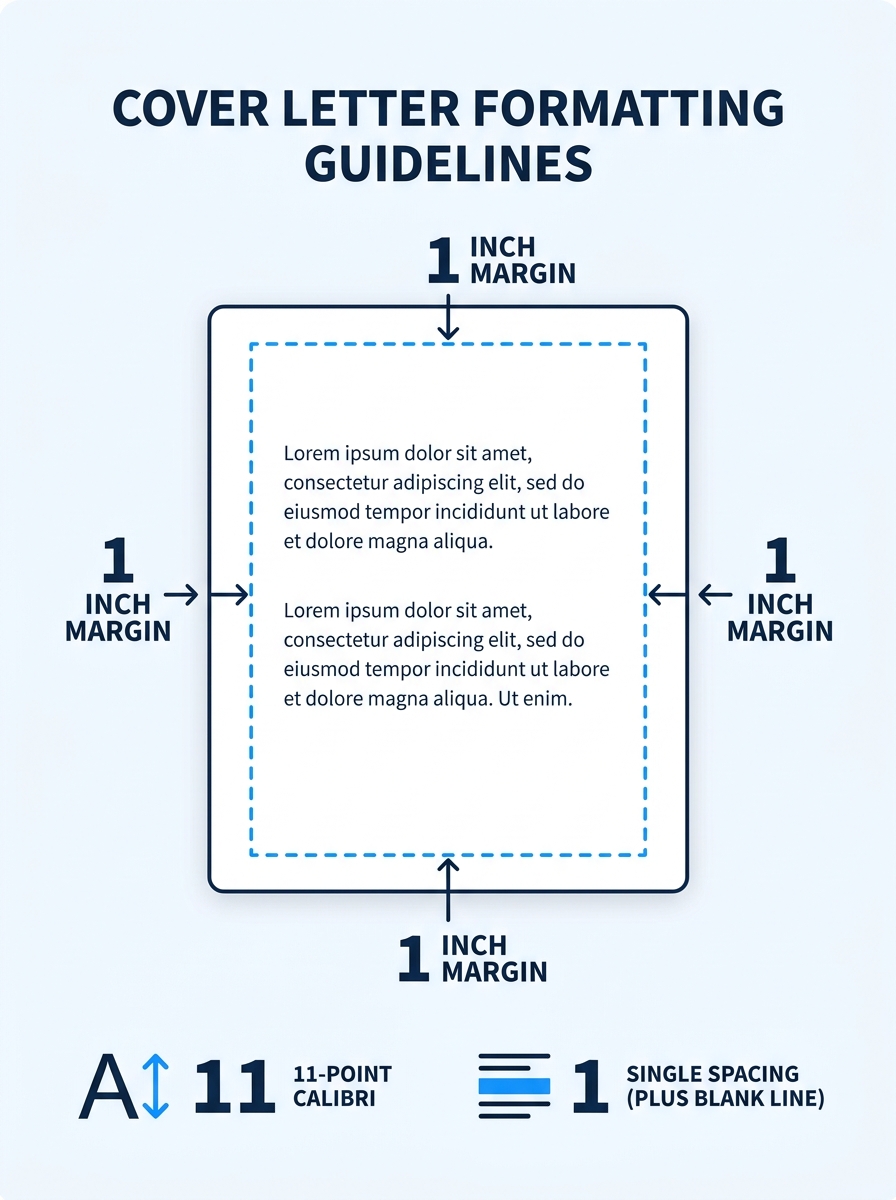
TL;DR: Set 1-inch margins on all sides, use an 11-point standard font like Calibri or Arial, single-space paragraphs with a blank line between each, keep body text between 250 and 400 words, and save as PDF unless the application explicitly requests .docx.
Before You Start
You need a word processor (Google Docs, Microsoft Word, or LibreOffice Writer all work), the job posting open in a separate tab, and the hiring manager’s name if you can find it. No design software required. Total time from blank document to finished file: 15–25 minutes depending on how much body text you’ve already drafted.
If you’re working from a pre-built cover letter template, strip out any decorative elements (colored sidebars, icons, text boxes) before following these steps. Templates often include formatting that ATS software can’t read.
Step 1: Set Margins, Font, and Line Spacing
Open a blank document. Set all four margins to 1 inch. Purdue OWL’s writing lab confirms this as the standard: “Use standard margins (one-inch margins, usually).” If your letter runs slightly past one page later, you can tighten margins to 0.75 inches, but never go smaller than that.
For the font, pick from the table below. Indeed’s career advice team recommends using “a simple and modern font for your cover letter in size 10, 11 or 12 point font size.” An 11-point size hits the sweet spot: anything below 10.5 strains readability on screen, and anything above 12 can look like you’re padding for length.
| Font | Type | Best Size | ATS Safe? | Tone |
|---|---|---|---|---|
| Calibri | Sans-serif | 11pt | Yes | Modern, clean |
| Arial | Sans-serif | 11pt | Yes | Neutral, universal |
| Aptos | Sans-serif | 11pt | Yes | Contemporary (Word default) |
| Times New Roman | Serif | 12pt | Yes | Traditional, formal |
| Georgia | Serif | 11pt | Yes | Warm, readable on screen |
| Garamond | Serif | 12pt | Yes | Elegant, compact |
Set line spacing to single (1.0) within paragraphs. Add one blank line between each paragraph. Left-align everything. Don’t justify the text, justified alignment creates uneven word spacing that looks awkward in shorter documents.
You’ll know it worked when: your document shows 1-inch margins on all four sides, your chosen font at 11pt, and single spacing. The page ruler in Google Docs or Word confirms the margins visually.
Step 2: Build the Header
Type your full name at the top of the document in bold, 14-point font (same font family as your body text, just larger). On the next line, add your phone number, professional email address, and city/state. If you have a LinkedIn profile, include the custom URL on this line too. Our guide on optimizing LinkedIn for job seekers covers how to create that custom URL.
Here’s the critical detail: place all of this in the document body, not in Word’s or Google Docs’ built-in “header” field. Apply-Mate’s ATS guide states the rule directly: cover letters should have “contact details in the body of the letter, never in a header or footer.” ATS parsers routinely skip text stored in document header and footer fields, which means your phone number and email could vanish before a recruiter ever sees them.
Keep the header to 2–3 lines. Use pipes or bullet characters to separate items on the same line:
Jane Doe [email protected] | (555) 123-4567 | Chicago, IL | linkedin.com/in/janedoe
You’ll know it worked when: your name appears at the top in a slightly larger font, and all contact details sit in the document body. Click into the header region of your word processor and confirm it’s empty.
Step 3: Add the Date and Recipient Block
Skip one blank line below your header. Type the date in Month Day, Year format (September 21, 2026). Skip another blank line, then add the recipient’s details in this order:
- Hiring manager’s full name
- Their title
- Company name
- Company address (city and state are enough if you don’t have the full street address)
If you can’t find the hiring manager’s name after checking the job posting, the company’s LinkedIn page, and the “About” or “Team” section of the company website, write “Hiring Manager” or the department name.
This block matters most in formal sectors like law, finance, and government, where full-block business-letter format is expected. In tech or creative roles, some applicants skip the address block entirely and go straight from the date to the salutation. Either approach works as long as you match the norms of the industry you’re applying to.
You’ll know it worked when: the date appears in standard Month Day, Year format, and the recipient block sits below it with a single blank line separating each element.
Step 4: Write the Salutation and Body Paragraphs
Start with “Dear [Name],” using a comma for most industries. A colon after the name (“Dear Ms. Rodriguez:”) is traditional for law and government. According to recruiter survey data, 83% of recruiters still consider cover letters important in hiring decisions, and 66% of job seekers prefer cover letters that run half a page or less. The formatting for cover letter content needs to balance substance and brevity.
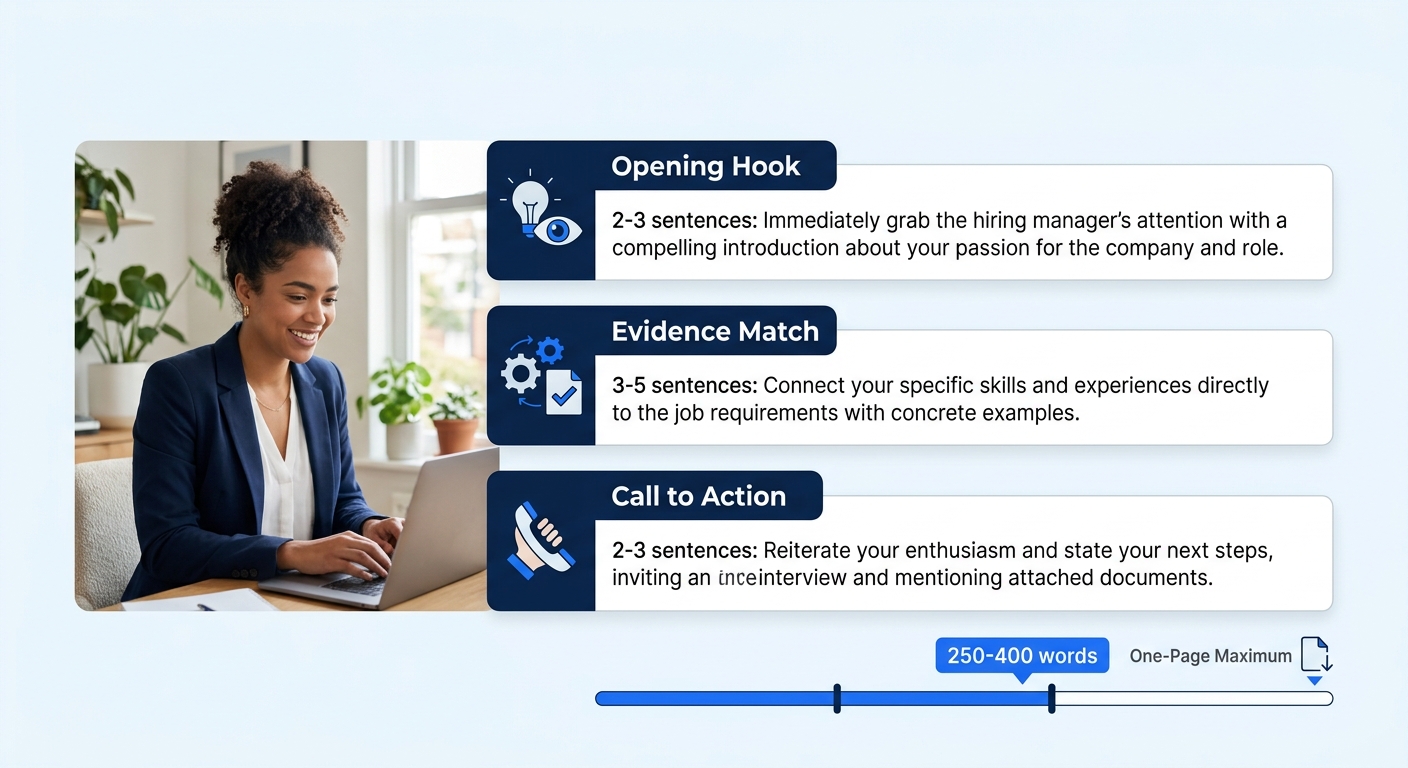
Your body should follow a 3-paragraph structure:
Paragraph 1 (2–3 sentences): State the specific role you’re applying for and your strongest qualification. If you have a referral, name them here. One achievement with a concrete number (“I reduced onboarding time by 34% across a team of 12 coordinators”) carries more weight than a paragraph of generalities. Our guide on phrases hiring managers filter out covers the generic language that tanks first impressions.
Paragraph 2 (3–5 sentences): Connect your experience to the company’s needs. Pull 2–3 requirements directly from the job posting and match each one with specific evidence from your background.
Paragraph 3 (2–3 sentences): Close with enthusiasm for the role, a clear call to action (requesting an interview or conversation), and a brief thank-you.
Three paragraphs keep you comfortably within the 250–400 word target on a single page. A fourth paragraph works if you need to address a career gap or highlight an additional qualification, but don’t exceed one page under any circumstances.
Step 5: Add the Closing and Signature
Skip one blank line after your final body paragraph. Type a complimentary close: “Best regards,” “Sincerely,” or “Thank you,” all work in professional contexts. Skip 1–3 blank lines (where a handwritten signature would go on a printed letter), then type your full name.
For digital submissions, those extra blank lines are optional. Many applicants type the sign-off, skip one line, and type their name. For printed letters mailed physically, Purdue OWL recommends signing in ink between the close and your typed name.
You’ll know it worked when: your closing follows the last paragraph with appropriate spacing, and your full name appears below the sign-off.
Step 6: Proofread and Save as PDF
Read the entire letter aloud. Reading aloud catches awkward phrasing and missing words that silent reading skips. Run spellcheck, but don’t trust it alone, it won’t flag “manger” when you meant “manager” because both are valid words.
Save the file as PDF. PDFs preserve your fonts, spacing, and layout across every operating system, browser, and email client. Resume.io’s ATS formatting guide confirms that their builder “saves your work as a recruiter-ready .docx or PDF, ready to submit through any application system.” The one exception: if the application upload field specifically asks for .docx format, submit .docx. Some older government ATS platforms still require Word documents.
Name the file professionally: FirstName-LastName-CoverLetter.pdf. Avoid generic names like “coverletter.pdf” or “document1.pdf.” Recruiters download dozens of files daily, and a clear filename helps yours get found again after the first read.
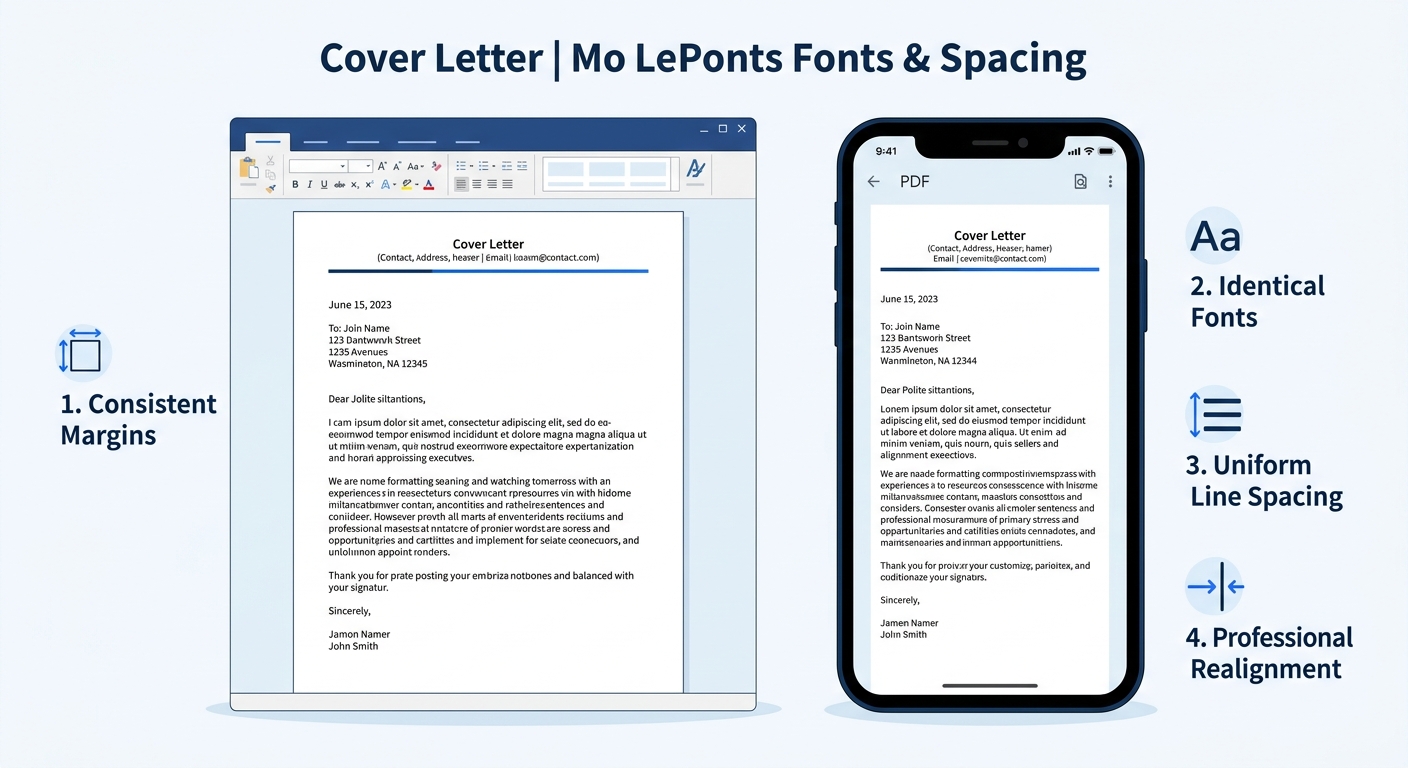
You’ll know it worked when: you open the saved PDF on a different device (phone, tablet, or second computer) and the formatting looks identical to what you see on your screen.
Tip: For email applications where the body of your email IS the cover letter, drop the header, date block, and address. Start directly with the salutation. Attach the fully formatted PDF as well, so the recruiter has a polished version on file.
When Formatting Breaks
Three problems account for the majority of formatting failures:
The letter spills onto page two. This almost always means body text exceeds 400 words or margins are set wider than needed. Cut the text first: tighten sentences, remove redundant qualifiers, and delete any paragraph that restates your resume. If you’re still over, reduce margins to 0.75 inches or drop font size from 12 to 11. Never go below 10.5 points.
ATS scrambles contact information. This happens when your name, email, or phone number lives in the document’s header/footer field rather than the body. TailorCV’s formatting guide is direct: an ATS-friendly cover letter should be “clear, searchable, and targeted, avoiding fancy formatting.” Move all contact details into the document body and delete anything from the header/footer fields.
Fonts change after submission. If you used a non-standard font (Montserrat, Futura, or anything your computer had installed that the recruiter’s doesn’t), the recipient’s system substitutes a default. Stick with the 6 fonts in the table above. Saving as PDF prevents most font substitution, but starting with a universally available font eliminates the risk entirely.
Warning: Two-column layouts, text boxes, and decorative borders are the three most common causes of ATS parsing failures. If your cover letter includes any of these, switch to a single-column, plain-text layout before submitting.
Where to Go From Here
With formatting locked down, the visual infrastructure of your cover letter is complete. The content inside those margins is where real differentiation happens. Our complete cover letter structure guide breaks down what to write inside each section, and the cover letter format best practices guide covers strategic decisions: when to go formal versus conversational, how to handle career gaps in the body text, and when a cover letter is genuinely optional.
One final detail worth getting right: match your cover letter’s font and margin sizes to your resume. A recruiter who opens both documents and sees Calibri at 11 points with 1-inch margins on each one registers a cohesive application package. The consistency signals care before they’ve read a single word about your qualifications, and that first impression of professionalism compounds through every paragraph that follows.
