

 4.9
4.9 4.5
4.5GitHub lets you pin exactly 6 repositories to your profile. That constraint turns out to be the best resume editing advice for software engineers: select a small number of projects, describe each with measurable outcomes, and stop. The gap between what developers want to show and what hiring managers want to see collapses when you follow a handful of concrete rules.
TL;DR: Treat your GitHub profile as a curated portfolio of 3-6 finished, well-documented projects that match the roles you’re targeting. On your resume, describe each project with impact-driven bullets identical in rigor to paid work. Link your GitHub once in the contact header, then let the resume carry the narrative.
Recruiters spend roughly 6 seconds on an initial resume scan, according to widely cited eye-tracking research. Your GitHub profile functions as a “second resume” where evaluators spend more time, but they still scan before they read. Every rule below exists to survive that scan and reward the deeper look that follows.
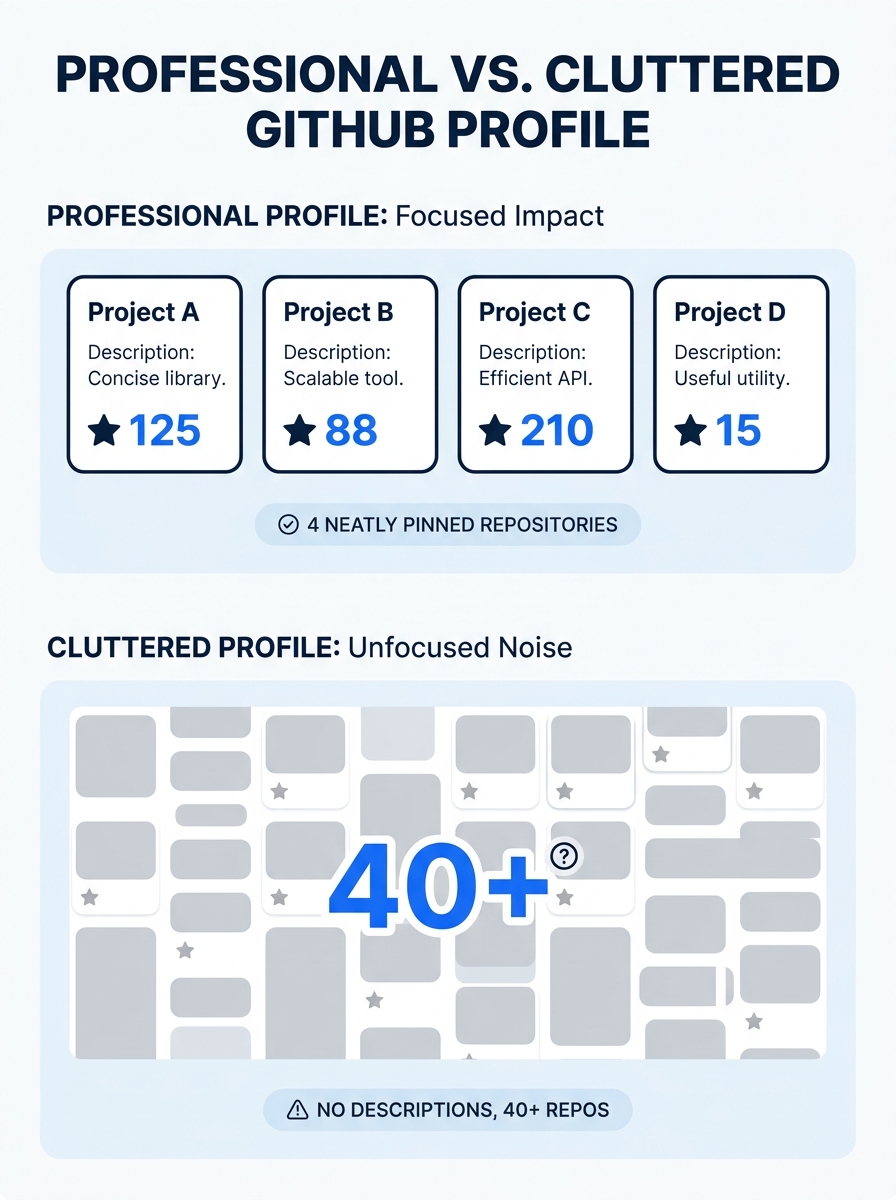
Pin 3-6 repositories and archive everything else
GitHub’s pinned repositories feature caps at 6 slots. Use 3-6 of them. CareerProGuider’s portfolio strategy guide puts it directly: “Craft a standout GitHub portfolio with a few high-quality, well-documented projects instead of numerous incomplete repositories.” A profile showing 47 repos, most half-finished, signals scattered attention. A profile showing 4 polished projects signals someone who ships.
Which 3-6? The ones most relevant to the job you want. As Resume.io’s GitHub resume guide notes, “Make sure these projects are relevant to the work you want to do — if you want to be a back-end developer, your GitHub shouldn’t solely display front-end code.” If you’re applying to fintech roles, pin the payment processing API. If you’re targeting frontend positions, pin the accessible component library. Rotate your pins per application batch when necessary.
Archive or make private anything that’s embarrassing, abandoned, or leftover from a tutorial you followed step-by-step. Tutorial clones don’t demonstrate problem-solving. They demonstrate the ability to follow instructions, which is a different and far less valuable signal to a hiring manager evaluating 200+ applicants.
Write every README to answer three questions in under 10 seconds
Hiring managers scanning your GitHub repos look for three things: what the project does, what technology you used, and whether it actually works. Your README needs to answer all three within about 10 seconds of scrolling. If a README doesn’t communicate those answers almost immediately, the evaluator moves on to the next candidate’s profile.
Structure your README with these sections in this order:
- One-line description at the top (what it does, in plain English)
- Tech stack listed explicitly (React 18, Node.js 20, PostgreSQL 15, deployed on AWS Lambda)
- Live demo link if the project is deployed (this is the single highest-signal element a reviewer can click)
- “What I Learned” or “Key Decisions” section explaining 1-2 architectural choices you made and why
Skip animated GIFs, badge walls, and decorative headers. At companies already using AI to filter and rank resumes before any human sees them, the people who do eventually review your GitHub profile are already pressed for time. Clean markdown with clear headings outperforms flashy formatting.
Describe projects on your resume like paid work, not hobby logs
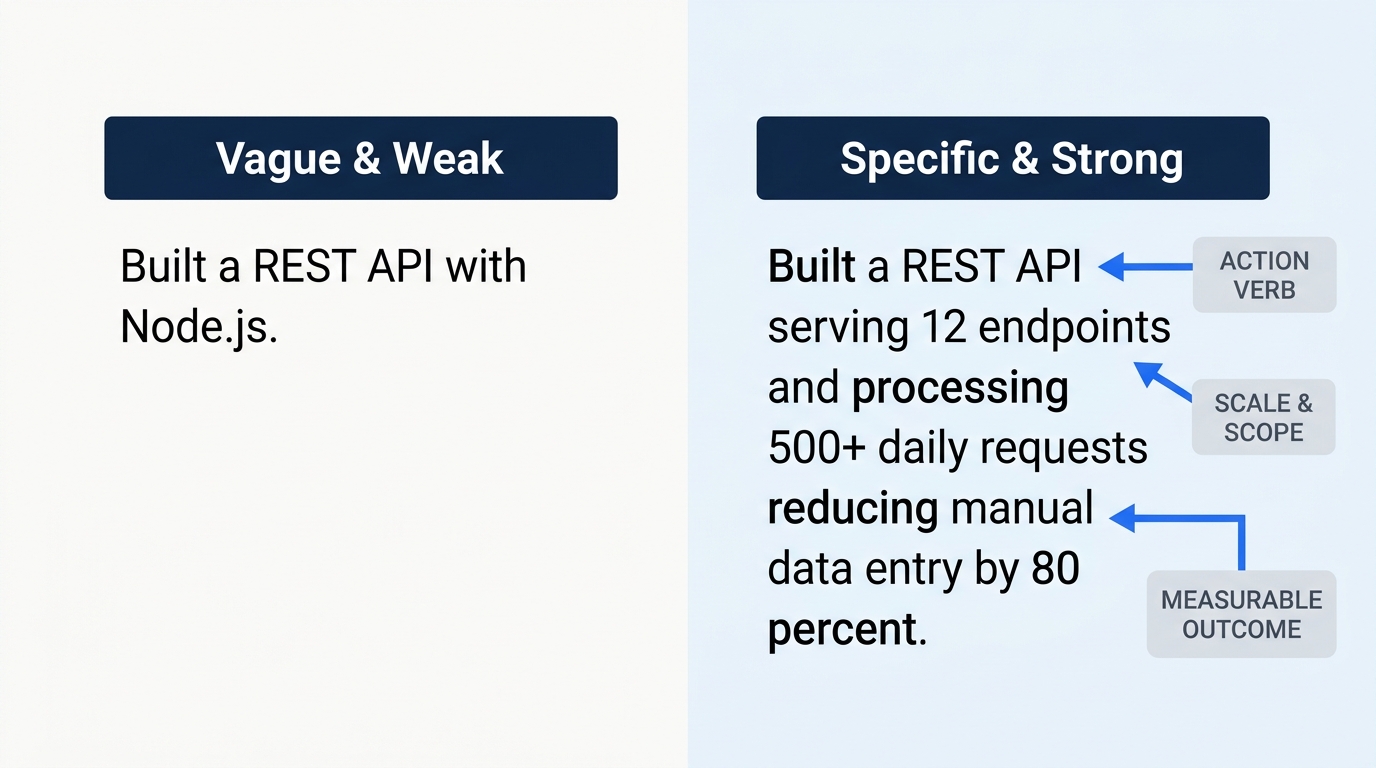
The biggest mistake developers make with technical project descriptions on their resume is writing feature lists instead of impact statements. “Built a REST API with Node.js and Express” tells a hiring manager nothing about scale, complexity, or outcome. Compare it with: “Built a REST API serving 12 endpoints that processed 500+ daily requests during a university hackathon, reducing manual data entry by 80% for 3 student organizations.” The second version tells a story with stakes.
freeCodeCamp’s software engineering resume guide recommends the formula: “Accomplished [X] as measured by [Y] by doing [Z].” This works for personal projects, too. Every developer resume projects entry should include at least one number: requests handled, test coverage percentage, load time improvement, users served, or lines of code reduced.
According to the Beamjobs 2026 software engineer resume guide, if you have 2+ years of work experience, your experience section should take up the majority of your resume’s space, with projects playing a supporting role. For junior developers, the ratio flips: the projects section expands and the experience section contracts.
The same principle behind converting vague duties into impact statements applies to your side projects. “Implemented authentication” becomes “Implemented JWT-based authentication with refresh token rotation, achieving 0 security incidents across 6 months of production use.”
Tip: If your project has no users and no measurable outcomes, measure something else: test coverage (92% line coverage), build time (CI pipeline runs in 45 seconds), or code quality (0 linting errors across 14,000 lines). Numbers ground abstract work in concrete results.
Separate projects from work experience once you have enough of both
InterviewKickstart’s 2026 guide on listing projects on a software engineer resume states: “If you have considerable professional experience and multiple projects to include on your software engineer resume, it’s advisable to create a separate section for projects.” The reasoning is straightforward. When projects live inside your work experience section, they blur the line between what you were paid to do and what you built independently. Hiring managers want to distinguish between the two.
Create a dedicated “Projects” section if you have 3+ personal or open-source projects worth showing. Place it after Work Experience and before (or alongside) Education. Each project entry gets a title, a 1-line description, the tech stack in parentheses, and 2-3 bullet points following the impact formula above.
If you have only 1-2 projects, fold them into your experience section or education section instead. A standalone “Projects” section with a single entry looks thin and draws attention to its thinness. And if you’re framing complex infrastructure work for non-technical hiring managers, our guide on presenting data migration and system architecture projects covers the translation challenge in detail.
Link your GitHub exactly once, in the resume header
Your GitHub URL belongs in your contact header, next to your email, phone number, and LinkedIn profile URL. That’s the only place it should appear. Don’t sprinkle GitHub links throughout your resume next to individual project bullets, and don’t add the URL as a standalone line item in your skills section.
As CVwizard’s GitHub resume guide recommends, “add ‘GitHub’ or ‘Git’ in your Skills section and resume summary” to signal the competency itself. But the actual profile link lives in the header, where every recruiter already knows to look. Placing it in multiple locations burns space on a document where every line matters.
A GitHub community discussion on using profiles for job applications captured the consensus: most developers “keep a few polished public projects that highlight relevant skills, add clear READMEs to explain context and decisions, and use GitHub as a portfolio supplement,” but most recruiters still weigh a traditional resume more heavily. Your GitHub portfolio resume presence supports the application. The resume itself carries the argument.
Your GitHub supports your resume. It doesn’t replace it. Pin 3-6 relevant repos, write READMEs that answer three questions in 10 seconds, and let the resume carry the narrative.
Keep your commit history clean enough to survive scrutiny
Hiring managers who click through to your pinned repositories will glance at the commit history. Meaningful commit messages like “fix: resolve race condition in payment queue” signal professionalism. Messages like “WIP,” “stuff,” or “asdfg” signal the opposite. You don’t need a pristine history for every repo you’ve ever touched, but the 3-6 pinned projects should reflect how you’d work on a production codebase.
For pinned projects, aim for commit messages that follow a consistent convention (conventional commits work well: feat, fix, docs, refactor, test). Regular, logical commits showing incremental progress demonstrate the kind of iterative development process that teams rely on daily.
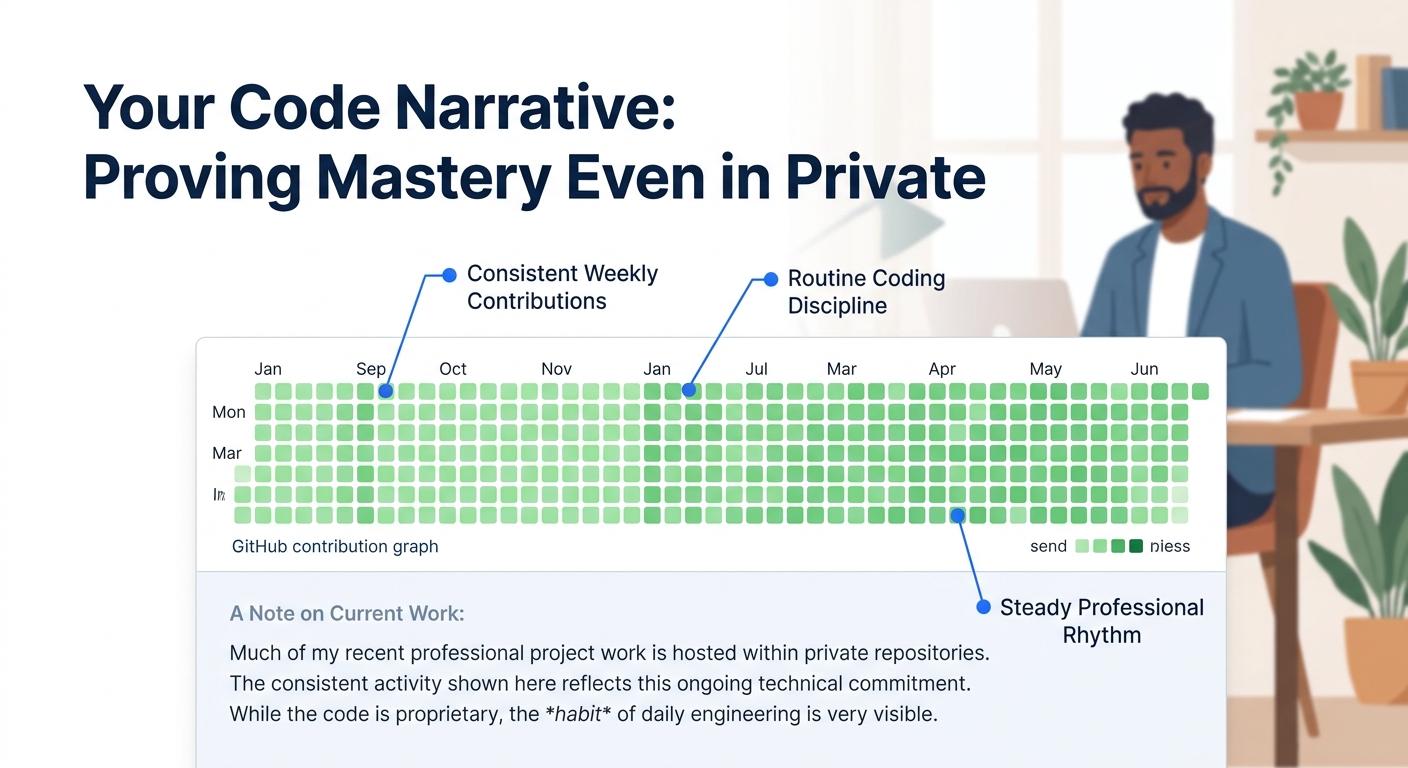
If your contribution graph looks sparse because recent work happened in private repositories at your employer, say so explicitly in your profile README. One sentence (“Recent professional work is in private repos”) explains the gap without appearing inactive. With job searches now averaging 108 days to a first offer as of Q1 2026, maintaining steady activity across that period sends a signal of consistency. Even 2-3 commits per week on a side project keeps the graph green and gives you fresh material for interview conversations.
Match your project tech stack to the job description’s keywords
Every software engineer resume needs to pass ATS screening before a human sees it. Your projects section is prime real estate for technical keywords that mirror the job posting. If the description mentions Python, AWS, and Docker, at least one of your pinned projects should prominently feature those technologies in both its resume entry and its GitHub README.
Cross-reference each job posting against your project portfolio. The Beamjobs guide emphasizes using “hard stats to make technical work tangible” in experience sections, and the same logic extends to project entries. Include specific version numbers (Python 3.12, React 18.3, PostgreSQL 16) because both ATS systems and technical reviewers scan for these. A project described as “a web app” is invisible to keyword matching. A project described as “a full-stack web application built with Next.js 14, TypeScript 5.4, and Prisma ORM deployed on Vercel” hits 5+ potential keyword matches in a single line.
If your resume still isn’t generating callbacks after applying these software engineer resume examples and patterns, the professional resume writers we’ve reviewed can provide targeted feedback on technical resumes specifically. And for more guidance on navigating the dual-audience problem of writing for machines and humans simultaneously, browse our career guides on the blog.
When These Rules Break
These rules assume you’re applying to traditional software engineering roles at companies running standard hiring pipelines. They bend in a few specific scenarios.
Open-source maintainers with significant contribution histories should showcase those contributions prominently, even if it means exceeding the 6-repo guideline. If you’re a top-20 contributor to a project with 10,000+ stars, that fact belongs front and center on both your resume and your GitHub profile.
Freelancers and consultants often can’t share client work publicly. In that case, your GitHub might legitimately have fewer pinned projects, and your resume’s work experience section carries more of the persuasive weight. Build 1-2 representative sample projects that demonstrate your stack without violating NDAs.
Career changers moving into development from another field should lean harder on the projects section than any other group. With limited professional engineering experience, your GitHub portfolio becomes primary evidence of capability rather than a supplement. Codecademy’s portfolio guide acknowledges this directly: “If your projects section is light, it’s ok to add personal projects to boost your portfolio.” The threshold for separating projects from experience shifts when projects constitute most of your evidence.
The throughline across every exception: show the hiring manager exactly what they need to evaluate you, and nothing more. Both documents should tell the same story with the same level of care, the resume in structured bullets, the GitHub profile in clean code and clear READMEs.