

 4.9
4.9 4.5
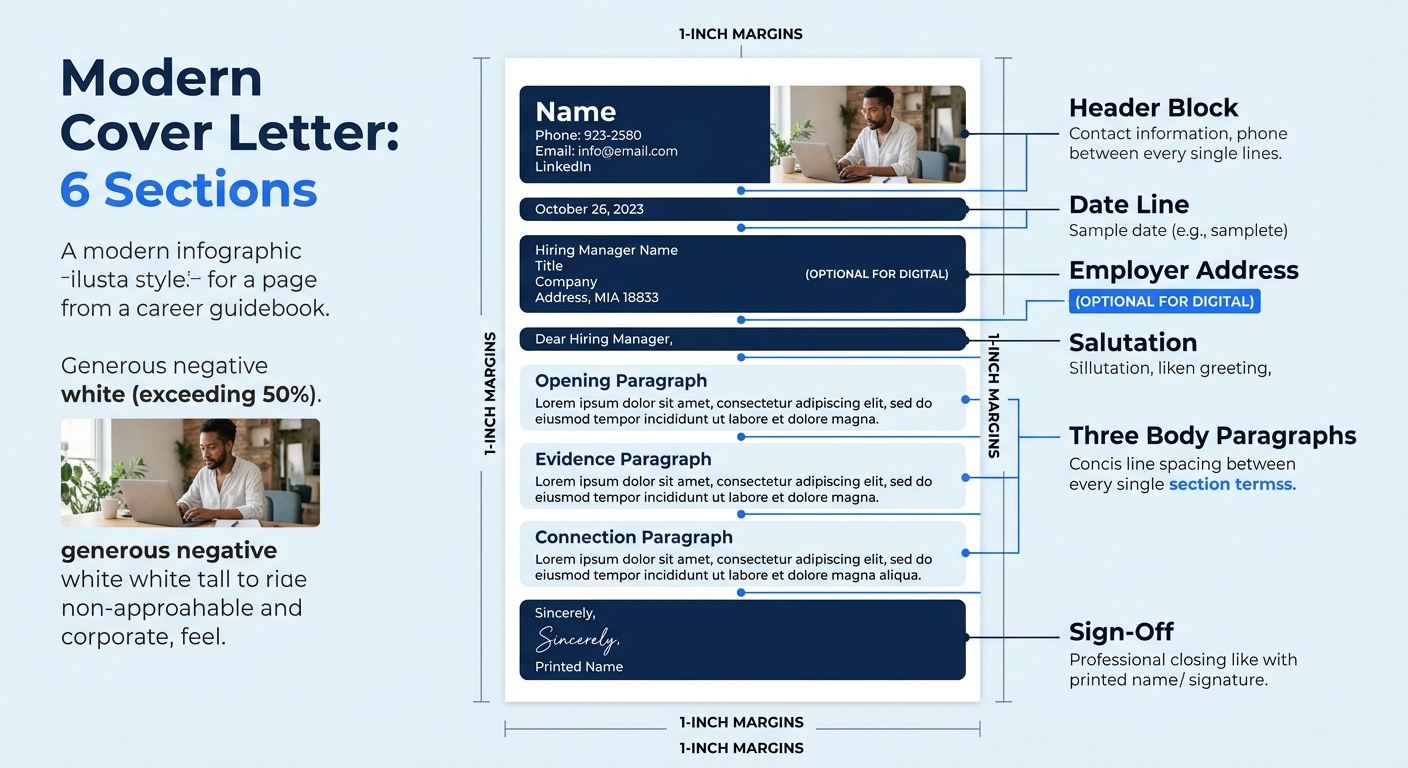
4.5A properly formatted cover letter contains six sections: contact header, date line, salutation, opening paragraph, body paragraphs, and closing. Each sits in a single-column block layout with 1-inch margins and 11-point font. This tutorial builds every section from a blank document to a finished PDF in about 20 minutes.
TL;DR: Every cover letter follows the same skeleton: contact header, personalized greeting, 3-paragraph body (hook → evidence → close), and sign-off. Keep it left-aligned, single-spaced, 250–400 words, and export as PDF unless the application requests .docx.
Before You Start
You need three things before opening a blank document:
- A finalized resume. Your cover letter header must match your resume’s font and contact formatting exactly. If you’re still drafting, work through a cover letter template first and come back.
- The job posting, open in another tab. You’ll pull the exact job title, department name, and 3–5 keywords directly from it.
- A word processor that exports to PDF. Google Docs, Microsoft Word, or LibreOffice all work. Avoid Canva or other design tools. They output graphics-heavy files that ATS parsers can’t read. Microsoft’s own ATS template guidance confirms the fix: replace placeholder text with relevant experience, skills, education, and contact details, but keep the template heading and formatting intact.
Time required: About 20 minutes for a first letter, 10 minutes per customized version after that.
Step 1: Set Up the Document Shell
Configure four settings before you type a single word. Getting these right first prevents reformatting headaches later.
Margins: 1 inch on all four sides. According to Zippia’s cover letter spacing research, “margins should be 1 inch on all sides; if your letter exceeds one page, consider slightly reducing the margins.” The University of Michigan’s Career Center allows margins as narrow as 0.5 inches, but 1 inch is the safe default.
Font: Calibri, Arial, or Garamond at 11-point size for body text. Your name in the header can go to 14-point bold. The University of Michigan specifies 10 to 12 point, using the same font as your resume. Consistency across both documents signals attention to detail.
Line spacing: Single spacing (1.0) within paragraphs. The Cover Letter Copilot format guide specifies that a professional cover letter layout uses single or 1.15 line spacing. Add one blank line between each section.
Alignment: Left-justified, block format. No indented first lines, no centered text. The University of Michigan’s Career Center describes the correct layout as “left justified, beginning no more than 2 inches from the top.”
You’ll know this step worked when your document looks like a clean white page with even margins and no default formatting quirks like double spacing or auto-indented paragraphs.
Step 2: Build the Contact Header
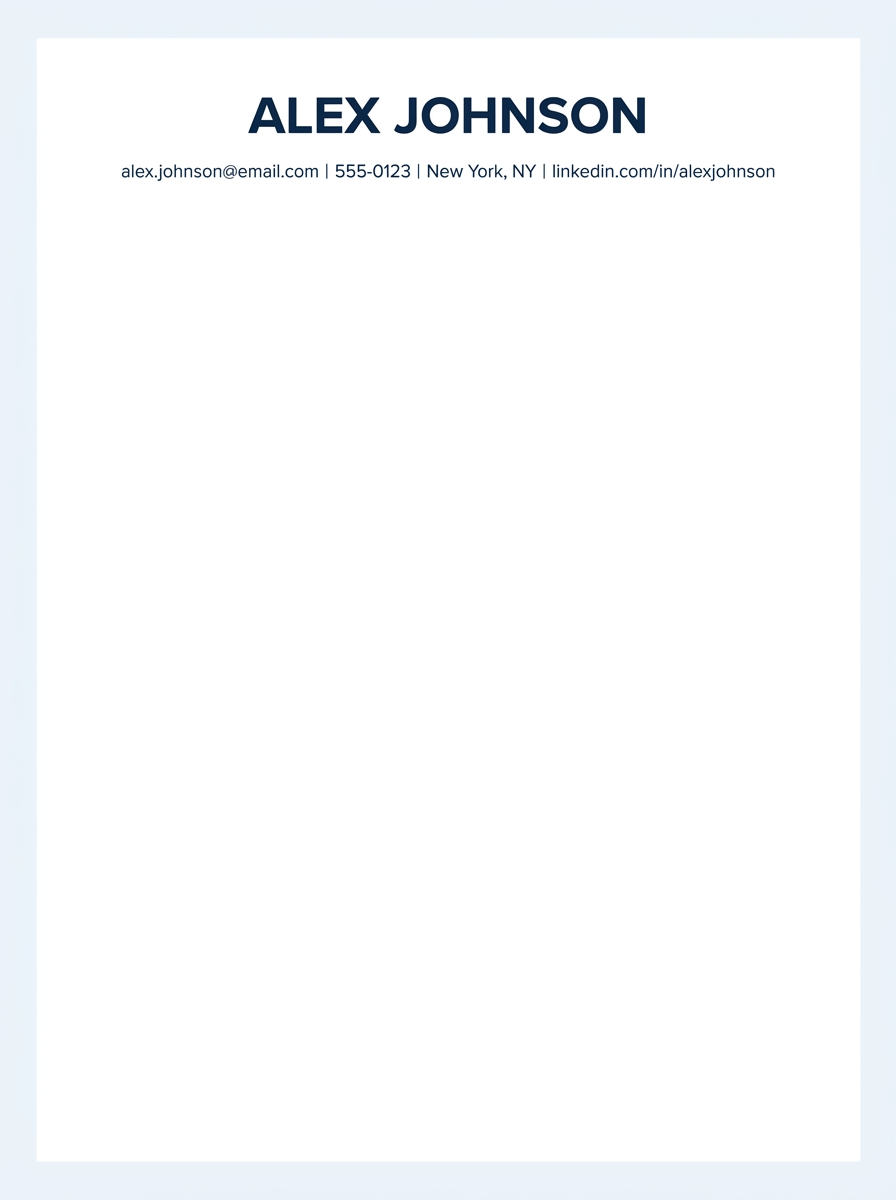
The header occupies the first 2–4 lines of your document. It holds your name and contact details, and nothing else.
Structure it this way:
Your Full Name (14pt bold) Email Address | Phone Number | City, State | LinkedIn URL
No photo, no full street address (city and state are enough), no decorative lines or icons. The header should match the one on your resume exactly. If you built your resume using something like the Harvard resume template, carry that header styling directly over.
Surveys show 66% of job seekers now prefer cover letters that fill half a page or less, so every line of header space matters. Keep it to two lines maximum.
Step 3: Add the Date and Employer Address
Skip one blank line below your header, then add the date in full format (September 20, 2026) on its own line.
For printed or mailed letters, include the hiring manager’s name, title, company name, and company address below the date. For digital submissions through ATS portals, many 2026 formatting guides now recommend omitting the employer address block entirely to save space. ResumeAdapter’s 2026 format guide describes the standard format as “header with contact info, greeting, one opening paragraph (hook), one to two body paragraphs (value + company fit), one closing paragraph, and a sign-off. One page, 250 to 350 words, 11pt clean font, one-inch margins.” Every line you save above the salutation buys room for actual content in the body.
Skip one more blank line before the greeting.
Step 4: Write the Salutation
Use a specific name whenever possible. “Dear Ms. Rodriguez,” or “Dear Dr. Patel,” beats a generic alternative in every hiring context. Check LinkedIn, the company’s team page, or the job posting itself for the hiring manager’s name. This effort separates your letter from the stack of generic phrases hiring managers filter out before scheduling interviews.
When a name isn’t findable, Resume Genius recommends “Dear Hiring Manager” or “Dear [Company or Department Name] Hiring Team.” Both are professional and ATS-safe.
Never use: “To Whom It May Concern” (dated), “Dear Sir/Madam” (assumes gender), or “Hey” / “Hi” (too informal when 83% of recruiters still consider cover letters important for hiring decisions).
A cover letter’s format is the container. The content you customize for each role is the substance. Get the container right once, and every future application takes 10 minutes instead of an hour.
Step 5: Draft the Three Body Sections
The body of your cover letter has three distinct parts, each with a specific job. Together they should total 200–300 words. Resume.io’s ATS guidance specifies keeping the full letter between 250 and 400 words, fitting on one page, because “this length gives the ATS enough keyword-rich content to parse while keeping the letter readable for the recruiter who reviews it.”
The Opening Paragraph (2–3 sentences)
Name the exact role you’re applying for. Then drop one concrete hook: a specific achievement, a connection to the company, or a metric that earns the reader’s attention for the next paragraph. MIT’s Career Advising & Professional Development office provides the clearest instruction: “State clearly in your opening sentence the purpose for your letter and a brief professional introduction.” Skip throat-clearing phrases like “I’m writing to express my interest.” Get to the point.
The Evidence Paragraph (3–5 sentences)
Pull 2–3 achievements from your resume and connect them directly to requirements in the job posting. You can format these as paragraph text or as bullet points. Resume Genius confirms both approaches are acceptable in a standard cover letter format, but if you use bullets, limit them to 2–3 items and keep each to a single line.
Mirror the job posting’s keywords naturally. If they say “project management,” don’t substitute “program coordination.” An ATS-friendly cover letter depends on two things: a clean single-column format any parser can read, and the job posting’s own language woven into specific, quantified claims.
The Connection Paragraph (2–3 sentences)
Bridge your experience to this specific company. Reference something concrete: a product launch, a company value, a recent initiative. This paragraph answers “Why here?” rather than “Why me?” and it’s the section that proves you didn’t send the same letter to 40 employers.
Step 6: Close, Sign Off, and Export
Your closing paragraph runs 1–2 sentences. Express interest in discussing the role further, then stop. Don’t beg, don’t undersell, and don’t restate your entire pitch.
Add your sign-off:
“Best regards,” or “Sincerely,” followed by a blank line, then your typed full name. Both are standard. Avoid “Cheers,” “Warmly,” or “Thanks!” in formal applications.
Before exporting, run this 3-point check:
- Read the letter aloud. If any sentence trips you up, rewrite it shorter.
- Run spellcheck, then have another person read it. Spellcheck won’t catch “manger” when you meant “manager.”
- Confirm word count. If you’re above 400 words, cut the weakest sentence from each paragraph until you drop under the limit.
Export as PDF unless the application explicitly requests a .docx file. PDFs lock your cover letter format so it looks identical on every screen and every operating system. If you’re building your materials from scratch, matching your cover letter to layout and spacing best practices ensures visual consistency across your entire application package.
Troubleshooting the Three Most Common Failures
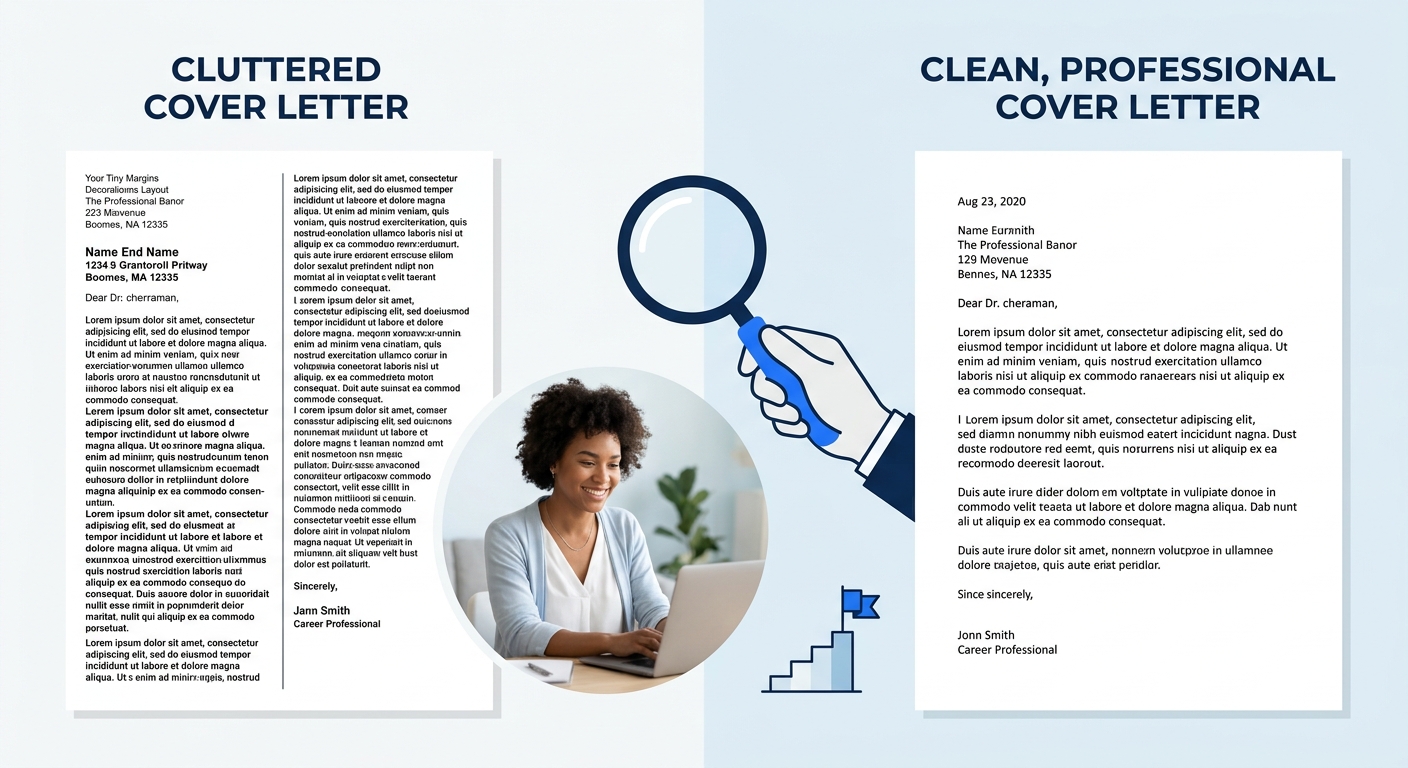
Problem 1: The letter spills onto a second page. This almost always means the evidence paragraph has too many bullet points or the opening repeats information from the header. Cut achievements down to your strongest 2–3. Remove any sentence that restates what’s already on your resume without adding new context. A 350-word letter at 11-point Calibri with 1-inch margins fits comfortably on one page with room to spare.
Problem 2: ATS software can’t parse the file. Graphics, tables, text boxes, and multi-column layouts break ATS parsers. If you used a design tool, rebuild the letter in Word or Google Docs with plain text formatting only. Submit as PDF for human readers, but switch to .docx if the upload portal specifically requests it.
Problem 3: The salutation feels wrong. If “Dear Hiring Manager” feels too stiff and a specific name feels too presumptuous, “Dear [Department] Hiring Team” splits the difference. Check the company’s about page and LinkedIn for the right contact. If you’ve been building your LinkedIn profile for recruiter visibility, you may already have a connection at the company who can point you to the hiring manager’s name.
Warning: Don’t change your cover letter’s margins, font size, or spacing to cram in more text. If you can’t fit your content in 400 words at 11-point font with 1-inch margins, the letter needs editing, not formatting workarounds.
Where to Go From Here
The skeleton you’ve built, header, greeting, three body sections, sign-off, stays the same across every application you send. What changes each time is the content inside those sections: the keywords you mirror from the job posting, the achievements you highlight, and the company-specific details you reference in paragraph three.
For repeat applications, build a master version of your letter with placeholder brackets where the customizable pieces go. Swapping in new company names, job titles, and tailored achievements takes about 10 minutes per application once the structure is locked. And if you want to compare how different templates handle this same structure, browse a few cover letter template examples to find a visual style that fits your industry.
The cover letter format gets your document past the ATS and onto a recruiter’s screen in readable shape. What earns the interview is the specific, quantified, keyword-matched proof inside that format showing you can do the job they need done.
