


 4.9
4.9 4.5
4.5LinkedIn processes 14,200 job applications per minute across its 1.3 billion-member base. This walkthrough takes you from a bare profile to an active, recruiter-visible job search with targeted alerts and a weekly engagement routine, roughly two hours of focused setup, then 20 minutes a day to maintain.
TL;DR: Optimize your profile for keyword search (headline, About section, skills), turn on Open to Work, configure job alerts with Boolean filters, and post or comment several times per week. Each step below includes a verification check so you know it’s working before you move on.
Before You Start
You need three things before step one: a LinkedIn account (free tier works fine), a current resume or list of job titles and accomplishments to pull from, and a clear target role. “Clear” means you can name the job title, two or three industries you’d accept, and a geographic preference (or “remote”). Without a target, every optimization step that follows becomes guesswork.
Time commitment: about 90 to 120 minutes for initial setup, then 15 to 20 minutes daily for engagement. A desktop browser gives you access to every feature mentioned here. The mobile app handles daily engagement but is clunkier for profile editing, as LinkedIn’s own help documentation confirms.
Step 1: Set Your Profile Photo and Banner
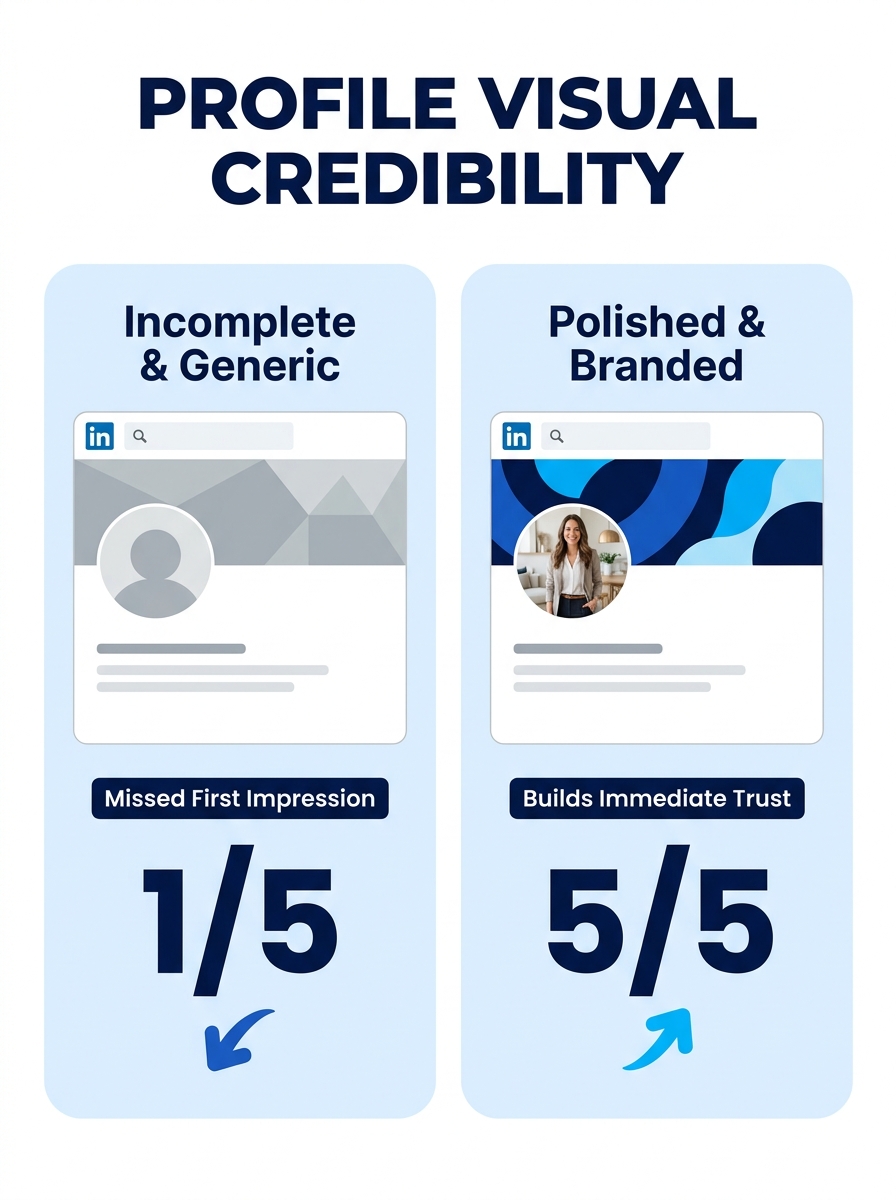
Goal: Make your profile visually credible at a glance.
Upload a high-quality headshot where your face fills about 60% of the frame. Profiles with a professional photo receive 21x more profile views than those without one, according to LinkedIn’s internal data. The banner image (1584 × 396 pixels) should reinforce your target role. A designer might show portfolio work; a project manager could use a clean graphic with a professional tagline.
Verification: View your profile in an incognito browser window. If the photo looks sharp and the banner loads without awkward cropping, you’re set.
Step 2: Write a Keyword-Rich Headline
Goal: Tell recruiters and LinkedIn’s algorithm exactly what you do, in 220 characters or fewer.
Your headline is indexed at 5x the weight of other profile fields for search ranking. Don’t waste it on your current job title alone. Stack your target role, a core skill, and an outcome. Example: “Supply Chain Manager | Demand Planning & Inventory Optimization | Reduced Carrying Costs 18% at [Company].”
Muse career coach Jena Viviano says that when you’re job seeking on LinkedIn, “it’s the place where you should be spending most of your time.” The headline is the single most visible piece of real estate you control on the platform, and it appears in search results, connection requests, and every comment you leave on someone else’s post.
Verification: Search LinkedIn for your target job title in your metro area. If your profile appears within the first several pages of results, the headline keywords are working. If it doesn’t, swap in more specific terms pulled directly from actual job postings.
Step 3: Build Your About Section
Goal: Give recruiters a 2,600-character summary that reads like a pitch, not a resume dump.
Structure it in three blocks: a hook (what you do and for whom), proof (two or three measurable accomplishments), and a closing signal. For that closing signal, use phrases such as “seeking,” “open to,” or “actively seeking” in your About section to make your availability clear to both humans and search algorithms.
Don’t drop a keyword list at the bottom. As The Muse’s LinkedIn profile guide advises, make sure your keywords “flow with the rest of your writing, and aren’t just jammed in.” A contextless keyword block looks desperate and reads poorly on mobile, where most recruiters will first encounter your profile.
Verification: Read the About section aloud. If it sounds like something you’d say in a confident 60-second elevator pitch, it’s working. If it sounds like a bullet-point resume, rewrite it in first person with connective sentences.
Step 4: Detail Your Experience and Load Your Skills
Goal: Fill experience entries with quantified results and add at least 15 relevant skills.
Prioritize roles that align with the job you want. Keep older or unrelated positions to one or two lines, and expand recent, relevant roles with measurable results. Instead of “managed a team,” write “managed a 12-person operations team that cut fulfillment time from 4.2 to 2.8 days.” If you need help writing strong achievement-based bullets, the same principles from resume writing apply here.
For skills: profiles listing 15 or more endorsed skills receive 22x more recruiter views. You can add up to 50 skills total, but order them so your strongest and most relevant ones sit at the top. LinkedIn lets you pin your top three.
If you have employment gaps, use LinkedIn’s Career Break feature to label them (caregiving, education, travel) rather than leaving unexplained holes that recruiters will notice.
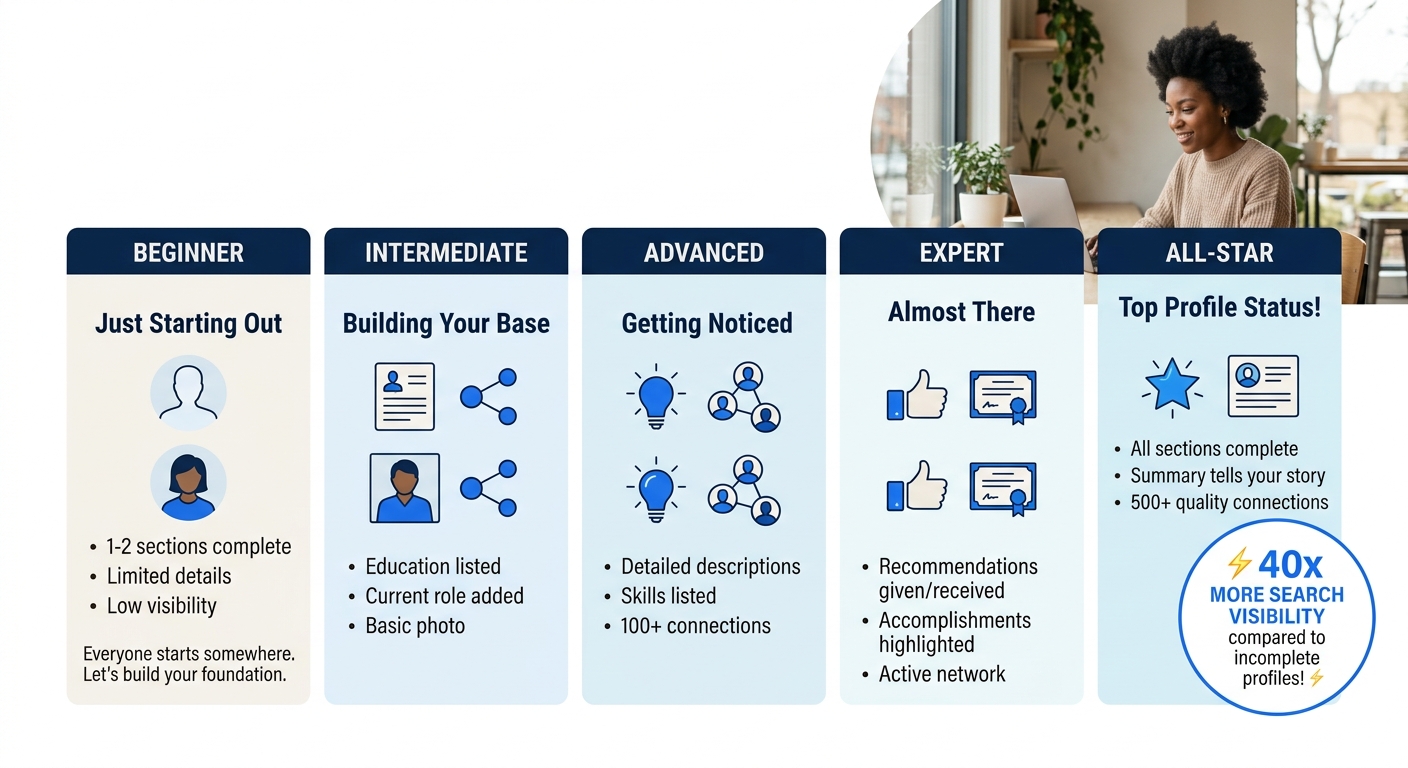
Verification: Check that your profile strength indicator reads “All-Star.” Profiles at that level appear in 40x more searches than incomplete ones. If you’re still at “Intermediate” or “Advanced,” the indicator tells you exactly which section is missing.
Step 5: Turn On “Open to Work”
Goal: Signal availability to recruiters without necessarily broadcasting it to your current employer.
LinkedIn offers two visibility settings: visible to recruiters only (a private signal that reaches anyone using LinkedIn Recruiter) or visible to all members (the green #OpenToWork photo frame). The recruiter-only setting is the safer choice if you’re currently employed.
Enabling Open to Work increases InMail volume by 52% and cuts the average time to first recruiter contact from 10.1 days down to 6.4 days. Specify your target job titles, locations, and start date in the settings. Vague preferences generate vague leads, so be as specific as your flexibility allows.
Verification: Ask a friend who works in recruiting (or has LinkedIn Recruiter access) to search for your target title in your area. If your profile appears with the Open to Work badge visible on their end, the setting is live.
Step 6: Configure Job Alerts and Search Filters
Goal: Set up alerts so relevant postings arrive daily without manual searching.
Go to the Jobs tab and enter your target role title. LinkedIn now supports natural language search, so you can type something like describing the job you want in plain English, such as “marketing manager for B2B SaaS in Austin,” and the platform will parse it into filters. Narrow results by date posted (past week keeps things fresh), experience level, and remote/on-site preference.
Click “Set Alert” on any search to receive daily or weekly email notifications. Set up three to five alerts with slightly different keyword combinations, because one company’s “Content Strategist” is another’s “Editorial Manager.” If you want more control over your LinkedIn careers search technique, Boolean operators (AND, OR, NOT) work in the search bar and can dramatically sharpen results.
Verification: Wait 24 hours. You should receive at least one job alert email. If nothing arrives, your filters are too narrow. Broaden the location radius or remove one filter and try again.
Step 7: Engage Weekly to Stay Visible
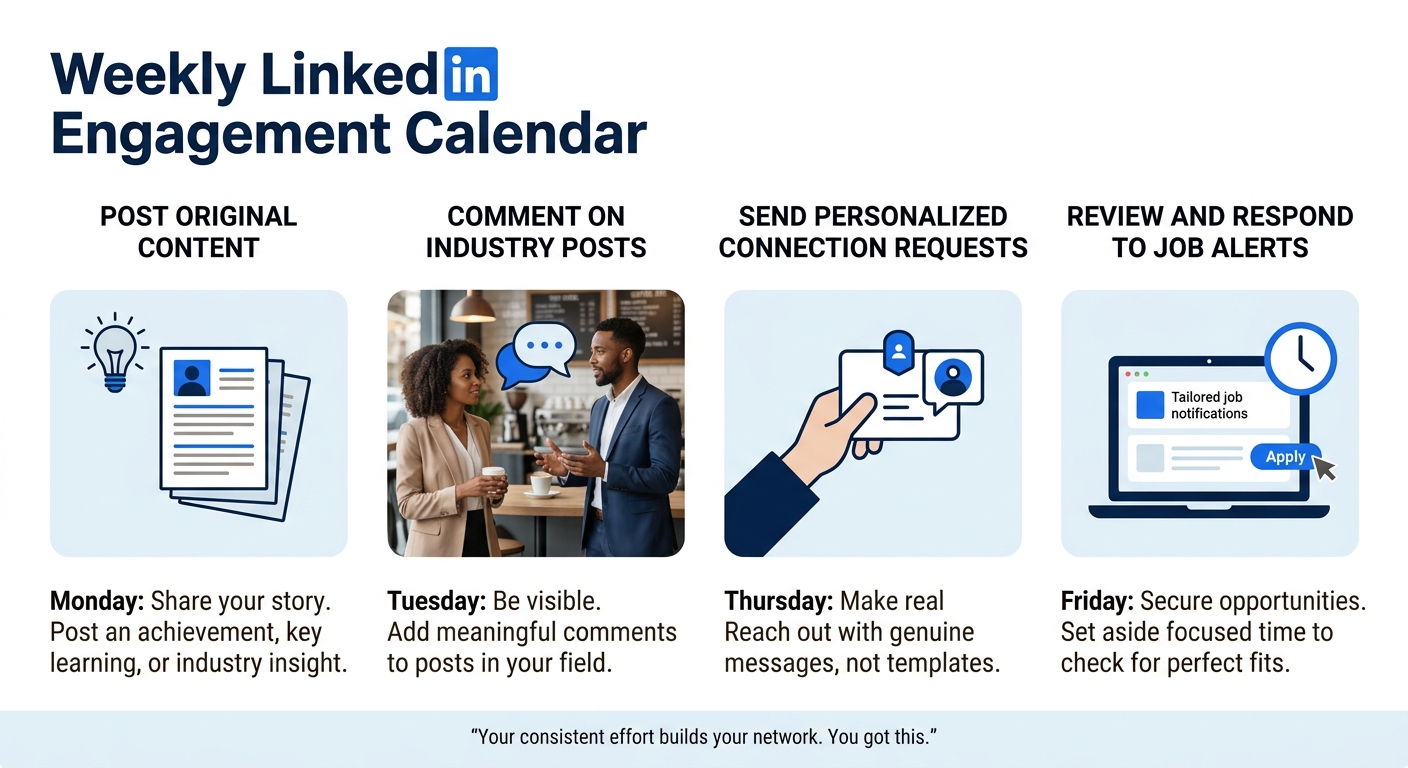
Post original content one to two times per week. Comment meaningfully on five to ten posts daily from people in your target industry. The algorithm rewards engagement consistency over sporadic viral hits. A profile that comments thoughtfully on industry content every day ranks higher in recruiter searches than one that publishes a flashy article once a month and goes quiet.
Personalized connection requests carry a 45 to 50% acceptance rate versus 15 to 20% for the default “I’d like to add you to my network” message. When connecting with someone at a target company, reference something specific: a post they wrote, a project their team shipped, or a mutual connection. Consistent engagement serves as compound interest for your broader LinkedIn job search strategy.
Tip: Don’t limit yourself to one channel. Recruiterflow’s outreach research shows that the strongest results come from reaching candidates across email, LinkedIn, and SMS simultaneously. If a recruiter messages you on LinkedIn, replying with your email address or a Calendly link moves the conversation forward faster than extended back-and-forth in LinkedIn DMs.
Verification: Check your “Who viewed your profile” section after two weeks of consistent engagement. You should see a noticeable uptick in weekly views. If views stay flat, your comments aren’t reaching enough people. Try engaging with larger, more active accounts in your industry.
When Things Go Wrong
You’re applying constantly but never hearing back. With 78 million users searching for jobs weekly and job seekers averaging 27 applications per interview, volume alone doesn’t cut it. Shift from Easy Apply blasts to targeted applications where you also message someone at the company directly. A referred candidate converts at dramatically higher rates than a cold applicant. Spend 30 minutes researching each company before applying instead of spending 30 seconds clicking Easy Apply on 15 listings.
Recruiter views are low despite an All-Star profile. Your keywords likely don’t match the terms recruiters actually type into their search tools. Pull ten job postings for your target role and look for repeated phrases. If every posting says “stakeholder management” and your profile says “cross-functional collaboration,” that’s your mismatch. Update your headline and About section with the language employers actually use.
Connection requests keep getting ignored. A 15 to 20% acceptance rate on generic requests is normal. If you’re below that even with personalized messages, the problem is usually your profile itself. People evaluate the requester’s profile before accepting. If your photo, headline, or About section still looks half-built, even a perfectly worded message won’t land. Our walkthrough on building a full LinkedIn strategy for job seekers covers this gap in more detail.
Profiles at All-Star status appear in 40x more searches than incomplete ones, and reaching that level takes about 30 minutes of focused editing.
Where the Work Pays Off
With your profile optimized, alerts running, and an engagement habit in place, you’ve built the infrastructure that most job seekers on LinkedIn skip entirely. The next layer is specialization. If you’re in a field where skills-based hiring is replacing degree requirements, and 26% of paid LinkedIn job posts now skip the degree requirement, add certifications and completed courses to your profile. LinkedIn Learning certificates auto-populate and signal active skill development to recruiters scanning your credentials.
Consider writing one long-form article per month about a topic in your field. LinkedIn articles get indexed by Google separately from your profile, meaning they can pull external search traffic back to your LinkedIn presence. And if your resume needs updating to match your new profile language, a well-structured cover letter paired with a consistent LinkedIn profile creates a cohesive application package that hiring managers recognize and remember.
The 14,200 applications landing every minute on LinkedIn aren’t slowing down. Your advantage comes from a profile that reads like a pitch, search settings that do the filtering for you, and engagement habits that keep your name visible to the people who actually make hiring decisions in your industry.
