

 4.9
4.9 4.5
4.5A finished, ATS-safe cover letter takes about 25 minutes to build from the right free template. This guide covers four steps: choosing a template from Microsoft Word or Canva, replacing placeholder text, adding quantified achievements, and exporting a clean PDF ready to attach to your application.
TL;DR: Grab a single-column template in a 10–12 pt standard font from Word’s free online library or Canva. Replace every generic line with role-specific language and at least one measurable result. Export as PDF. Total time: 20–30 minutes.
Before You Start
You need four things on hand before opening any template. Missing one of them mid-process is how a 25-minute task balloons into an evening.
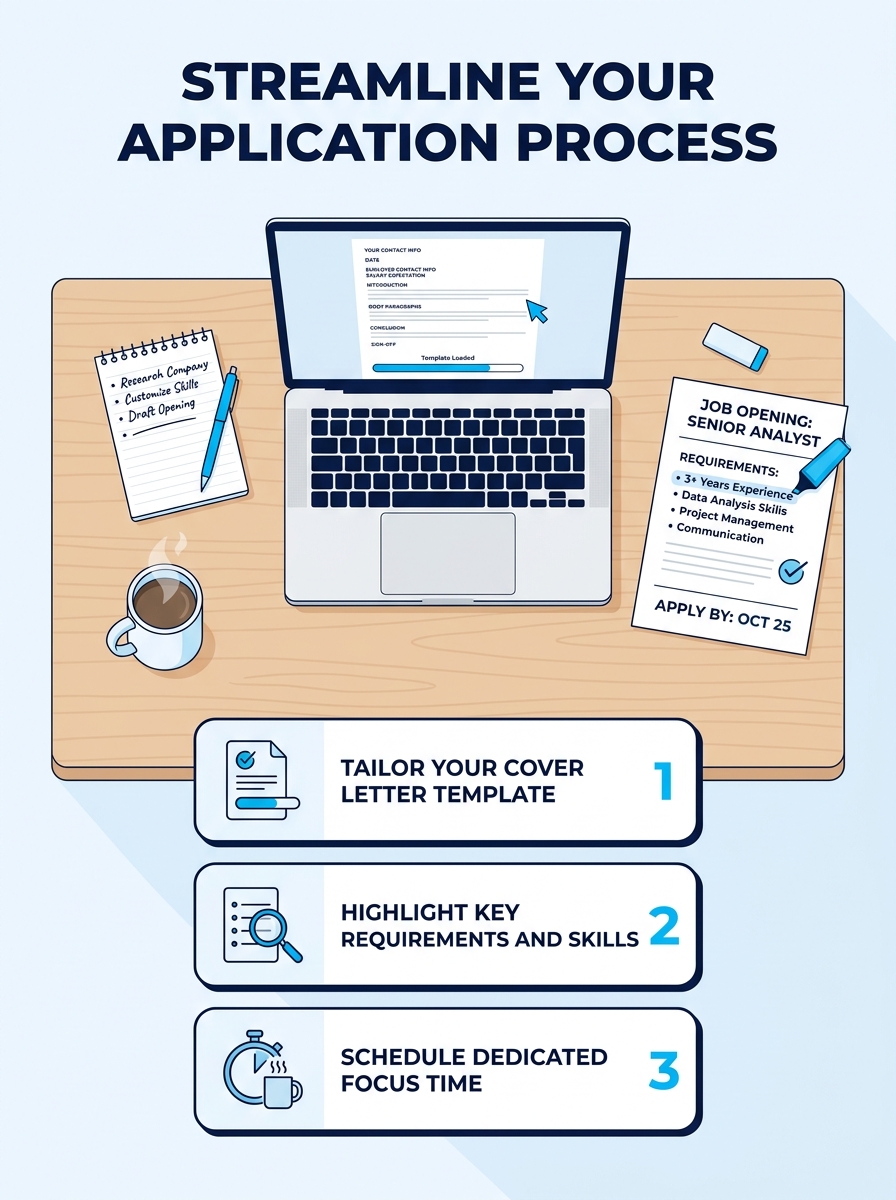
Your finalized resume. The cover letter borrows dates, job titles, and metrics from the resume. If the resume isn’t done, pause here. You can review our guide on how to use a cover letter template effectively once your resume is locked.
The job posting open in a second tab. You’ll reference the company name, the role title, and 2–3 specific requirements listed in the posting. According to Indeed’s cover letter guidance, you should “research the company to determine whether you agree with its mission statement and vision” before writing a single word. That research takes 5 minutes and changes every paragraph you’ll write.
Access to a free template tool. Microsoft Word for the web (free with any Microsoft account) or Canva’s free tier both work. You don’t need a paid subscription for either.
25–30 minutes of uninterrupted focus. Writing a cover letter while toggling between Slack messages produces the kind of vague, half-personalized letter that hiring managers skim past in 6 seconds.
Step 1: Pick a Template That Won’t Get Rejected by the ATS
The template you choose determines whether your letter ever reaches a human. Applicant tracking systems parse cover letters the same way they parse resumes: single-column layouts with standard fonts pass; multi-column designs with decorative headers frequently don’t.
The University of Michigan Career Center specifies that cover letter layout should be “left justified, beginning no more than 2 inches from the top,” with content written in “active verb voice” and maintaining a “positive language, confident but not imposing” tone. That formatting advice eliminates about 70% of the flashier templates you’ll encounter.
Here’s how the three main free template sources compare:
| Platform | Number of Free Templates | ATS-Safe Options | Export Formats | Account Required |
|---|---|---|---|---|
| Microsoft Word Online | 20+ | All single-column designs | DOCX, PDF | Free Microsoft account |
| Canva | 100+ | Select “Simple” or “Minimalist” filters | PDF, PNG | Free Canva account |
| Resume Genius | 200+ examples | Most downloads | DOCX, PDF | Free with limited downloads |
Your verification check: open the template and look at it in print preview. If the text runs in a single column, uses Arial, Calibri, Garamond, or Times New Roman at 10–12 pt, and has margins of roughly 1 inch on all sides, you’ve picked a safe template. If you see two columns, text boxes, icons, or colored sidebars, switch to a simpler option.
Tip: For maximum compatibility, choose a template that comes as a DOCX file. You’ll customize it, then export to PDF at the end. Starting with a PDF template limits your editing options.
Step 2: Fill In the Header With Your Real Contact Info
Every template includes a placeholder header with a fake name, phone number, and email address. Replace all of it with your actual information. This sounds obvious, but “Firstname Lastname” and “[email protected]” show up in submitted applications more often than you’d think.
Goal of this step: a header block containing your full name, phone number, professional email, city and state (full street address is no longer expected), and optionally your LinkedIn profile URL. If you’ve been building out your LinkedIn presence for job searching, include that link here.
The exact action: delete the template’s placeholder text field by field. Type your real details. Match the font and size to the body text of the template. Most ATS-safe templates use 10–12 pt font for body text and 14–16 pt for the name line.
You’ll know it worked when the header looks clean in print preview, nothing is cut off at the edges, and every piece of contact information is clickable (email link, phone link) in the digital version.
Below the header, add the date, then the hiring manager’s name and the company address. If the job posting doesn’t list a specific person, “Dear Hiring Manager” is acceptable. “To Whom It May Concern” reads as dated in 2026.
Step 3: Write an Opening Paragraph Worth Reading
MIT’s Career Advising & Professional Development office states the standard directly: “State clearly in your opening sentence the purpose for your letter and a brief professional introduction.” That’s the entire formula. Name the role, say why you’re writing, and give one sentence of context about who you are.
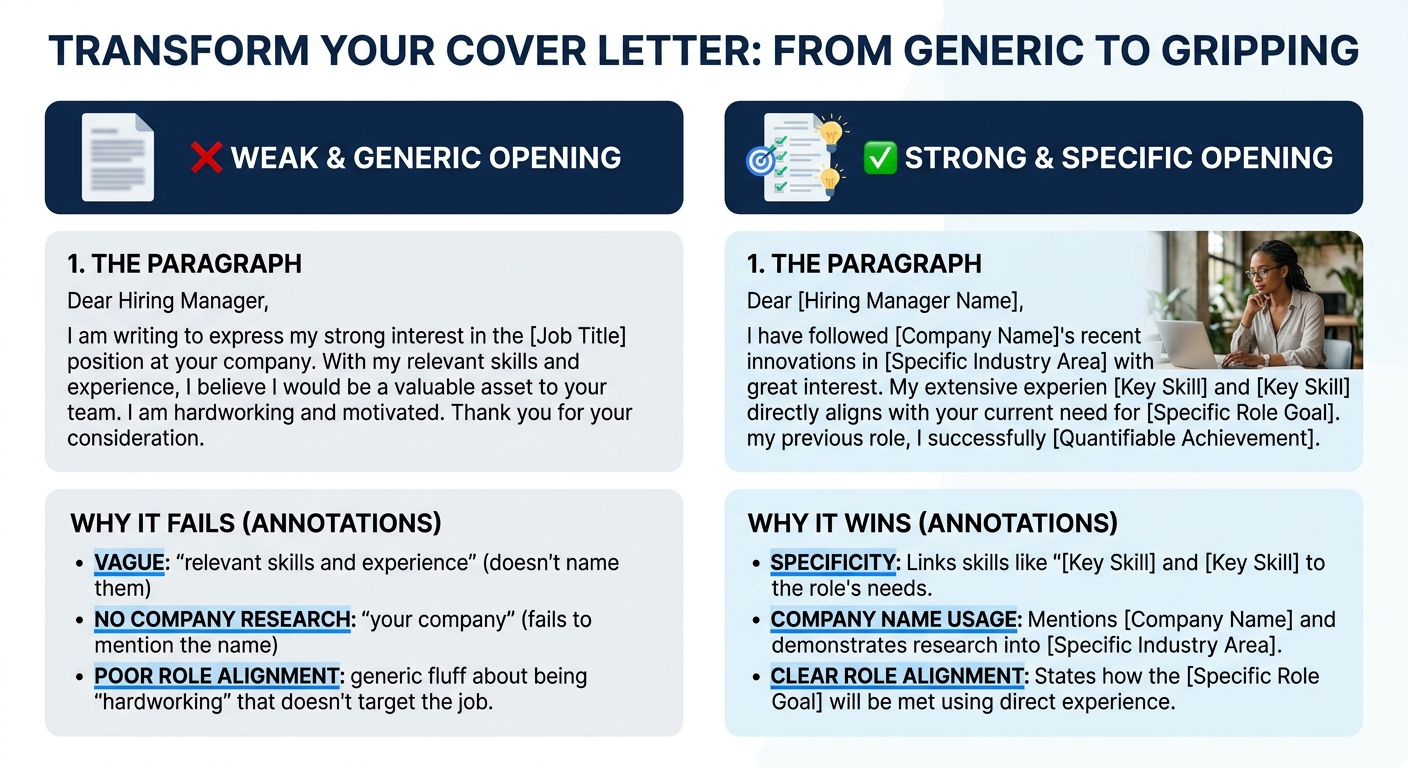
Here’s what a weak opener looks like versus a strong one:
Weak: “I am writing to express my interest in the open position at your company. I believe I would be a great fit for your team.”
Strong: “I’m applying for the Marketing Coordinator role at Patagonia, where my 3 years of social media campaign management and $200K in tracked ad spend directly match the requirements listed in your posting.”
The strong version names the company, the role, a specific skill, and a measurable number. It takes 12 seconds to read. The weak version says nothing that couldn’t be pasted into any application for any company, which is exactly why hiring managers stop reading.
Your opening paragraph should be 2–3 sentences and no longer than 50 words. Front-load the job title and company name within the first 10 words.
Step 4: Build Each Body Paragraph Around One Achievement
The body of your cover letter is 1–2 paragraphs, each organized around a single accomplishment that matches something the employer asked for. Novorésumé’s cover letter examples include a sales representative sample where the candidate wrote: “I believe that my previous industry experience, as well as my excellence in sales, makes me the right candidate for the role of X at Company Y,” after citing KPIs improved by around 40%. The percentage is what gives that sentence weight. Without it, the claim is generic.
For each body paragraph, follow this 3-part structure:
- Name the employer’s requirement from the job posting (e.g., “You’re looking for someone who can manage a distributed engineering team”).
- State what you did that matches, with a number (e.g., “At my previous role, I led a 12-person remote team across 3 time zones”).
- Connect the result to what the employer gains (e.g., “We shipped 4 product releases in 9 months, each on schedule”).
A cover letter body paragraph without a number in it is a paragraph the hiring manager will forget by the time they open the next application.
If you’re entry-level and don’t have professional metrics yet, pull from academic projects, internships, or volunteer work. A number like “organized a campus event for 300 attendees” or “maintained a 3.7 GPA while working 20 hours per week” still gives the reader something concrete to remember. Our breakdown of cover letter templates for different job types shows how this structure adapts across industries from healthcare to tech.
Keep total body content to 100–150 words. The entire letter should fit on a single page with 3–4 short paragraphs, which Indeed’s formatting guide recommends as the standard length.
Step 5: Write a Closing That Asks for Something Specific
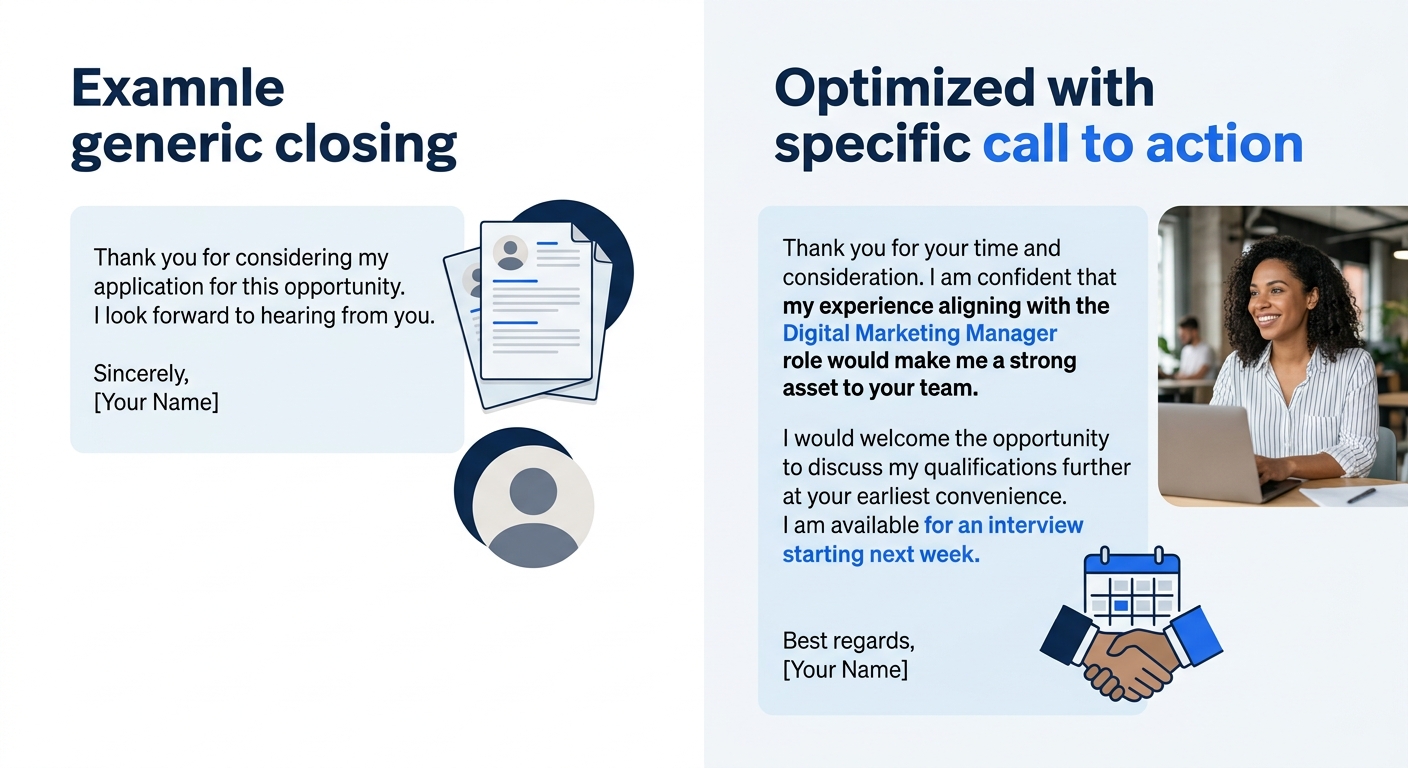
Your closing paragraph is 2 sentences. The first restates your interest in the specific role. The second asks for a next step.
Vague closing: “I look forward to hearing from you at your earliest convenience.”
Specific closing: “I’d welcome the chance to discuss how my campaign analytics experience fits your Q3 growth targets. I’m available for a call any weekday afternoon this month.”
The specific version gives the hiring manager a reason to respond and a timeframe. End with “Sincerely” or “Best regards,” followed by your name. Skip “Warm regards,” “Respectfully yours,” or anything that reads like a letter from 1997.
Step 6: Export as PDF and Name the File Correctly
Once your content is finalized, export the file as a PDF. In Microsoft Word online, click File > Save As > Download as PDF. In Canva, click Share > Download > PDF Standard.
Name the file using this format: FirstName-LastName-CoverLetter-CompanyName.pdf. Hiring managers download dozens of files. “Cover Letter Final (2).docx” tells them nothing and suggests you’re sending the same document everywhere. A file named “Jordan-Rivera-CoverLetter-Stripe.pdf” signals that you wrote this letter for this job.
Verification: open the exported PDF on your phone. If the formatting holds, the fonts render correctly, and nothing has shifted to a second page, you’re done. If anything looks off, see the troubleshooting section below.
Warning: Don’t submit in DOCX format unless the application specifically requests it. DOCX files can render differently depending on the recipient’s version of Word. PDF locks your formatting exactly as you designed it.
When Things Go Wrong After Export
Three problems account for the vast majority of post-export issues:
The letter spills onto a second page. This usually means your margins are too wide or your font is too large. Reduce margins from 1 inch to 0.75 inches, or drop font size from 12 pt to 11 pt. Don’t go below 10 pt, anything smaller becomes hard to read on screen and in print. You can also tighten your body paragraphs. If you wrote 4 paragraphs, cut it to 3.
Fonts changed or look different in the PDF. This happens when your template uses a font that isn’t embedded during export. Stick with Arial, Calibri, or Times New Roman. These 3 fonts are installed on virtually every computer and render identically in PDF exports across all major platforms.
The ATS can’t read your letter. If you applied and the employer’s system shows a garbled version of your cover letter, the template likely included text boxes or image-based elements. Rebuild using a plain Word document: no text boxes, no headers/footers for body content, no images. Just text. For more formatting guidance, our complete template guide walks through ATS-safe layouts in detail.
Where to Go From Here
You now have a single finished cover letter built on a free template. The real return comes when you turn that letter into a repeatable system: save the customized file as your base template, duplicate it for each new application, and swap out the company name, the role title, and the achievement paragraphs that match the new posting. The header, the formatting, and the overall structure stay the same.
If you’re applying to roles across different industries or seniority levels, you’ll want 2–3 base versions rather than one. A cover letter for a senior management position reads differently from one targeting an entry-level coordinator role. Our collection of cover letter template examples can help you see those differences side by side. And if the whole exercise of customizing letters for dozens of postings feels exhausting, you’re not alone, the frustration of writing dozens of tailored applications is one of the most common complaints job seekers share online.
The letter that gets read is the one that sounds like a specific person wrote it for a specific job. A good template handles the formatting so you can spend your 25 minutes on the part that actually matters: making the case that you belong in this role at this company.
