

 4.9
4.9 4.5
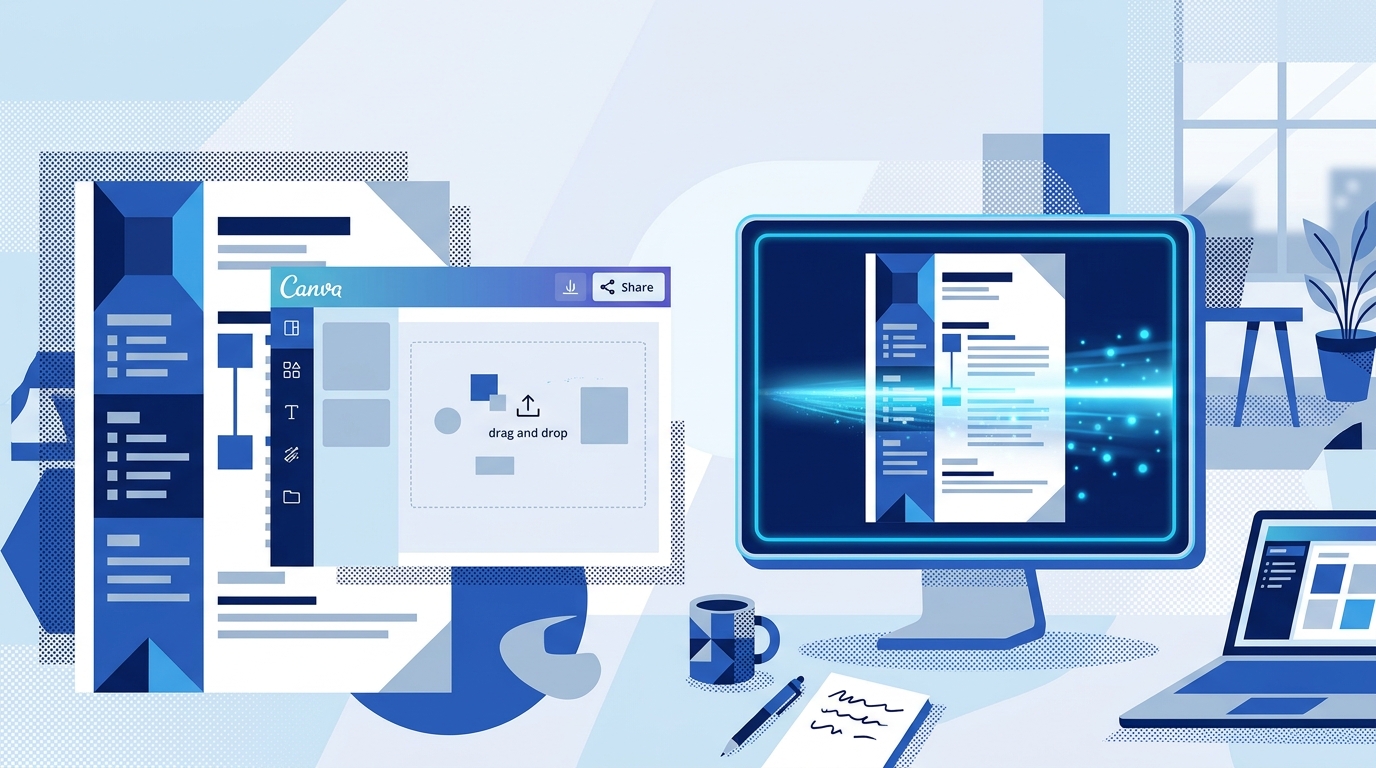
4.5Canva’s resume builder is a free, browser-based design tool that converts drag-and-drop templates into polished resume documents. Its visual-first architecture produces PDF files with stacked design layers and floating text frames, which means most Applicant Tracking Systems can’t parse them correctly, and your application gets rejected before a recruiter reads a single word.
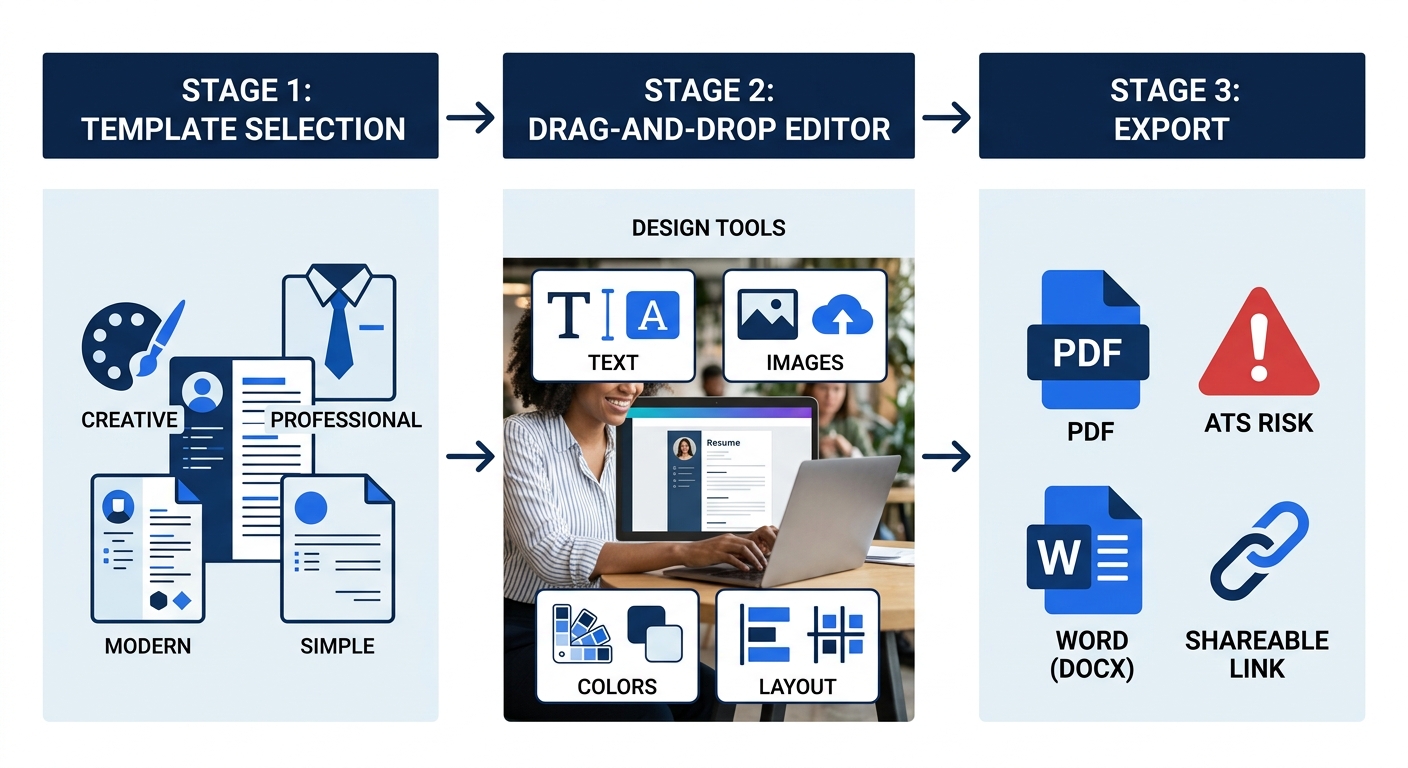
TL;DR: Canva builds resumes through three layers: a template library with hundreds of customizable designs, a drag-and-drop editor enhanced by Magic Write AI (powered by OpenAI), and an export system that outputs PDF, Word, or shareable link formats. The critical gap is that Canva’s layered PDF structure breaks ATS parsing, making it effective for creative portfolios and in-person handoffs but a risky default for online job applications.
What the Canva Resume Builder Actually Is
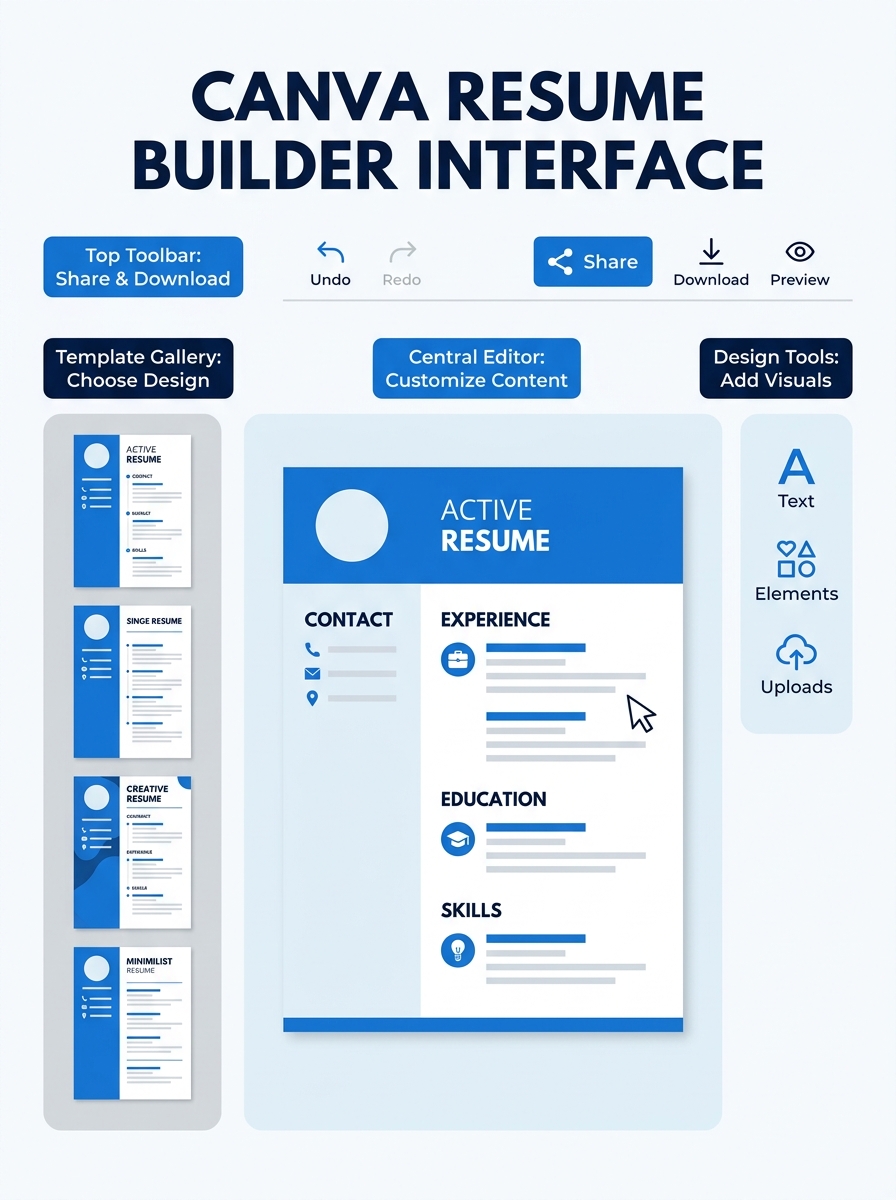
Canva’s resume builder is a module within Canva’s broader graphic design platform, which serves over 190 million monthly active users across 190 countries. The resume tool specifically lets you choose from hundreds of free, designer-made templates and customize them with fonts, colors, icons, backgrounds, and layout elements through a drag-and-drop interface.
The tool launched as part of Canva’s document design suite and has expanded to include AI-powered writing assistance through Magic Studio. Unlike dedicated resume platforms (Novoresume, Resume.io, Zety), Canva was built for visual design first. Resume creation is one use case among dozens, which explains both its design strengths and its functional blind spots around job-application mechanics.
Canva offers a free tier with access to over 250,000 templates (a subset of which are resume-specific), and a Pro tier at $14.99/month that unlocks premium templates, additional AI features, and brand kit functionality. For resume purposes, the free tier covers what most users need.
The Template Library and How Selection Works
Canva organizes its resume templates into filterable categories: modern, minimalist, professional, creative, and abstract. Each template is a pre-designed canvas with placeholder text blocks, icon slots, and color schemes already configured. You pick one, replace the placeholder content with your information, and the formatting holds.
The templates range from single-column text-forward designs (which resemble traditional Word resumes) to multi-column layouts with sidebar graphics, skill-level bars, headshot placeholders, and decorative borders. Canva’s template page describes these as letting you choose a template tailored to your industry and unique qualifications, with options to apply different graphic elements like backgrounds, patterns, frames, borders, vectors, and fonts.
This breadth is where the first tradeoff surfaces. The templates that look most visually striking tend to use the most complex formatting: two-column layouts, embedded icons, colored sidebars, and non-standard fonts. And those are precisely the elements that cause problems when an ATS tries to read the file. A 2026 review from Novoresume found that most Canva resumes fail to pass through Applicant Tracking Systems due to complex formatting and graphics. The more “designed” your template choice, the higher the parsing failure risk.
| Template Style | Visual Appeal | ATS Compatibility | Best Use Case |
|---|---|---|---|
| Single-column, minimal | Moderate | Highest | Online applications through ATS portals |
| Two-column with sidebar | High | Low | Portfolio sites, in-person delivery |
| Creative with icons/graphics | Very high | Very low | Design/creative industry roles |
| Photo-header layouts | High | Very low | Personal branding, non-US markets |
| Abstract/artistic | Very high | Near zero | Graphic design portfolios only |
The Drag-and-Drop Editor and Magic Write AI
Once you’ve selected a template, Canva’s editor gives you a canvas where every element is independently movable, resizable, and stylable. Text blocks snap to alignment guides. You can add shapes, illustrations, charts, and photos from Canva’s asset library. Font choices number in the thousands, and color is adjustable at the element level.
The editing experience feels closer to designing a poster than writing a document. That’s intentional. Canva’s product DNA is graphic design, and the resume editor inherits all of that visual control.
The AI layer is where things get interesting. Canva’s Magic Write, powered by OpenAI’s language models through their Magic Studio suite, can generate, rewrite, and summarize resume sections. You highlight a bullet point, ask Magic Write to make it more concise or achievement-focused, and it produces a rewritten version in seconds. A third-party Job and Resume AI app within Canva’s ecosystem goes further: it analyzes your experience against a specific job description and generates tailored bullet points and summary statements.
The editing experience feels closer to designing a poster than writing a document. That’s intentional.
This AI assistance solves a real problem. Many job seekers struggle with the writing portion of resume building, and having an AI suggest phrasing based on a target job description removes a significant barrier. But Magic Write doesn’t replace resume strategy. It can polish language, but it can’t tell you which experiences to emphasize, how to avoid the resume mistakes that make candidates invisible to hiring managers, or how to structure your career narrative for a specific role. The tool operates at the sentence level, not the strategy level.
Export Formats and What They Actually Produce
Canva lets you save and download in PDF or Word format, embed online, or transform into a responsive Canva Site. You can also generate a shareable link that sends recruiters to a live web version of your resume. Each export path produces a fundamentally different file structure with different consequences.
PDF export is the most common choice. Canva generates PDFs where each design element exists as a separate layer. Text doesn’t flow as a single stream the way it does in a Word document. Instead, each text box is an independent floating frame positioned on the canvas. When a human opens the PDF, it looks perfect. When an ATS parser tries to extract text from it, the system reads those layers in rendering order (not reading order), often jumbling section headers with body text, mixing columns together, or missing text entirely.
Word (DOCX) export partially addresses this. Word files have a more linear text structure that ATS systems handle better. But Canva’s Word exports don’t always preserve the visual layout accurately. Elements shift, spacing changes, and the polished design you spent time on can look broken when opened in Microsoft Word or Google Docs.
Shareable link and Canva Site export are useful for creative professionals who want to send a recruiter a portfolio-style landing page. These formats bypass ATS entirely since you’re sharing a URL, not uploading a file. The limitation: most corporate application portals require a file upload and won’t accept a link.
How ATS Parsing Interacts with Canva’s Architecture
Applicant Tracking Systems used by companies ranging from Fortune 500 corporations to firms with 50-100 employees parse uploaded resumes to extract structured data: name, contact information, work history, education, skills. The parser reads the document’s underlying code, not its visual appearance.
Canva’s PDFs store text in floating frames positioned by x/y coordinates on a canvas. A two-column resume, for example, has one set of text frames on the left and another on the right. The ATS parser reads these frames in the order they appear in the file’s code, which frequently interleaves left-column and right-column content. Your job title might get concatenated with an unrelated skill from the opposite column. Your dates might disappear entirely because they were stored as a graphic element rather than text.
A review on the r/resumes subreddit captured the split opinion well. One experienced resume reviewer wrote: “I have tested different formats with hundreds of people. Physically using Canva is not fine and it will result in fewer interviews.” Another user responded: “I LOVE it. It’s so much easier than Word or PowerPoint. Allows you to have a traditional but modern look to it.” Both statements are true simultaneously. The experience of creating the resume in Canva is excellent. The performance of the exported file in ATS environments is poor.
This gap between visual quality and machine readability is the core tension in Canva’s resume builder. A 2026 survey found that 77% of resumes now appear AI-generated to hiring managers, which means standing out visually has real appeal. But standing out doesn’t help if your file gets garbled before a human sees it.
Warning: If you’re applying through an online portal that asks you to upload a resume file, most ATS software will struggle to parse Canva’s layered PDF structure. Stick to single-column templates with standard fonts and no icons if you must use Canva for these applications.
When Canva Resumes Perform Well
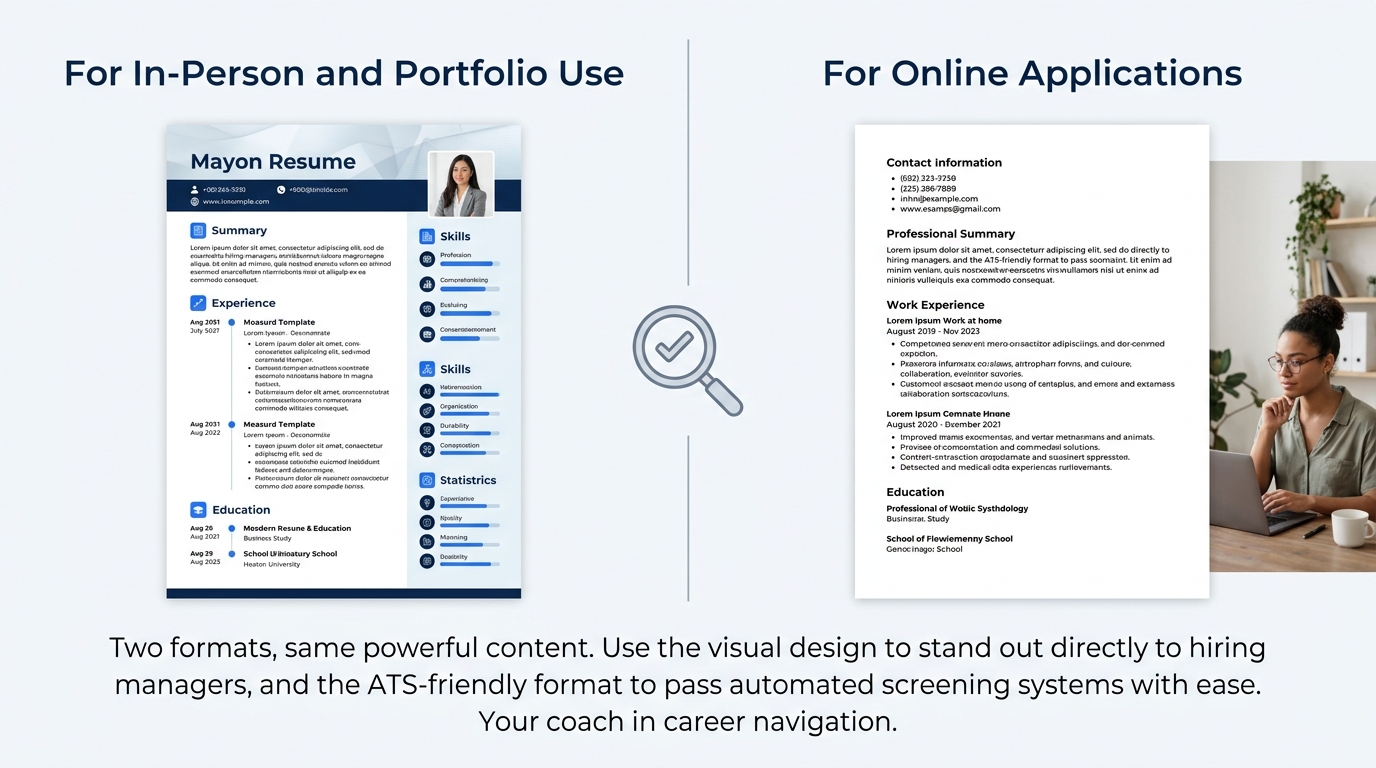
The mechanism works when it sidesteps ATS entirely. Industry matters significantly: graphic designers, marketers, UX professionals, photographers, and media specialists operate in hiring cultures where visual presentation signals competence. Handing a beautifully designed Canva resume to a creative director at a portfolio review communicates design sensibility in ways a plain Word document can’t.
Networking events, career fairs, and referral-based applications also favor Canva resumes. When you’re handing a resume directly to a person or emailing it to a specific contact who’ll open it and read it visually, the ATS problem doesn’t apply. The same goes for freelancers sending proposals to potential clients and consultants building personal brand collateral.
The practical approach, outlined by multiple resume professionals, is what you could call the Two-Format Strategy: maintain a Canva version for visual contexts and an ATS-optimized version for online applications. Resumefast’s 2026 analysis endorsed this directly: “Use an ATS-optimized resume for online applications and a Canva resume for in-person situations. Just make sure the content is identical, only the formatting differs.” The visual version showcases your design taste. The plain version gets through the machines. If you’re building both, making sure your LinkedIn profile aligns with your resume content closes the consistency loop across all three touchpoints.
What This Mechanism Can’t Do
Canva’s resume builder can’t evaluate whether your resume content is strategically sound. It can make a weak resume look beautiful, which is arguably worse than a weak resume that looks plain, because the visual polish creates false confidence. You submit what feels like a polished application, never realizing the content itself is the problem.
The AI writing tools (Magic Write and the third-party Job and Resume AI app) improve sentence-level clarity but don’t address structural issues: whether you’re leading with the right experience, whether your bullet points quantify impact, whether your summary targets the role you’re applying for. Tools like ChatGPT, Claude, and Gemini have been tested specifically for resume building, and each brings different strengths to the strategy layer that Canva’s built-in AI doesn’t attempt.
Canva also can’t warn you when your template choice will fail in an ATS. There’s no compatibility score, no parsing preview, no flag that says “this design uses elements that will break text extraction.” You make design choices in a vacuum, disconnected from the technical consequences of those choices.
And the collaborative features, while useful for team design projects, don’t include recruiter-side feedback loops or interview-tracking functionality that dedicated job search platforms provide. Canva is a design tool adapted for resumes, not a career management platform, and stretching it beyond that scope leads to gaps that the product isn’t designed to fill.
Common Questions
Does Canva’s resume builder cost anything?
The core resume builder is free, including access to a substantial template library, the drag-and-drop editor, and PDF/Word export. Canva Pro ($14.99/month) unlocks premium templates, additional Magic Write AI credits, brand kit features, and a larger asset library. For most job seekers building a single resume, the free tier provides sufficient functionality.
Will my Canva resume pass an ATS?
Probably not if you use a visually complex template. Canva exports PDFs with stacked design layers and floating text frames that ATS parsers frequently misread or can’t extract at all. If you’re submitting through an online application portal, use a single-column template with no icons, no sidebar, standard fonts like Arial or Calibri, and test the output by copying and pasting text from the exported PDF to see if it reads in the correct order.
Should I use Canva or a dedicated resume builder?
It depends on how you’re distributing your resume. For creative roles, networking handoffs, portfolio sites, and direct email to hiring contacts, Canva produces visually superior documents. For applications submitted through job portals where ATS screening is standard, a dedicated resume builder designed around ATS compatibility (Resume.io, Novoresume, Teal) will produce files that parse reliably. The strongest approach is maintaining both: a Canva version for visual contexts and a plain-format version for online submissions.
Can Canva’s AI write my entire resume?
Magic Write can generate and rewrite individual sections, but it operates at the sentence level. It can suggest phrasing for bullet points and polish summaries, but it doesn’t build career strategy: choosing which roles to emphasize, structuring a narrative around a career pivot, or tailoring content depth to a specific job posting. Users with limited resume-writing experience should combine Canva’s design tools with dedicated career strategy resources or professional resume guidance rather than relying on AI text generation alone.
Can I use a Canva resume internationally?
Many non-US hiring cultures expect photos, personal details, and visual formatting that Canva handles well. European CVs, for instance, often include headshots and graphic elements that would look unusual on an American resume. Canva’s flexibility makes it well-suited for international applications where visual presentation is standard, provided the destination company’s application system doesn’t require ATS-compatible file uploads.
