


 4.9
4.9 4.5
4.5Automated apply tools now generate an estimated 34% of all LinkedIn applications, burying genuine candidates under a wave of one-click submissions. This guide gives you a six-step system to build a LinkedIn job seeker profile, search workflow, and outreach strategy that surfaces above that noise, roughly one focused weekend of work.
TL;DR: Rebuild your profile around recruiter search keywords, set job alerts to apply within the first 24 hours, use Boolean operators to find roles others miss, and replace bulk Easy Apply submissions with personalized outreach. The entire process takes 8–10 hours.
Before You Start
You need four things before Step 1: a current resume with quantified achievements, a professional headshot (profiles with professional photos receive 21x more views and 36x more messages than those without), a list of 10–15 target job titles you’d accept, and 8–10 hours blocked across one weekend. A free LinkedIn account works for every step here. LinkedIn Premium Career adds AI-powered profile writing, job match insights, and advanced search filters, but nothing in this guide requires it.
One prerequisite people skip: pull up three to five actual job postings for roles you want and copy them into a document. You’ll mine these for exact keywords in Step 1. If you’re searching confidentially while employed, review the guidelines around confidential job searches before toggling any visibility settings.
Step 1: Rebuild Your Profile Around Recruiter Search Terms
Goal: Make your profile match the search filters recruiters and LinkedIn’s AI generate when they open a new role.
LinkedIn’s Recruiter platform documentation describes the process plainly: recruiters “type in hiring needs and Recruiter, with the assistance of AI, will create the right search filters and optimize the search,” according to LinkedIn’s Talent Solutions page. Your profile either matches those AI-generated filters or it doesn’t show up at all.
Here’s what to do. Open the three to five job postings you saved. Highlight every repeated skill, tool name, certification, and job title variation. These are your recruiter keywords. Now place them in three locations:
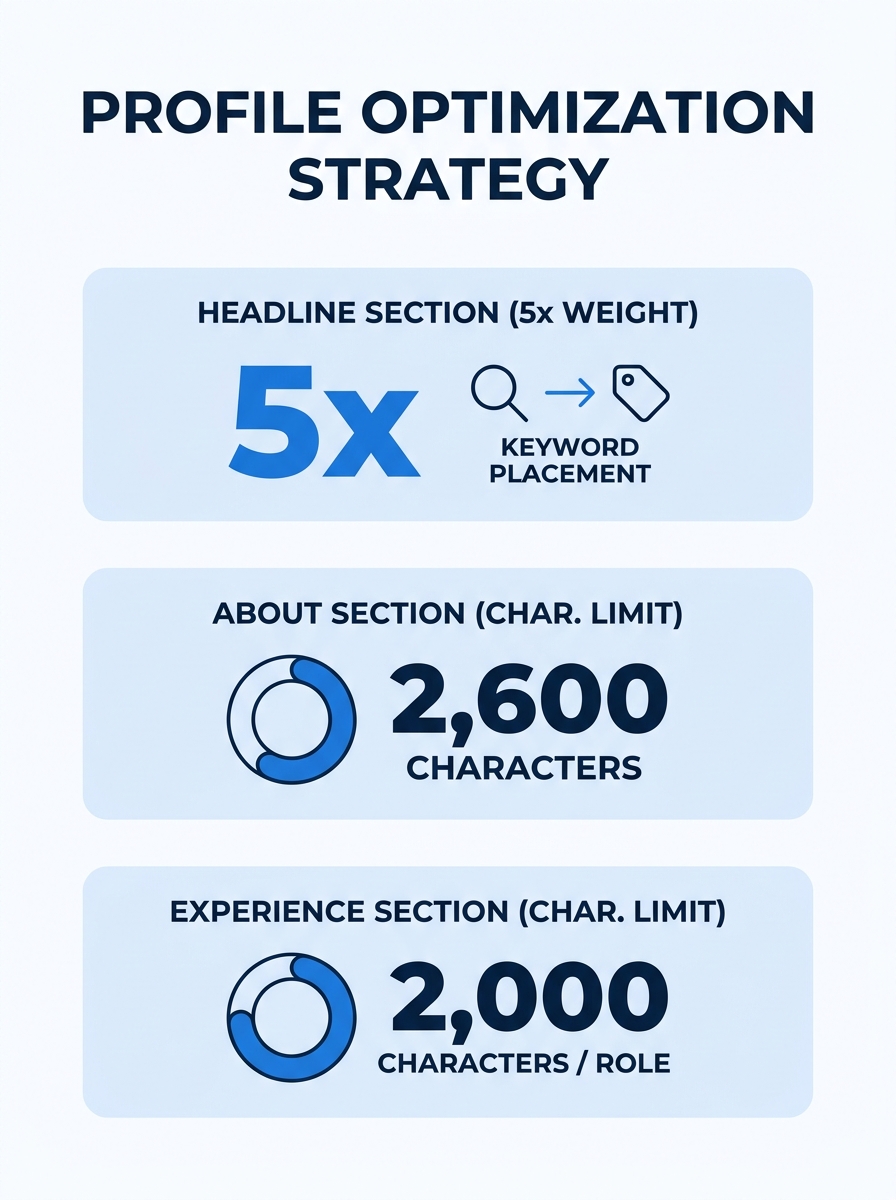
Headline (220 characters max). LinkedIn’s algorithm weights your headline at 5x the value of any other profile field. Don’t waste it on “Seeking New Opportunities.” Instead, write a headline that reads like a search query result: “Supply Chain Analyst | Demand Planning | SAP IBP | APICS-Certified.” If you want a deeper walkthrough of headline construction, the complete LinkedIn profile guide covers character-by-character strategy.
About section (2,600 characters max). Write 3–4 paragraphs that weave your top 8–10 keywords into a narrative of what you do and what results you’ve driven. Avoid keyword lists, recruiters read this section, and walls of comma-separated terms read as spam.
Experience descriptions. ORS Partners’ optimization guide advises expanding “any current or former job titles with descriptions to include more keywords that recruiters might be searching for.” Add 3–5 bullet points per role with specific metrics. Jobscan’s optimization data suggests adding at least three detailed job descriptions to significantly improve your profile match score.
Verification: Search your own name on LinkedIn in an incognito browser. If your profile appears on page one and your headline contains your target role, Step 1 worked.
Step 2: Configure Job Alerts and Filtered Searches
Goal: See relevant openings within hours of posting so you’re among the first applicants.
LinkedIn’s own help documentation recommends setting up job alerts because early applicants have a measurably higher response rate. Over 70% of recruiters search for candidates on LinkedIn, and roles often receive hundreds of applications within the first 48 hours. Being in the first wave matters.
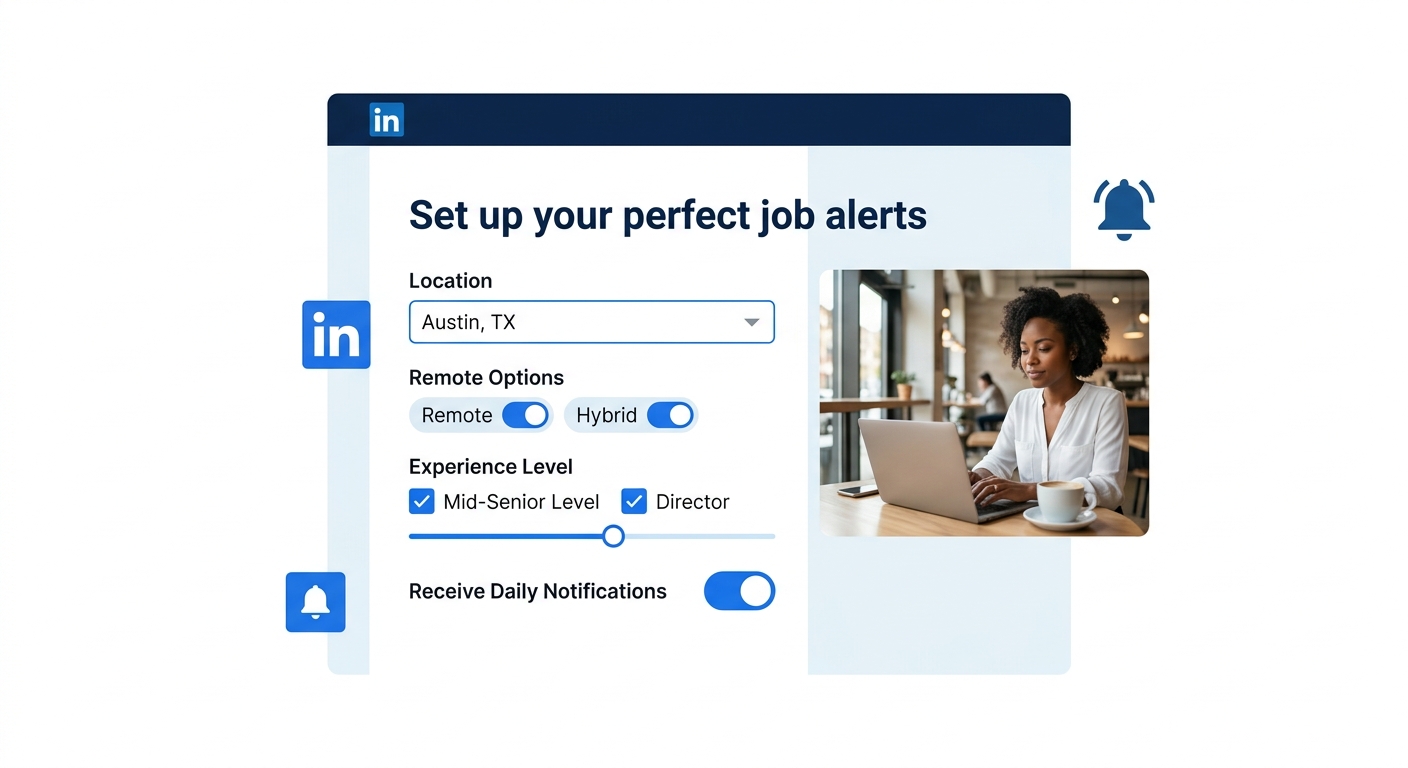
Go to LinkedIn’s Jobs tab. Enter your target title, set your preferred location (or toggle “Remote”, 23.4% of global listings now offer remote options), and filter by date posted, experience level, and company size. Save each search. Then click “Set Alert” and choose daily email notifications. Repeat this for each of your 10–15 target titles, creating separate alerts for each variation. “Data Analyst” and “Business Intelligence Analyst” pull different listings despite overlapping responsibilities.
Also use LinkedIn’s “Save” button on individual jobs as you browse. Saved jobs sit in a dedicated tab and let you batch your applications during a focused session rather than applying impulsively throughout the day.
Verification: Within 24 hours, you should receive at least one alert email. If not, your filters are too narrow, loosen the location radius or remove one experience-level restriction.
Step 3: Run Boolean Searches for Roles Others Miss
Goal: Surface job postings that don’t appear in standard filtered searches.
LinkedIn’s search bar accepts Boolean operators, and most job seekers never use them. A Reddit thread on LinkedIn job search strategy captured the method concisely: use “AND, OR, and NOT when entering your search criteria” to build targeted queries that bypass LinkedIn’s default sorting.
Here’s how Boolean search works in practice:
| Operator | What it does | Example query |
|---|---|---|
| AND | Returns results containing both terms | “product manager” AND “B2B SaaS” |
| OR | Returns results containing either term | “UX designer” OR “product designer” |
| NOT | Excludes results containing a term | “marketing manager” NOT “intern” |
| ” “ | Searches for an exact phrase | “vice president of sales” |
| ( ) | Groups terms for complex queries | (“data scientist” OR “ML engineer”) AND Python |
Combine these operators to build searches like: (“senior accountant” OR “staff accountant”) AND “CPA” NOT “intern” NOT “junior”. Run 5–7 Boolean searches and save each one as a separate alert.
Verification: A Boolean search should return different results than the same keywords typed as a plain search. If the results look identical, you’ve likely formatted the operators incorrectly, check that AND, OR, and NOT are fully capitalized and that phrases sit inside quotation marks.
Tip: Boolean searches also work in LinkedIn’s People search. Use them to find hiring managers at target companies, then move to Step 5 for outreach.
Step 4: Post and Comment to Trigger Algorithm Visibility
Goal: Signal to LinkedIn’s algorithm that you’re an active user, which increases how often your profile appears in recruiter searches.
Profiles that reach All-Star completion status appear in 40x more recruiter searches than incomplete ones. But completion alone isn’t enough, LinkedIn’s algorithm also rewards engagement activity. Posting 1–2 times per week and leaving 5–10 substantive comments daily on other people’s posts pushes your profile higher in search results and puts your name in front of hiring managers’ feeds.
You don’t need to write thought leadership essays. Three formats that work for job seekers:
Industry commentary. Share a recent article about your field and add 3–4 sentences of your own analysis. This demonstrates domain knowledge without requiring original research.
Lessons-learned posts. Describe a specific project you worked on, the problem you solved, and the outcome. Use numbers. “Reduced invoice processing time by 40% by automating three manual steps” is more engaging than “I’m passionate about process improvement.”
Genuine engagement. Comment on posts from people at companies where you want to work. Not “Great post!”, write 2–3 sentences that add to the conversation. This creates familiarity before you ever send a connection request.
Profiles with 15 or more endorsed skills receive 22 times more recruiter views than those with fewer, add skills from your target job descriptions and ask colleagues to endorse the top five.
Endorsements and skill badges compound the effect. Profiles with 15 or more endorsed skills receive 22x more recruiter views. Go to your profile, add every relevant skill from your target job descriptions (LinkedIn allows up to 50), and message five former colleagues asking them to endorse your top skills. Public speaking skills transfer directly into interview performance, and we’ve covered how to practice delivery techniques for that stage of the process.
Verification: After one week of consistent posting and commenting, check your profile’s “Who viewed your profile” section. You should see a noticeable increase in views from people outside your existing network.
Step 5: Replace Bulk Applications With Targeted Outreach
Goal: Stop competing in the Easy Apply pile and start conversations that lead to referrals.
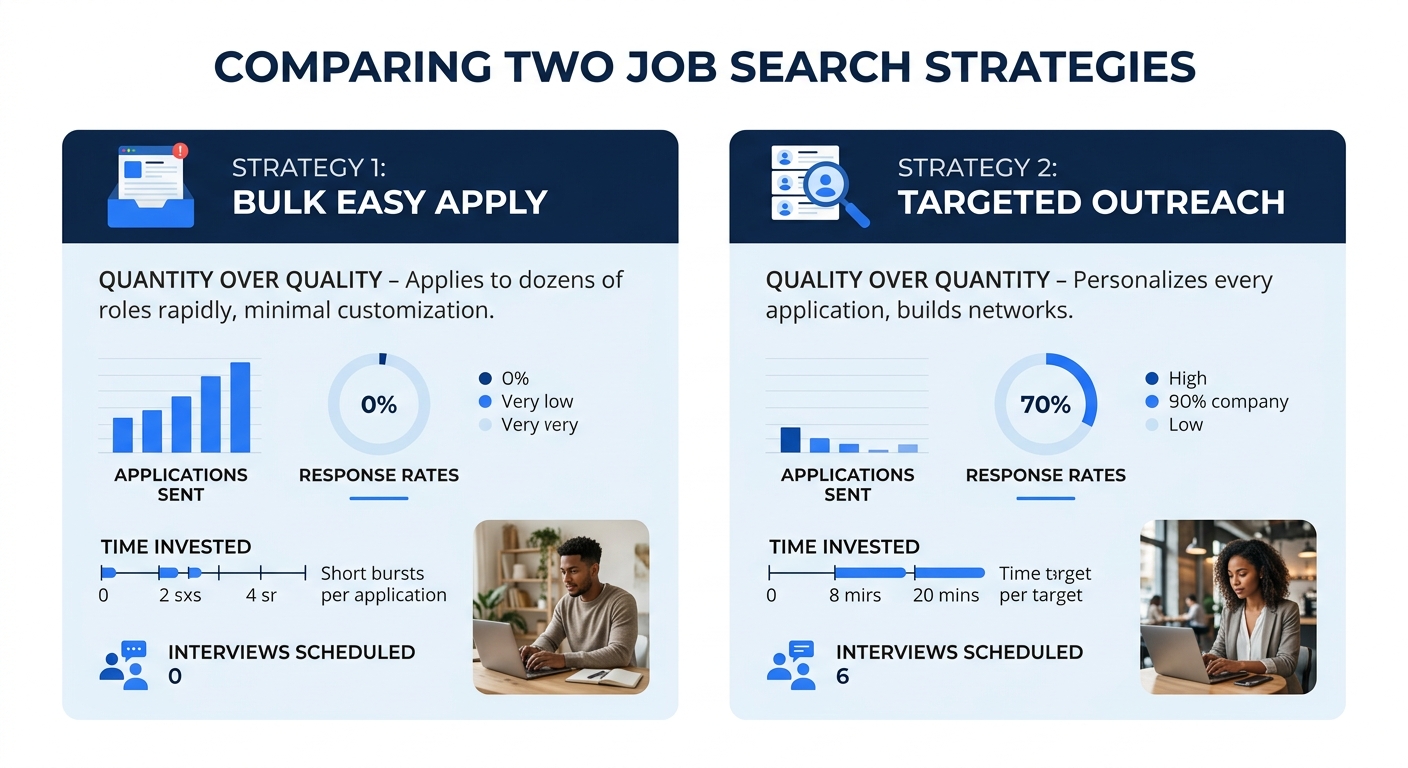
LinkedIn’s own career content describes what 90% of job seekers do wrong: they “spend hours firing off the same resume to every job that pops up” and “assume quantity equals opportunities.” The data supports a different approach. Research on declining effectiveness of traditional application methods shows that spray-and-pray submission rates have risen while callback rates have dropped. And with 77% of resumes now appearing AI-generated to hiring managers, a personalized application stands out against the flood.
Here’s the alternative workflow:
Identify the hiring manager. For each role you want, search LinkedIn for people with titles like “Director of [Department]” or “VP of [Function]” at that company. Boolean search from Step 3 helps here.
Send a connection request with a note. LinkedIn gives you 300 characters. Use them: “Hi [Name], I saw the [Job Title] opening on your team. I’ve spent 6 years in [relevant area] and would love to learn more about what you’re building. Happy to share my background if helpful.” No generic templates.
Follow up with value. If they accept, send a message within 24 hours. Reference something specific from their profile or company news. Attach your resume only if they ask for it.
Enable Open Profile. If you have Premium, turn on Open Profile so recruiters can message you for free. This dramatically increases inbound outreach volume. Even without Premium, toggling “Open to Work” (visible to recruiters only, not your current employer) signals availability.
Verification: Track your outreach in a simple spreadsheet: company, contact name, date sent, response received. After 20 personalized outreach messages, you should see a response rate of 15–25%. If it’s below 10%, your messages need more specificity about why you’re reaching out to that person.
When Things Aren’t Working
Three problems account for most stalled LinkedIn job searches:
Your profile doesn’t appear in searches. Go to Settings > Visibility and confirm that “Profile visibility off LinkedIn” is turned on. Check that your headline contains your target job title verbatim. Search for your target title in LinkedIn’s People search and see where you rank. If you’re not in the first 50 results for your title + metro area, your profile needs more keyword density in the headline, About, and Experience sections.
You get views but no recruiter messages. This usually means your profile reads as a resume summary rather than a value proposition. Rewrite your About section to answer “What problem do I solve?” rather than “What have I done?” Also verify you have a professional photo (36x more messages with one), a custom URL, and at least 5 endorsed skills.
You apply but never hear back. If you’ve submitted 30+ applications with zero responses, the issue is likely one of three things: your resume doesn’t match the job description keywords (run it through a keyword comparison), you’re applying too late (roles filled fast, set alerts from Step 2), or your applications are blending into the AI-generated resume pile that hiring managers now expect and discount.
Warning: Don’t apply to more than 5–8 roles per day. LinkedIn’s algorithm can flag accounts that submit at high volume through Easy Apply, reducing your profile’s visibility in recruiter searches.
Where to Go From Here
The six steps above build a foundation. Once the system is running, alerts triggering daily, Boolean searches saved, 1–2 posts per week going out, personalized outreach flowing, the ongoing maintenance drops to about 30–45 minutes per day. Spend that time split roughly evenly between commenting on relevant posts, reviewing new alert results, and sending 2–3 targeted connection requests.
Two natural next moves: strengthen your interview skills once callbacks start arriving (the public speaking techniques for interviews guide covers preparation drills you can do in under an hour), and revisit your profile monthly to add new projects, certifications, or metrics. LinkedIn’s algorithm rewards profiles that update regularly, and a profile that looked optimized in August can lose ranking by November if it goes static while competitors keep iterating.
