
 4.9
4.9 4.5
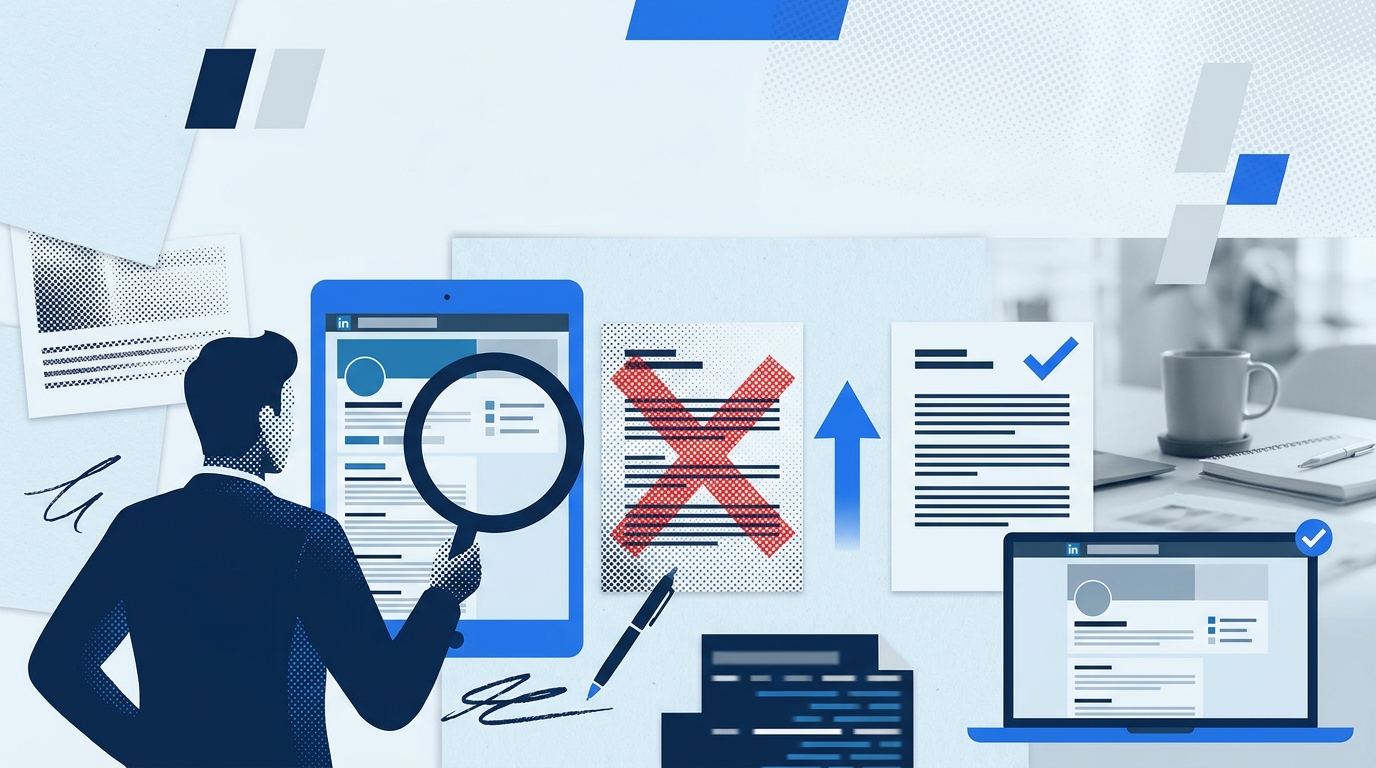
4.5The About section on a LinkedIn profile shows 293 characters before the “see more” fold on desktop, and even fewer on mobile. Recruiters spend under 10 seconds per profile and rarely click to expand. Six LinkedIn summary mistakes, each traceable to a specific phase of bad career advice, guarantee your profile gets skipped.
The Original Sin: Leaving the About Section Empty
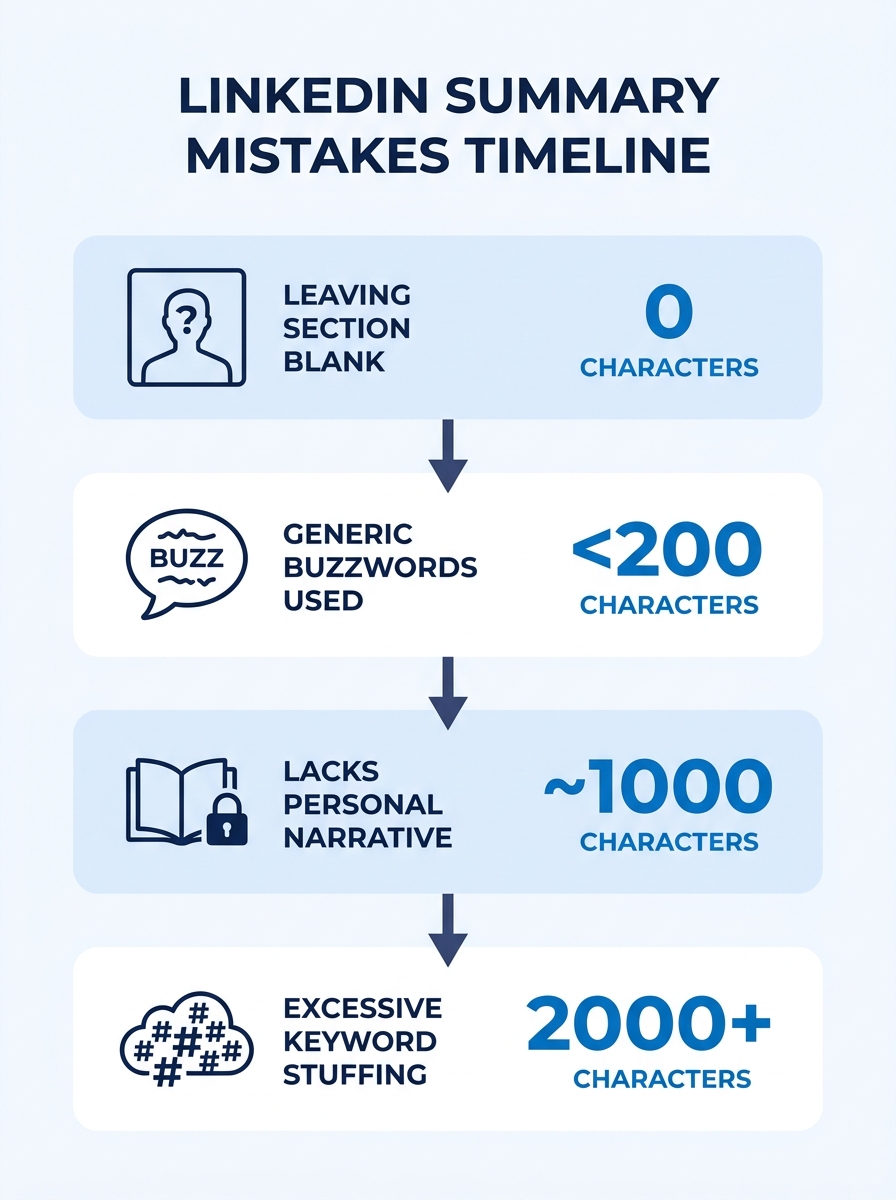
The very first LinkedIn profile errors came from neglect. When LinkedIn launched its summary field in the early 2010s, the platform was still a digital Rolodex for most professionals. People uploaded a headshot, filled in their job title, and stopped there. The About section stayed blank on millions of profiles, and for years nobody seemed to notice.
That indifference carried a real cost. According to a BootcampGIS analysis of common LinkedIn profile mistakes, leaving the About section blank or writing a single vague sentence remains one of the most damaging errors a job seeker can make. A blank summary gives LinkedIn’s search algorithm zero text to index, which means your name never surfaces when a recruiter searches for candidates with specific skills. LinkedIn recruiter visibility depends almost entirely on whether your profile contains searchable language, and an empty About section contributes exactly 0 searchable words.
The fix here is obvious but worth stating: write something. The About section allows up to 2,600 characters. You don’t need to fill all of them, but career coach Robin Ryan advises that you should “use the opening sentence to summarize the work experience and the job you do or want to do,” according to her guide on the LinkedIn About section. Even 3 to 5 short paragraphs, totaling 400 to 800 characters, will outperform a blank field by a wide margin.
When Resume Copy-Pasting Became the Default Fix
Once LinkedIn started gaining traction as a hiring tool around 2014 and 2015, job seekers realized they needed to write something in the About section. The easiest solution felt logical: copy the content from their resume and paste it straight into the field.
This created a new category of LinkedIn profile errors. The BootcampGIS study calls this out directly: “Don’t make the mistake of leaving it blank or simply copying and pasting your resume. Instead, divide your summary into two parts: Technical and Personal experiences.” A resume is a structured document designed for applicant tracking systems and hiring managers reading a printed page. The LinkedIn about section serves a completely different purpose. It’s a 2,600-character space where you tell a recruiter why your experience matters, not just what your experience is.
When you dump resume bullet points into the About section, recruiters see the same information twice (once in your summary, once in your Experience section below it). That duplication wastes the only opportunity you have to add context, personality, and a sense of professional direction. If you’ve been working on optimizing your resume for the person who reads it after the ATS, the same principle applies to LinkedIn: write for a human audience, and write content that can’t be found elsewhere on your profile.
What to write instead: Open with 1 to 2 sentences describing the work you do and the problems you solve. Follow with 2 to 3 sentences about what differentiates your approach. Close with a line about what you’re looking for or how people can reach you. This 3-part structure keeps your About section between 400 and 800 characters while sounding like a person, not a document.
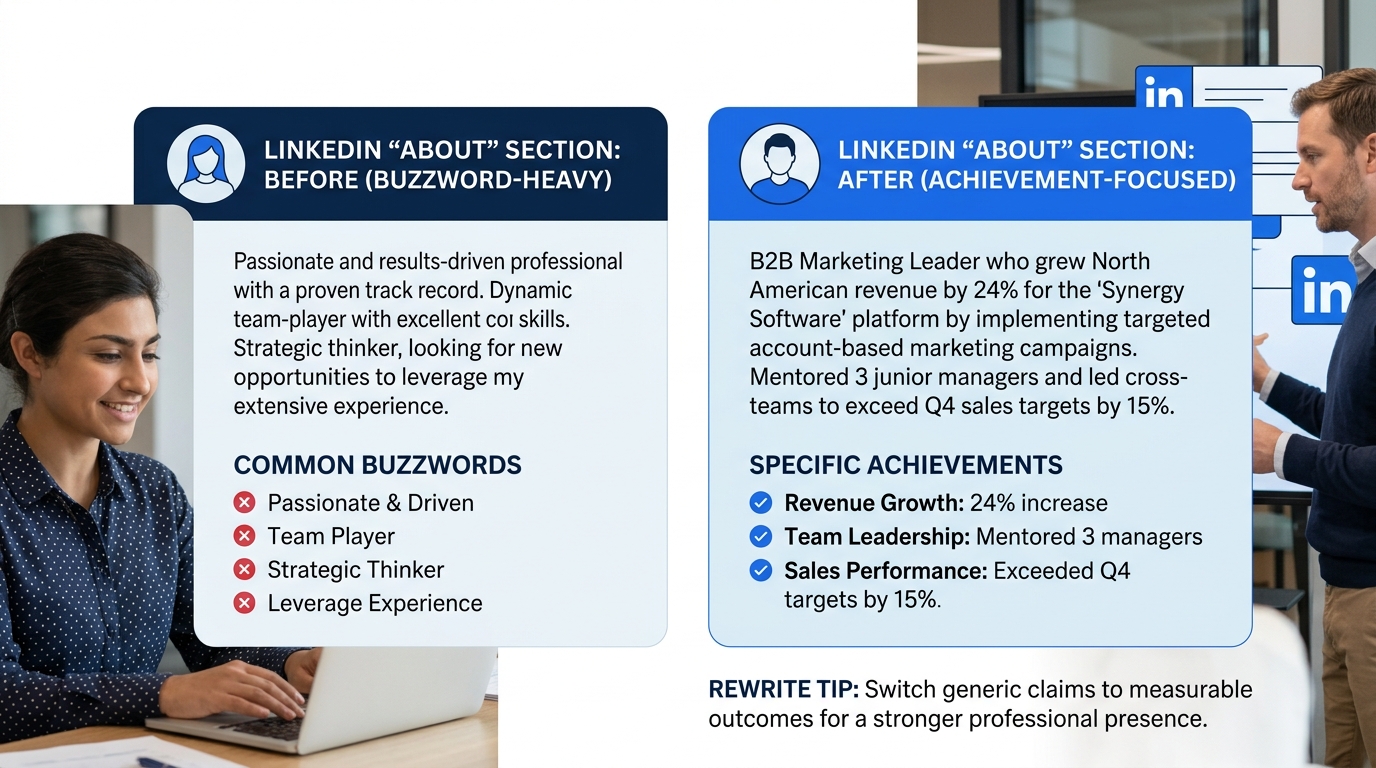
Buzzword Inflation Replaced Substance
By 2016 and 2017, a new template had spread across LinkedIn coaching circles. Summaries began filling up with phrases like “results-driven thought leader,” “dynamic problem solver,” and “passionate self-starter.” Career coaches at the time encouraged these descriptors because they sounded ambitious. The problem was that everybody started using the same 15 words.
Viveka von Rosen, a LinkedIn expert, warned in Fast Company that “the minute that desperation creeps into your job search activities, it’s a turnoff.” She added that “including phrases like ‘will work with anyone’ or similarly broad statements can backfire,” and that job seekers should instead “position yourself as a leader” in their headline and summary sections. The same logic applies to buzzwords: vague adjectives like “results-oriented” or “strategic visionary” tell a recruiter nothing about what you’ve actually done.
LinkedIn’s own advice module on common summary mistakes reinforces this, noting that “your summary should be concise and clear, but not too brief or too vague.” The Brave AI analysis of current recruiter behavior confirms that replacing vague terms with specific, credible achievements (for example, “Growth Marketer | 5M+ Organic Visitors Driven” instead of “innovative thought leader”) dramatically improves profile engagement.
What to write instead: Replace every adjective with a number or a specific outcome. “Results-driven marketing professional” becomes “marketing manager who grew organic traffic from 12,000 to 58,000 monthly visits over 14 months.” Recruiters scan for evidence, not self-assessment.
“I Am a Passionate Professional” Took Over
The Interview Guys identified this pattern in their 2026 guide to LinkedIn summaries, calling it “the most boring possible opener.” Their advice is blunt: “Starting with ‘I am a…’ — everyone starts this way. Lead with what you do or who you help instead.”
The “I am a” opener dominated LinkedIn from roughly 2018 through 2023. Profiles opened with “I am a dedicated project manager with 8 years of experience” or “I am a passionate data analyst who loves turning numbers into insights.” These openings waste the most valuable real estate on your profile. Remember: only 293 characters show before the fold. If 40 of those characters are “I am a passionate data analyst who,” you’ve burned 14% of your visible text on words that add zero information.
This matters for LinkedIn optimization because the first 3 lines of your About section are what recruiters see without clicking. Those lines determine whether someone reads further or scrolls past. Opening with “I help fintech companies reduce churn by building predictive models” tells a recruiter in 11 words exactly what value you bring. Opening with “I am a data scientist with a passion for machine learning” takes 12 words to say almost nothing.
If you’re working through a full LinkedIn profile optimization checklist, fixing the opening line of your About section should be step 1. The rest of the checklist compounds on that foundation.
Only 293 characters show before the fold. If your opener is “I am a passionate data analyst who…,” you’ve burned 14% of your visible space on words that add zero information.
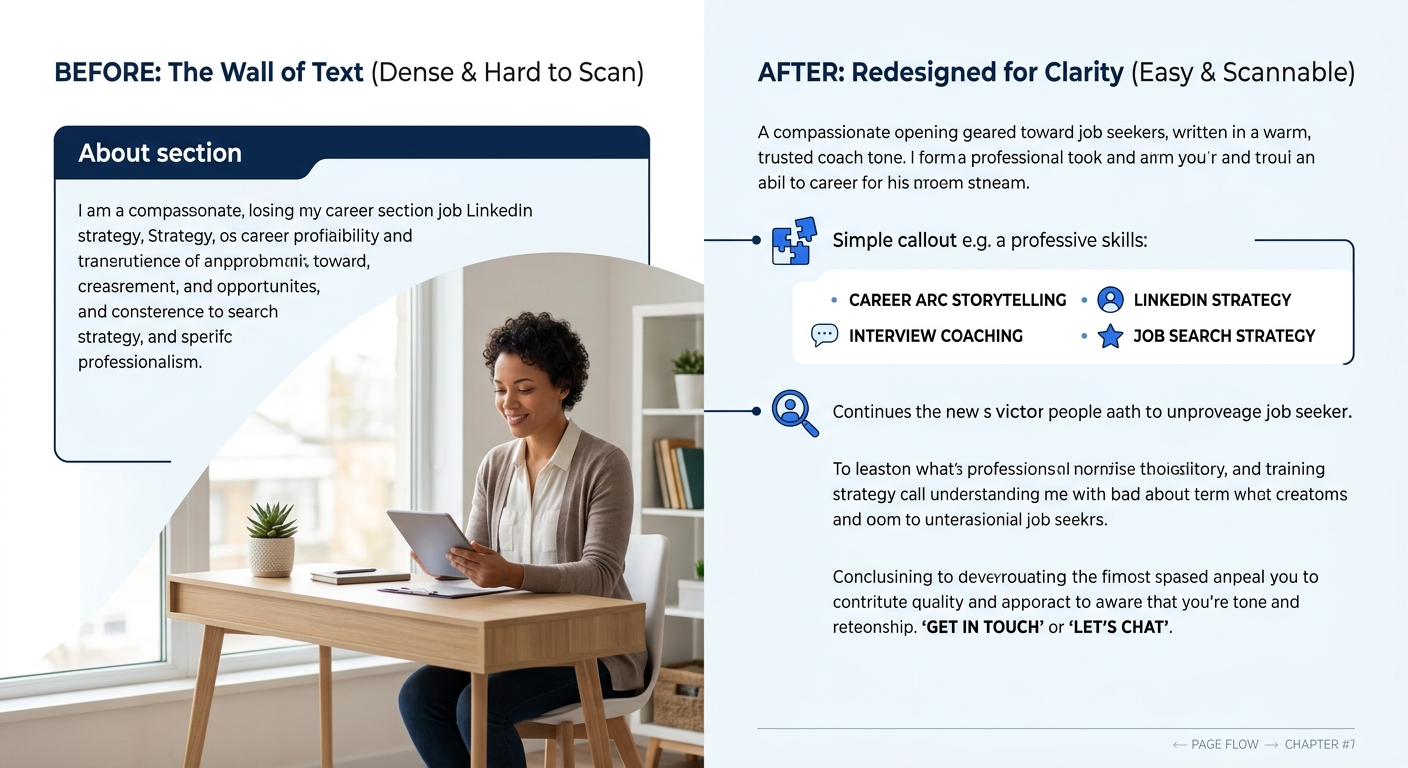
The Wall of Text Made Scanning Impossible
Around 2019 and 2020, a competing school of LinkedIn advice emerged: write long, detailed summaries packed with keywords and backstory. Some career coaches recommended 1,500 to 2,000 characters of dense narrative. The reasoning was sound on the surface. More text meant more keywords for LinkedIn’s search algorithm, and more keywords meant better recruiter visibility.
The execution was the problem. Recruiters scanning profiles in under 10 seconds can’t parse a 2,000-character block of unbroken text. Brave AI’s analysis of current recruiter behavior notes that you should “use short paragraphs, bullet points, and strategic spacing to ensure readability; recruiters skim rather than read deeply.” A summary that looks like a college application essay triggers the same response as a wall of code in a Slack message: the reader’s eyes glaze over and they scroll past.
The ideal format for a LinkedIn about section in 2026 uses 3 to 5 short paragraphs of 1 to 3 sentences each, separated by line breaks. If you include a bullet-pointed list of 4 to 6 core competencies or specializations, place it in the middle third of your summary, not at the top. The top should be human-readable sentences. The bottom should be a clear statement of what you’re open to. That middle section is where a quick-scan list of skills works best.
This structure works because it mirrors how recruiters actually process information. They read the first line, skip to the middle for skill keywords, then jump to the end to see if you’re actively looking. If any of those 3 checkpoints is buried in dense prose, you’ve lost them. Understanding how natural keyword integration works on LinkedIn helps you balance readability with search visibility across all 3 sections.
LinkedIn’s 2025 Algorithm Shift Exposed Keyword Stuffing
LinkedIn’s 2025 algorithm update changed the rules again. The platform began penalizing profiles that crammed keywords unnaturally into their summaries, headlines, and experience sections. Before the update, a project manager could write “project management project manager PMP certified project management professional” in their About section and rank well in recruiter searches. After the update, that approach triggers LinkedIn’s spam filters and can actually suppress your profile in search results.
The current recommendation, based on LinkedIn optimization data from multiple sources, is to integrate 5 to 8 core industry keywords naturally within sentences that read like normal English. “I manage cross-functional product launches for B2B SaaS companies, specializing in go-to-market strategy and customer onboarding” contains 4 to 5 searchable keyword phrases without reading like a spam email. Compare that to “product launch specialist, go-to-market, B2B, SaaS, customer onboarding, cross-functional leadership, product management, GTM strategy” and the difference in readability is immediate.
The Vocal.media analysis of LinkedIn hiring mistakes confirms that “missing keywords, no activity, an unprofessional profile photo, or lack of endorsements” all contribute to suppressed profiles, but the fix for keywords specifically requires threading them into natural sentences, not stacking them in a list. If you’re deciding between hiring a career coach or a LinkedIn ghostwriter to fix your profile, ask specifically how they handle keyword density. Anyone who suggests a keyword dump at the bottom of your About section is working from pre-2025 advice.
Tip: A quick test for keyword stuffing: read your About section out loud. If any sentence sounds like a search query instead of something you’d say to a colleague, rewrite it as a normal sentence that still contains the important terms.
The State of Play
Every one of these 6 LinkedIn summary mistakes emerged from advice that made sense at the time. Leaving the section blank was fine when LinkedIn was a casual networking tool. Pasting your resume felt efficient when the platform was new. Buzzwords seemed professional when everyone used them. “I am a” openings followed a natural writing instinct. Long-form summaries matched older SEO logic. And keyword stuffing worked until LinkedIn’s algorithm got smarter.
The profiles that perform best for LinkedIn recruiter visibility in 2026 share 4 characteristics: they open with a specific statement of value (10 to 15 words, no “I am a”), they use 3 to 5 short paragraphs with line breaks, they weave 5 to 8 relevant keywords into natural sentences, and they close with a clear statement of what the person is looking for. That structure respects both the 293-character preview window and the 10-second recruiter scan. And it avoids every mistake that’s accumulated across a decade of conflicting LinkedIn advice.
If your About section still contains any of these 6 patterns, the edit takes about 20 minutes. Go to your profile, click the pencil icon near the top section, scroll down to the About field, and rewrite. The gap between a skipped profile and a recruiter message is often just a few sentences of clear, specific, human-sounding text.