


 4.9
4.9 4.5
4.5Novoresume advertises that its builder adapts layout and suggestions based on career stage, from entry-level to senior roles. Kickresume claims it’s helped millions land interviews at Google and Nike. Resume.io, according to WIRED’s testing, wins on sheer feature count. And yet 42% of resumes still get rejected for poor role alignment or missing required skills. That number exposes something the marketing copy won’t tell you: most resume builders are optimized for one career stage and quietly underperform at the others. The mismatch between the tool you pick and the career stage you’re at creates a specific, predictable kind of failure. Understanding the mechanism behind that failure is the entire point of a resume builder comparison by career stage.
What Resume Builders Actually Optimize For
Every resume builder makes decisions for you before you type a single word. It chooses default section order, how much vertical space goes to your summary versus your experience, whether skills get a sidebar or a dedicated block, and how aggressively it nudges you toward keyword density.
These defaults aren’t arbitrary. They reflect assumptions about what kind of candidate will use the tool. A builder that defaults to a prominent education section, a resume objective field, and a single-column layout is betting its user has limited work history. A builder that defaults to a two-page template, an executive summary block, and sections for board memberships or publications is betting on a different user entirely.
The problem is that most builders don’t tell you which bet they’ve made. They show you a gallery of templates labeled “Modern” or “Professional” or “Creative,” and those labels describe aesthetics, not function. A “Professional” template in Canva is structurally identical whether you’re applying for your first accounting role or a CFO position. The visual skin changes. The underlying content architecture doesn’t.
This matters because ATS resume tools for entry-level candidates need to solve a fundamentally different problem than executive resume software. Entry-level tools should help you compensate for thin experience by surfacing transferable skills, education, and relevant projects. Executive tools should help you compress twenty years of work into a narrative about strategic impact. When a builder treats both problems the same way, one group gets a passable result and the other gets an actively harmful one.
The Entry-Level Trap: Template Beauty Over Content Alignment
If you’re early in your career, you’re statistically more likely to choose a resume builder based on how the templates look. And that instinct is exactly backward.
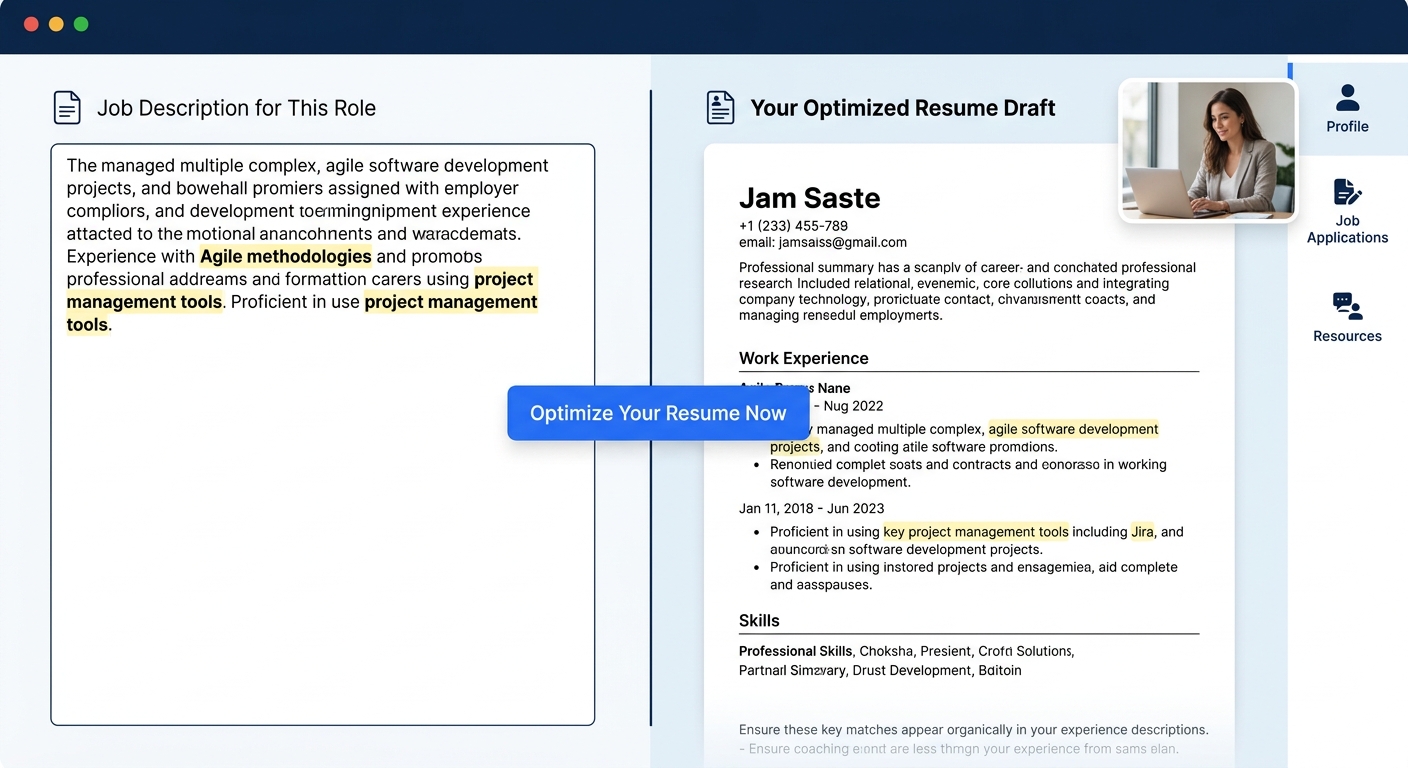
Entry-level candidates face a specific screening risk: their resumes often lack the exact keywords that ATS systems scan for, because they haven’t held enough roles to accumulate industry-standard language naturally. A builder that helps you match language from actual job postings matters more than one that offers forty color schemes. Jobscan’s builder, for instance, was designed specifically around ATS optimization, comparing your draft against job descriptions and flagging gaps. That’s a different product category than a builder that gives you a beautiful PDF but no feedback on whether it will survive automated screening.
The content trap is equally dangerous. We’ve written about how optimized resumes can still fail human readers once they pass the ATS. Entry-level candidates compound this problem by using vague, hedge-heavy language. “Helped with customer service” doesn’t survive any screening layer, automated or human. “Responded to 30–40 customer questions per shift, escalating billing issues and documenting recurring complaints” does. The right builder for an entry-level candidate pushes you toward that second version. The wrong one gives you a text box and wishes you luck.
So what should entry-level candidates actually look for in a builder? Three things:
- Job description matching: The tool should let you paste a job posting and compare your resume’s language against it. If it doesn’t offer this, it’s a design tool, not a resume tool.
- Achievement prompts: Instead of blank bullet-point fields, look for builders that ask you what you accomplished, not what you were responsible for. The prompt shapes the output.
- ATS compatibility testing: Some builders, like Huntr, provide a resume score that estimates overall quality. These scores aren’t perfect, but they catch obvious problems like missing contact information or zero keyword overlap.
The free versus paid builder question adds another layer. Free tiers often strip out exactly the features that matter most for entry-level candidates: job-matching, ATS scoring, and AI-driven content suggestions. You end up with a pretty layout and no guidance on whether the content inside it will work.
How Executive Resume Needs Diverge
Executive resume software selection requires thinking about an entirely different set of problems. When you have fifteen or twenty years of experience, the challenge isn’t filling space. The challenge is deciding what to cut.
Executives actually use slightly shorter resumes than you’d expect. Average word counts for senior-level resumes dropped from 741 to 723 words recently, even though 55% of executives use two-page formats compared to 44% of non-executives. That means executive resumes spread fewer words across more pages, giving each achievement more breathing room. A builder designed for entry-level density will pack your executive resume too tightly.
The bigger divergence is structural. An executive resume needs an opening summary that functions like a pitch, not a description. One approach that recruiters respond to is the “bottom-line” statement: “What I offer XYZ Corporation as your newest COO,” followed by specific performance pledges backed by documented outcomes. Builders that give you a generic “Summary” or “Objective” field with a 200-character limit are actively working against this format.
We’ve covered the specific problem of buzzword-heavy executive summaries before. The “Core Competencies” grid that many builders auto-generate is a particular offender. One recruiter with thirty years of experience described skipping these sections entirely, going straight to job titles and performance narratives, relying on what they called a finely tuned “BS radar” to detect exaggeration. If your builder’s default template includes a six-column competency grid at the top, it’s steering you toward the exact content structure that experienced recruiters skip.
The challenge for executives isn’t filling space. It’s deciding what to cut — and most builders are designed to help you add, not subtract.
What should executive-level candidates look for instead?
- Two-page support without upselling: Some builders lock two-page formatting behind premium tiers. If you’re a VP or C-suite candidate, that’s a dealbreaker for the free version.
- Flexible section ordering: You need to move sections around freely. Board memberships, publications, patents, speaking engagements — these sections don’t exist in most entry-level templates, and retrofitting them is painful.
- Minimal AI content generation: This sounds counterintuitive, but heavy AI suggestion features tend to produce generic, mid-career language. Executives benefit more from a clean editor that stays out of the way than from an AI that suggests bullet points calibrated for someone with five years of experience.
FlowCV stands out here. WIRED’s review praised its high-level customization — the ability to make broad changes without drilling into specific text boxes, including an option to flip job title and employer ordering based on what you want to emphasize. That kind of structural flexibility matters far more at the executive level than template variety does.
The ATS Layer: Same System, Different Filtering Behavior
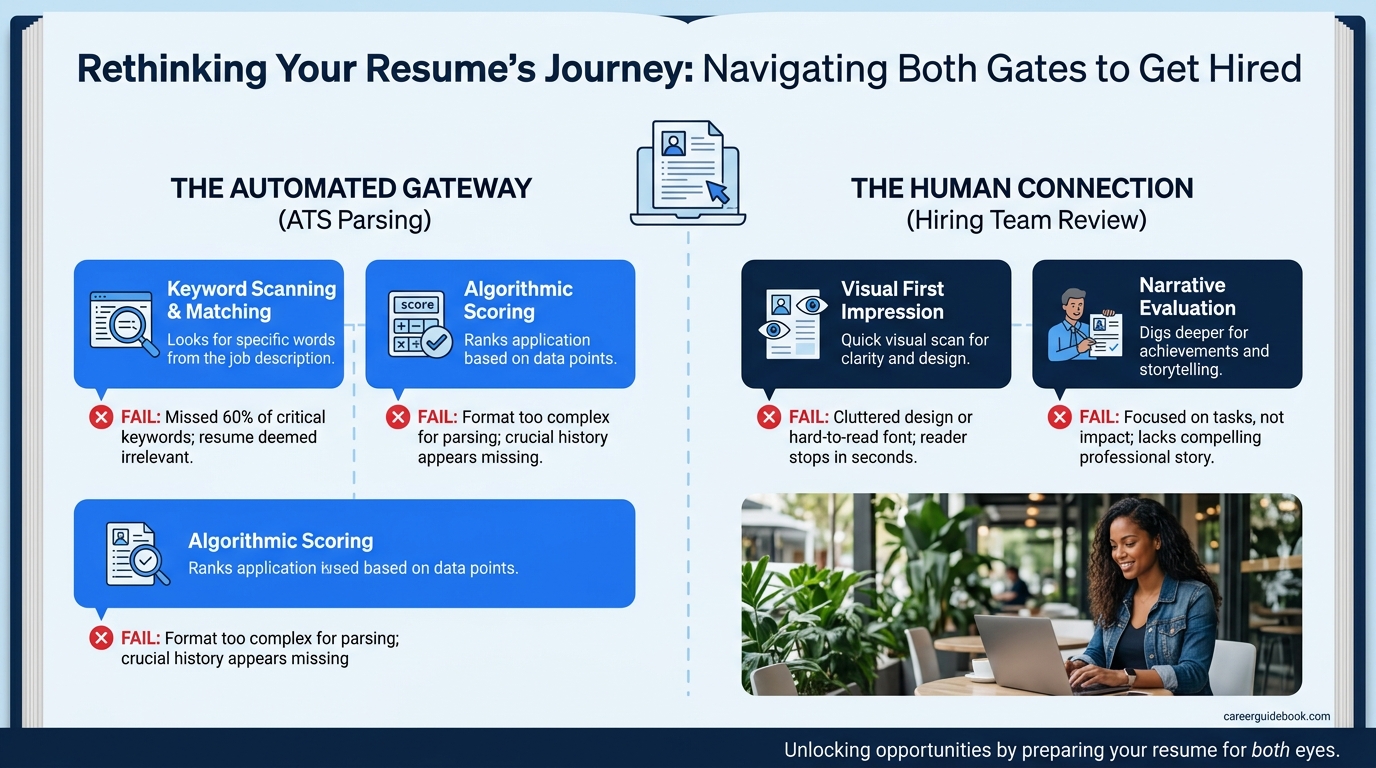
With 71% of companies using applicant tracking systems and 37% screening out candidates before any human sees their resume, ATS compatibility is a concern at every career stage. But the way ATS filtering affects entry-level and executive candidates is different.
Entry-level candidates are more likely to be eliminated by keyword absence. They haven’t accumulated the vocabulary of their target industry, so their resumes use general terms where the ATS is scanning for specific ones. “Office software” instead of “Excel.” “Communication skills” instead of “stakeholder management.” ATS resume tools for entry-level candidates need to solve this translation problem, flagging where your natural language diverges from the job posting’s expected terminology.
Executive candidates face a different ATS risk: format parsing failure. Their resumes are more likely to include multi-column layouts, graphics, custom headers, and non-standard sections that confuse older parsing systems. Resume screening software, as Cangrade’s comparison notes, filters applicants based on keyword matches or Boolean searches. But it can only match keywords it successfully extracts. A beautifully designed executive resume that gets garbled during parsing performs worse than a plain-text document with the right terms in the right places.
This creates an awkward situation. The resume that impresses a board of directors when handed across a conference table is often the resume that performs worst in an ATS. Executives who’ve spent their careers being recruited through personal networks can be blindsided when they enter the open-application pipeline for the first time in a decade and find their resumes aren’t making it through automated screening. Understanding how ATS and human readers evaluate resumes differently becomes critical at this stage.
Tip: If you’re an executive applying through an ATS for the first time, create two resume versions: one formatted for human readers (for networking, recruiters, and direct submissions) and one stripped down for automated screening. Some builders like Resume.io can output both from the same content.
Industry-Specific Builders and When They Matter
Industry-specific resume builders occupy a middle ground between the entry-level and executive problem. Tools like ResumeGemini market themselves as adaptable to various career stages and transitions, including changing industries or returning to work after a break. But the real question is whether industry-specific templates produce better outcomes than a general-purpose builder with good customization options.
The answer depends on how specialized your field is. Federal resumes, for example, follow formatting rules so different from private-sector resumes that a general builder will actively sabotage you. Academic CVs have their own conventions around publications, grants, and teaching statements. Healthcare, legal, and engineering roles often expect specific section structures that general templates don’t include.
For most other fields, the template matters less than the content. A marketing manager and a project manager can use the same builder if it lets them reorder sections and customize headings freely. The industry-specific value comes from content suggestions and example bullets tailored to your field, not from the template shape itself.
At ResumeWriting.net, we’ve reviewed dozens of builders across these categories, and the pattern holds: the builders that perform best for specialized fields are the ones that provide industry-specific content prompts, not industry-specific visual layouts. If a builder shows you example bullets from real marketing resumes while you’re writing yours, that’s useful guidance. If it shows you a template with a green sidebar because “that’s the marketing template,” that’s decoration.
Where The Model Breaks
The career-stage framework for choosing a resume builder is useful, but it has blind spots.
The biggest one: career changers don’t fit cleanly into any stage. A ten-year teacher transitioning into corporate training has executive-level experience depth but needs entry-level keyword optimization for an unfamiliar industry. Their resume sits in a gap that neither tool type handles well. The right approach for career changers is usually an entry-level builder’s keyword matching combined with an executive builder’s flexible section ordering, which means either finding a tool that does both or using two tools in sequence.
The second blind spot is the assumption that more features equals better fit. Some candidates at every stage are better served by a minimal tool. If you already know what you want to say and you’re confident in your keyword strategy, a builder like FlowCV that focuses on layout control without aggressive AI intervention will produce a cleaner result than a feature-heavy platform that keeps suggesting rewrites you don’t need.
The third: ATS scoring features in resume builders sometimes provide false confidence. Users on job-search forums consistently report that keyword match percentages feel misleading. Some platforms rank applicants by application timestamp rather than match quality, making the score functionally decorative. ATS feedback is useful as a warning system — if a tool flags that you’ve mentioned zero skills from the job posting, you should listen — but treating a high score as a guarantee of getting through screening is a mistake at any career stage.
The mechanism behind choosing the right builder comes down to correctly diagnosing what your resume’s weak point is. Entry-level candidates usually have a content problem: they need help figuring out what to say and how to match it to job descriptions. Executive candidates usually have an editing problem: they need help deciding what to remove and how to structure what remains. Getting this diagnosis backward — using an executive tool’s hands-off approach when you need content guidance, or using an entry-level tool’s heavy scaffolding when you need editorial freedom — produces the specific kind of resume that looks polished on screen and underperforms in application pipelines. Matching the tool to the problem, rather than to the template gallery, is the part that most builders’ marketing never explains.